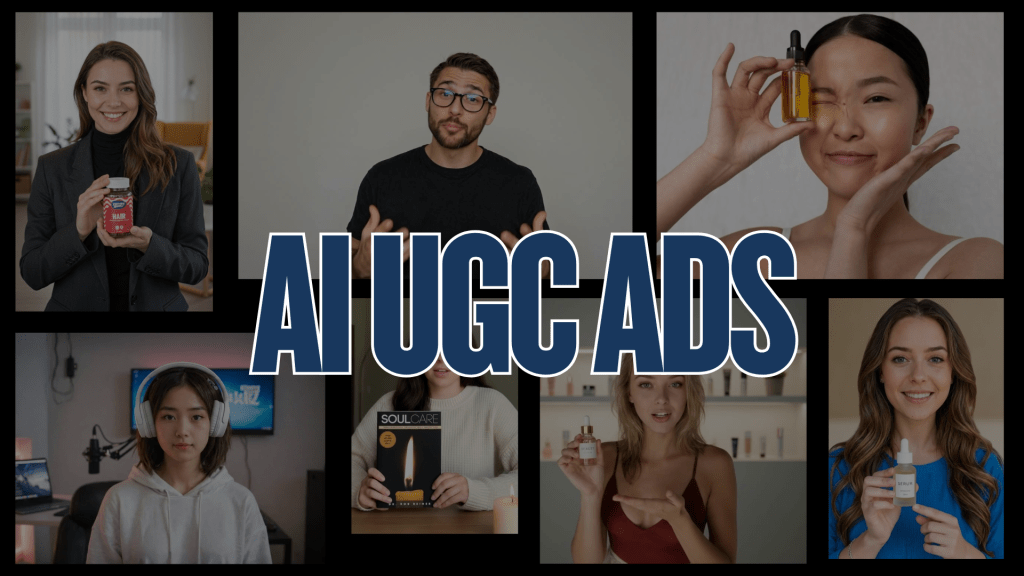
UGC-style ads have taken over social media marketing and for good reason. They come across as genuine, relatable, and persuasive. Instead of resembling polished brand commercials, UGC-style videos convey genuine customer experiences that audiences trust.
But producing this type of content at scale has always been a challenge. Finding creators, managing shoots, editing, and approving every variation can take weeks, until now.
With the AI UGC video generator, brands can create realistic user-style videos in minutes using AI avatars, natural voices, and smart editing tools. This step-by-step guide will show you how to make authentic-looking UGC ads with AI, even if you’ve never made a video before.
What are UGC-Style Ads?
UGC-style ads (User-Generated Content ads) are short, testimonial-style videos that appear to have been created by real customers or influencers. Instead of polished production, they focus on authentic experiences, opinions, and product benefits.

For example, a skincare brand might feature an AI avatar “reviewing” a serum and discussing how it has improved their skin – all in a casual, selfie-style video format.
Why brands love UGC-style ads:
- They build trust faster than branded content
- They feel at home on social platforms like TikTok, Instagram Reels, and YouTube Shorts.
- They convert better because audiences relate to authentic voices and experiences.
Why Use AI to Create UGC Ads
AI has completely changed the way brands produce UGC. Instead of hiring influencers or shooting videos, marketers can now generate lifelike UGC content automatically.
Here’s why AI is a game-changer for UGC ads:
- Saves time and money – No need for actors, cameras, or editing teams
- Scalable – Produce hundreds of ad variations for testing in a few hours
- Flexible – Create content in multiple languages or voices
- Realistic – AI avatars look and sound natural, making videos feel human
- Consistent branding – Maintain your message while customizing tone or visuals
AI UGC video generator like Tagshop AI enables any marketer or agency to create studio-quality UGC videos with just a few clicks.
Step-by-Step Guide: How to Create UGC-Style Ads Using AI
Step 1: Choose the Right AI UGC Video Tool
You can start by selecting a trustworthy AI UGC video generator.
Look for tools that offer:
- A wide range of realistic avatars
- Custom voice and accent options
- Script-to-video automation, Easy video editing interface
👉Recommended Tool: Tagshop AI – a leading AI UGC generator that lets you create avatar-based UGC videos for ads and social media in minutes.
Step 2: Write or Upload Your Script
Your script sets the tone of the ad. Keep it conversational and authentic, like a real customer would talk.

Example script for a skincare brand:
“I’ve been using this serum for just two weeks, and my skin feels smoother already! I love how light it is — no greasiness at all.”
💡Tip: Focus on benefits, personal experiences, and problem-solving — not just product features.
Step 3: Select an AI Avatar and Voice
Next, select an avatar that suits your target audience.

For example:
- Female avatar for beauty or wellness brands
- Male avatar for tech or fitness products
- Neutral avatar for corporate or explainer videos
Then select a voice and tone that feels natural — friendly, casual, and confident.
Step 4: Customize Visuals and Branding
Add your brand’s touch without overdoing it.
- Insert your product visuals, logo, and CTA text. Keep the style simple and real, not overly edited
- Add captions for accessibility and higher engagement
To make it feel more “UGC-like,” use casual backgrounds, direct-to-camera talking, and natural gestures.
Step 5: Edit and Preview
Once your AI-generated video is complete, you can go over it as you would a real ad.
- Trim unwanted parts
- Sync voice with visuals
- Adjust pacing, transitions, and text overlays
Most AI tools allow for instant previews, so you can refine your work before exporting.
Step 6: Export and Publish
When your video feels right, export it in your desired resolution and format.
Now you can publish it on:
- TikTok Ads for quick storytelling
- Instagram Reels for influencer-style reach
- Facebook Video Ads for engagement
- YouTube Shorts for broader discovery
💡 Pro Tip: Create 3–5 variations with different hooks or CTAs and A/B test them to find your best-performing version.
Tips to Make AI UGC Ads Look More Authentic
Although AI handles most of the work, authenticity remains key. Here are some expert tips:
- Use natural voiceovers, not robotic tones
- Include personal phrases like “I’ve tried this myself” or “Honestly, I didn’t expect this result.”
- Keep the video under 30 seconds for better engagement
- Add casual expressions or pauses to make the video sound real
- Showcase real results or product demos for credibility
Read More: AI Tools for Creating AI UGC Ads.
Conclusion
UGC-style ads have become the new face of digital marketing — and with AI, they’re easier than ever to create. You no longer need creators, cameras, or studios — just an idea, a script, and an AI UGC generator like Tagshop AI.
Start creating authentic, scalable, and high-performing UGC ads that look real, feel real, and convert like never before.
 AI Avatar Tech Blog
Leave a comment