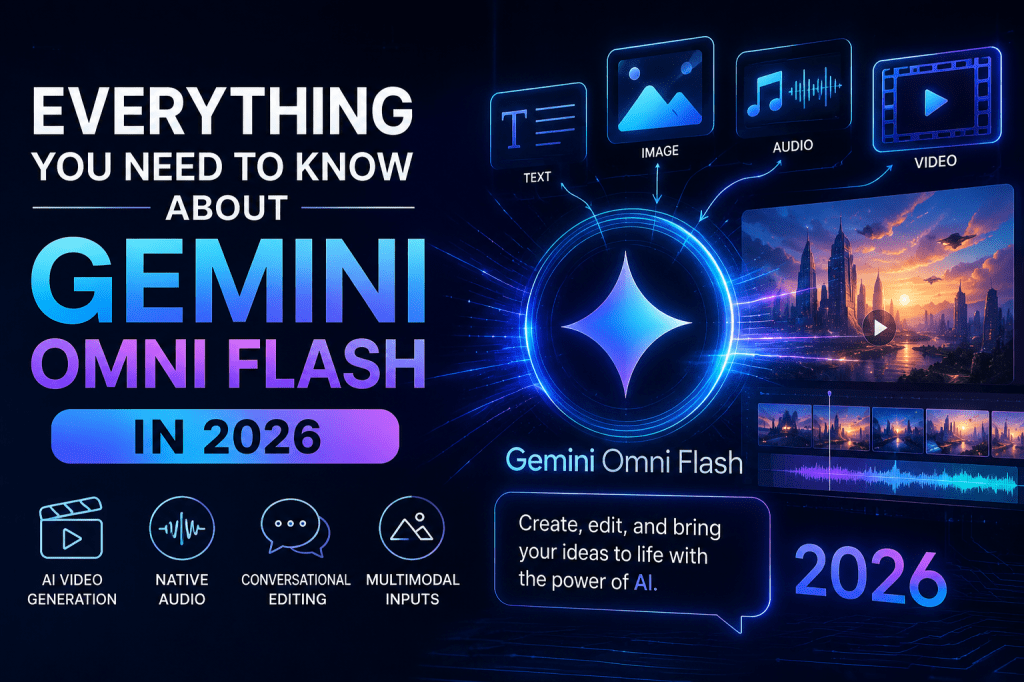
Google’s AI ecosystem has evolved rapidly over the past few years, but 2026 marks one of its biggest leaps forward with the launch of Gemini Omni Flash. While previous Gemini models focused on text, coding, reasoning, and multimodal understanding, Gemini Omni Flash introduces something far more ambitious: AI-powered video creation and editing from any combination of text, images, audio, and video inputs.
At Google I/O 2026, Google unveiled Gemini Omni as a new generation of multimodal creation models. The first model in the lineup, Gemini Omni Flash, is designed to generate high-quality videos with synchronized audio while allowing users to edit content through natural conversations.
For creators, marketers, businesses, educators, and content teams, this release could fundamentally change how video production works. Instead of juggling multiple tools for scripting, animation, voiceovers, editing, and post-production, Gemini Omni Flash aims to bring everything into a single AI workflow.
In this guide, you’ll learn:
- What Gemini Omni Flash is
- How it works
- Key features
- Pricing and availability
- Use cases
- Comparisons with competing AI video models
- Benefits and limitations
- Future implications for content creation
What Is Gemini Omni Flash?
Gemini Omni Flash is Google’s first model in the Gemini Omni family. It is a transformer-based multimodal AI model capable of understanding text, images, audio, and video simultaneously and generating high-resolution videos with native audio output.
Unlike traditional AI video generators that primarily rely on text prompts, Gemini Omni Flash allows users to combine multiple media formats as input.
For example, you can provide:
- A product Video
- A voice recording
- A short video clip
The model then understands all of these inputs together and generates a cohesive video output.
Google describes this as the ability to “create anything from any input.”
Why Gemini Omni Flash Matters
The AI video industry is experiencing explosive growth.
AI Video Market Statistics
| Metric | Value |
| Global AI Market (2026) | $300+ Billion |
| Video Content Share of Internet Traffic | 82%+ |
| Average Marketing ROI from Video | 49% Higher Than Static Content |
| Businesses Using AI for Content Creation | 70%+ |
| Short-form Video Growth Rate | 100%+ YoY |
| AI Video Tool Adoption by Marketers | Rapidly Increasing |
Video has become the dominant content format across:
- YouTube
- TikTok
- Instagram Reels
- Ecommerce product pages
Yet video production remains expensive, slow, and resource-intensive.
Gemini Omni Flash attempts to solve that challenge by turning video creation into a conversational AI task.
Gemini Omni Flash vs Traditional Video Production
| Traditional Workflow | Gemini Omni Flash Workflow |
| Write script | Prompt AI |
| Record footage | Generate video |
| Hire actors | Use AI-generated scenes |
| Record voiceovers | Native AI audio |
| Edit clips | Conversational editing |
| Add effects | AI-generated effects |
| Days or weeks | Minutes |
How to Use Gemini Omni Flash on Tagshop AI
You don’t need a Google Cloud account, an API key, or any technical setup to use Gemini Omni Flash. Everything is available directly inside Tagshop AI’s Assets Generator.
Step 1 – Open Tagshop AI
Go to Tagshop AI → Assets Generator → Choose Model → Select Gemini Omni Flash.
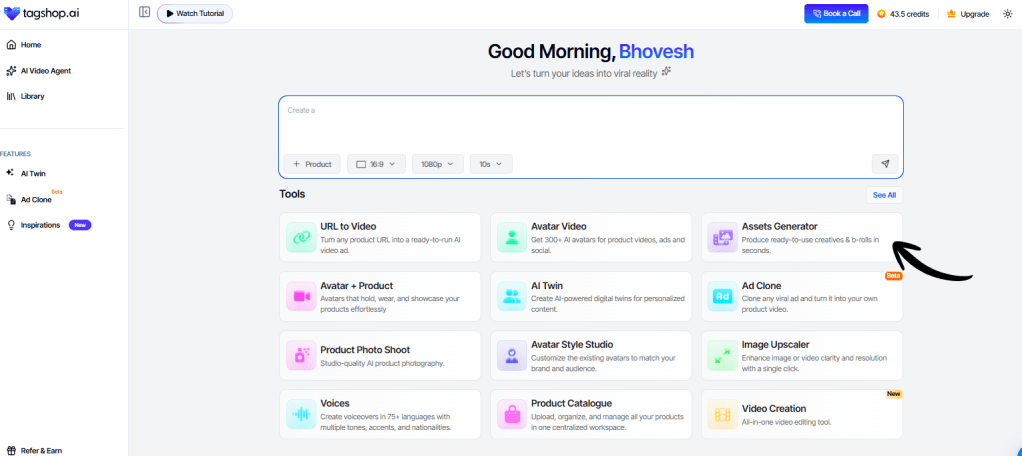
Unlike traditional AI models that require separate tools for different tasks, Gemini Omni Flash is designed to handle text and image inputs within a single workflow. There are no complicated settings or multiple model versions to choose from.
Step 2 – Add Your Input Type
Start by providing the content you want Gemini Omni Flash to work with.
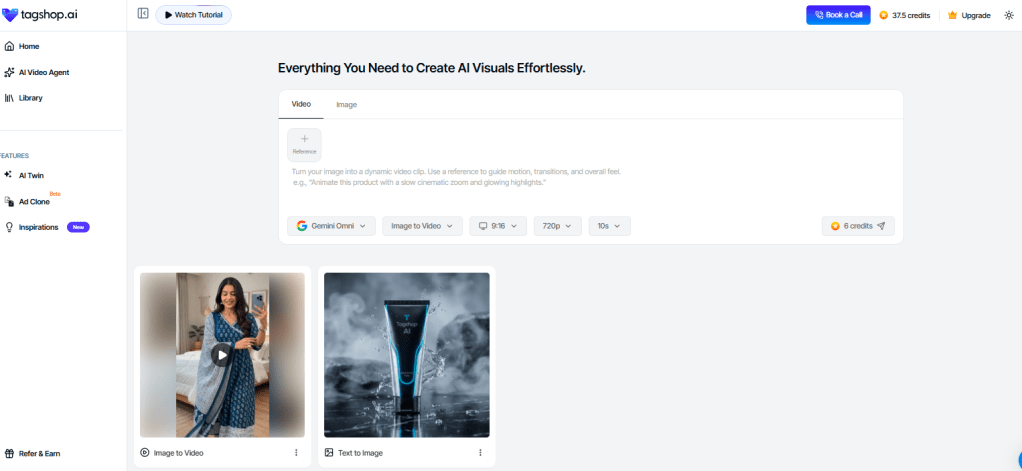
You can:
- Enter a text prompt describing the scene, style, mood, or creative direction.
- Upload a product image.
- Combine multiple inputs together.
For example, you can upload:
- A product image for the subject.
- A style image for color grading.
- A voice sample for creative context.
Gemini Omni Flash analyzes all these inputs simultaneously, enabling it to understand the complete creative vision rather than focusing on a single reference source.
Step 3 – Set Your Output
Choose the format that matches your publishing destination.

Available aspect ratios include:
- 9:16 for TikTok, Instagram Reels, and YouTube Shorts.
- 1:1 for Facebook and Instagram Feed posts.
- 16:9 for YouTube videos and wider campaign assets.
Video generations can run up to 10 seconds per output, making it ideal for short-form advertising and social media content.
Step 4 – Generate, Refine, and Export
Click Generate and let Gemini Omni Flash create your content.
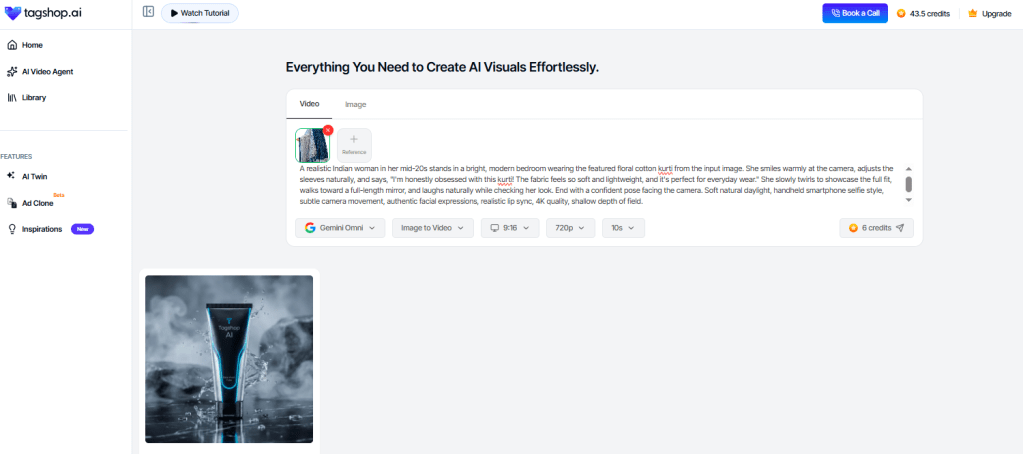
Most outputs are ready within 5–15 minutes depending on complexity.
One of the biggest advantages of Gemini Omni Flash is iterative editing. If you’d like to make changes, you don’t need to start from scratch. Simply type instructions such as:
- “Make the scene brighter.”
- “Change the background to a beach.”
- “Add more dramatic lighting.”
- “Make the product larger.”
The model updates the existing generation instead of rebuilding the entire project.
Once you’re happy with the result, export your asset or publish it directly to platforms like Meta and TikTok.
Key Features of Gemini Omni Flash
1. Native Video + Audio Generation
Most AI video tools generate silent footage that requires separate audio production.
Gemini Omni Flash generates:
- Video
- Voice
- Ambient sounds
- Effects
Together in a single workflow.
2. Multimodal Inputs
Users can combine:
- Text
- Images
- Audio
- Video
Within one prompt.
This creates more control and consistency than text-only systems.
3. Conversational Editing
Instead of re-generating videos from scratch, users can refine outputs through chat.
Examples:
- “Make the lighting warmer.”
- “Change the camera angle.”
- “Add snow.”
- “Turn this into a night scene.”
The AI remembers context between edits.
4. Physics-Aware Generation
Google describes Gemini Omni as a world model that understands physical interactions more realistically than previous systems.
This improves:
- Motion consistency
- Object interactions
- Environmental realism
- Camera movement
5. Multi-Turn Video Editing
Users can continue editing videos across multiple prompts while maintaining consistency.
This is particularly useful for:
- Marketing campaigns
- Brand videos
- Storytelling projects
6. Image-to-Video Creation
Turn static photos into dynamic videos.
Applications include:
- Ecommerce products
- Real estate listings
- Travel content
- Educational material
7. Video-to-Video Editing
Modify existing footage without traditional editing software.
Gemini Omni Flash Use Cases
Ecommerce Product Videos
Brands can generate:
- Product demonstrations
- Lifestyle ads
- Social media creatives
- Product launch videos
without expensive production teams.
Social Media Content
Perfect for:
- TikTok videos
- Instagram Reels
- YouTube Shorts
- LinkedIn content
Google has also announced integration with YouTube Shorts.
Digital Marketing
Marketers can create:
- Video ads
- Landing page videos
- Retargeting creatives
- Personalized campaigns
at scale.
Education
Educators can transform lessons into visual experiences.
Examples:
- History animations
- Science demonstrations
- Training materials
Entertainment
Creators can generate:
- Short films
- Animated content
- Storyboards
- Concept videos
using conversational workflows.
Gemini Omni Flash vs Veo 3.1
Google is positioning Gemini Omni Flash as the successor to Veo 3.1 in many user-facing experiences.
| Feature | Veo 3.1 | Gemini Omni Flash |
| Text-to-Video | Yes | Yes |
| Image-to-Video | Limited | Advanced |
| Audio Generation | Partial | Native |
| Conversational Editing | No | Yes |
| Multi-Turn Workflow | Limited | Yes |
| Multimodal Inputs | Limited | Full |
| Video-to-Video Editing | Basic | Advanced |
The biggest advantage is the ability to edit videos through natural conversation rather than manual timelines.
Gemini Omni Flash vs Other AI Video Generators
| Tool | Strength |
| Gemini Omni Flash | Multimodal video generation + editing |
| Runway Gen-4.5 | Cinematic AI filmmaking |
| Sora | Long-form video generation |
| Kling | Realistic motion quality |
| Seedance 2.5 | Professional creative control |
| Pika | Fast social media content |
| Luma Dream Machine | Quick concept videos |
Gemini Omni Flash differentiates itself through its integration of reasoning, multimodal understanding, and conversational editing.
Availability and Pricing
According to Google announcements, Gemini Omni Flash is rolling out across:
- Gemini App
- Google Flow
- YouTube Shorts
- YouTube Create
- Gemini APIs
- Enterprise Platforms
Availability initially targets:
- Google AI Plus users
- Google AI Pro users
- Google AI Ultra users
- Developers through APIs
Pricing may vary depending on subscription tier and API usage.
Benefits of Gemini Omni Flash
Faster Production
Create videos in minutes instead of days.
Lower Costs
Reduce spending on:
- Actors
- Studios
- Editors
- Voice talent
Better Creativity
AI enables rapid experimentation with multiple concepts.
Improved Accessibility
Small businesses can now access professional-quality video creation tools.
Scalability
Generate:
- Hundreds of ad variations
- Personalized campaigns
- Multi-language content
from a single workflow.
Limitations of Gemini Omni Flash
Despite its capabilities, some challenges remain.
Clip Length Restrictions
Current versions generate relatively short videos compared to traditional productions. Many demonstrations focus on clips around 10 seconds.
Creative Control
Professional filmmakers may still prefer manual editing tools for complex projects.
Computational Costs
High-quality video generation requires substantial compute resources.
Copyright and Ethics
As with all generative AI systems, concerns remain around:
- Copyright
- Deepfakes
- Content authenticity
Google uses SynthID watermarking to identify AI-generated content.
Future of Gemini Omni
Google has made it clear that video is only the beginning.
The long-term vision for Gemini Omni is an AI model capable of creating any media format from any combination of inputs. Future expansions are expected to include broader image and audio generation capabilities.
Potential future features include:
- Longer video generation
- Real-time collaboration
- Interactive experiences
- Full multimedia production
- Agentic content creation
What Does Gemini Omni Flash Mean for Businesses?
For businesses, Gemini Omni Flash could become one of the most impactful AI tools released in 2026.
Companies can potentially:
- Create ads faster
- Reduce content production costs
- Launch campaigns quicker
- Scale video personalization
- Produce content across multiple platforms
As video continues dominating digital marketing, tools like Gemini Omni Flash may become a standard part of modern content workflows.
Frequently Asked Questions (FAQs)
What is Gemini Omni Flash?
Gemini Omni Flash is Google’s multimodal AI video generation model that can create and edit videos using text, images, audio, and video inputs.
Is Gemini Omni Flash different from Gemini 3.5 Flash?
Yes. Gemini 3.5 Flash focuses on reasoning, coding, and agentic tasks, while Gemini Omni Flash is designed primarily for AI video creation and editing.
Can Gemini Omni Flash generate audio?
Yes. The model supports native audio generation alongside video creation.
Can I edit existing videos with Gemini Omni Flash?
Yes. Video-to-video editing is one of its major features, allowing users to modify footage through natural language instructions.
Where can I use Gemini Omni Flash?
Google is rolling it out across Gemini, Google Flow, YouTube Shorts, YouTube Create, enterprise platforms, and developer APIs.
Is Gemini Omni Flash free?
Availability depends on subscription plans and platform access. Some integrations may offer limited free access, while advanced features are available through paid Google AI plans.
Can businesses use Gemini Omni Flash for advertising?
Absolutely. It is particularly useful for video ads, product marketing, social media campaigns, ecommerce content, and branded storytelling.
Will Gemini Omni Flash replace traditional video editing?
Not entirely. Professional productions will still benefit from traditional editing software, but Gemini Omni Flash can dramatically accelerate content creation workflows.
Final Thoughts
Gemini Omni Flash represents Google’s most ambitious step into AI-powered video generation. By combining reasoning, multimodal understanding, conversational editing, and native audio generation into a single model, Google is redefining how videos are created in 2026.
For creators, marketers, educators, and businesses, the technology offers a glimpse into a future where producing high-quality videos is as simple as having a conversation with AI. As adoption grows and capabilities expand, Gemini Omni Flash may become one of the defining AI tools shaping digital content creation throughout the rest of the decade.


Leave a Reply