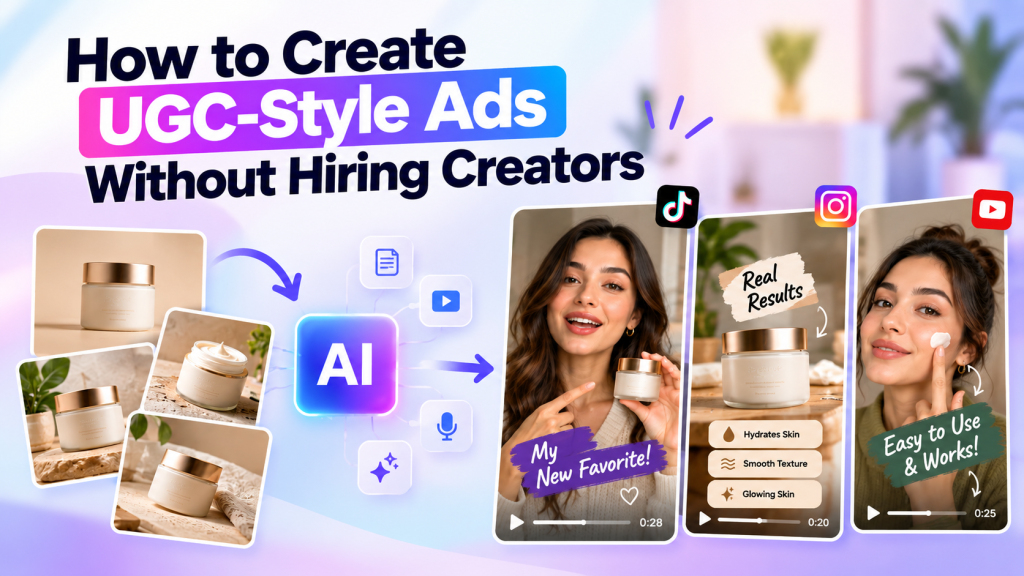
User-generated content has become one of the most recognizable formats in modern digital advertising. From TikTok and Instagram Reels to YouTube Shorts and paid social campaigns, brands are using creator-style videos to introduce products, explain benefits, answer customer questions, and drive conversions.
But traditional UGC production can be challenging. Brands may need to find suitable creators, negotiate rates, send products, provide creative briefs, wait for filming, review footage, request revisions, and edit the final videos.
The good news is that brands no longer need to rely entirely on traditional creator production to create UGC-style video ads.
With AI-powered video creation tools, marketers can transform product images, product URLs, scripts, and brand assets into engaging UGC-style advertisements. AI avatars, synthetic voices, automated scripts, product visuals, captions, and AI-generated scenes can help brands create multiple video concepts without organizing a traditional photoshoot or creator campaign.
In this guide, we’ll explain how to create UGC-style ads without hiring creators, what makes a UGC-style video effective, how AI can simplify production, and how brands can build a scalable workflow for creating UGC video ads.
What Are UGC-Style Video Ads?
UGC-style video ads are advertisements designed to resemble the content people commonly see from creators and customers on social media.
Traditional advertisements often look highly polished and professionally produced. UGC-style ads usually have a more casual, conversational, and personal presentation.
A typical UGC-style video might include a person talking directly to the camera, demonstrating a product, explaining a problem, sharing an experience, or recommending a solution.
For example, instead of creating a traditional product advertisement that says:
“Our advanced skincare formula delivers long-lasting hydration.”
A UGC-style ad might use a conversational approach:
“I’ve been looking for a moisturizer that doesn’t feel heavy, and this one surprised me.”
The second approach feels more like a personal recommendation.
AI makes it possible to reproduce many of these creative characteristics without requiring a human creator to record every video.
Why Create UGC-Style Video Ads?
UGC-style content can fit naturally into social feeds because it resembles the type of content users are already consuming.
For brands, this format can provide several advantages.
Faster Creative Production
Traditional UGC requires coordination between marketers and creators. AI can reduce the number of production steps involved.
Instead of waiting for a creator to film and deliver a video, marketers can use AI to create a draft video from a script and product assets.
More Creative Variations
Advertising performance often depends on creative testing.
Rather than creating one video and using it for weeks, brands can produce multiple variations with different:
- Hooks
- Scripts
- Avatars
- Voices
- Product scenes
- CTAs
- Video lengths
- Messaging angles
This creates a larger creative testing library.
Lower Production Requirements
Hiring creators for every product and campaign can become expensive, particularly for brands managing large product catalogs.
AI can help reduce the amount of manual production required while allowing marketers to create additional content.
Easier Content Repurposing
Existing product photography can be transformed into video concepts.
A product image that was originally created for an eCommerce website could also become part of a social media ad, product demonstration, or UGC-style video.
How to Create UGC-Style Video Ads Without Hiring Creators
Creating an effective AI-powered UGC-style advertisement requires more than simply generating a talking avatar.
The process should begin with the marketing objective and end with a clear call to action.
Here is a practical workflow.
Step 1: Define Your Advertising Goal
Before creating your video, determine what you want the audience to do.
Your goal might be:
- Increase product awareness
- Generate website traffic
- Drive purchases
- Promote a new product
- Generate leads
- Increase app downloads
- Promote a special offer
- Explain a product feature
Your objective will influence the script, visuals, video length, and CTA.
For example, an awareness ad may focus on a problem and introduce the product, while a conversion-focused ad may highlight benefits, objections, social proof, and a direct CTA.
Step 2: Choose the Product You Want to Promote
Select one product or offer for each video.
Avoid trying to promote too many products in a single short-form advertisement.
If you sell multiple products, consider creating separate videos.
For example:
Video 1: Product introduction
Video 2: Product demonstration
Video 3: Problem-solution concept
Video 4: Product benefits
Video 5: FAQ-style video
This makes each creative easier to understand.
Step 3: Prepare Your Product Assets
You don’t need a professional video shoot to get started.
Collect the assets you already have.
These might include:
- Product photos
- Lifestyle images
- Product descriptions
- Product benefits
- Customer reviews
- Brand guidelines
- Product URLs
- Existing advertisements
- Promotional offers
High-quality product images are particularly useful when creating AI UGC videos because they can be incorporated into generated scenes and product-focused sequences.
Step 4: Create a Strong UGC Hook
The first few seconds are extremely important in short-form advertising.
Your hook should immediately give viewers a reason to continue watching.
Some useful hook structures include:
Problem Hook
“Struggling to find a product that actually works for you?”
Curiosity Hook
“I didn’t expect this product to make such a difference.”
Question Hook
“Have you tried this before?”
Discovery Hook
“I just found something that completely changed my routine.”
Benefit Hook
“Here’s an easier way to solve this problem.”
The hook should be relevant to the product and audience.
Avoid making exaggerated claims simply to attract attention.
Step 5: Write a Conversational Script
Once the hook is ready, build the rest of the script.
A simple structure is:
Hook → Problem → Solution → Product Benefits → CTA
For example:
Hook:
“Still spending too much time creating product content?”
Problem:
“Every new campaign usually means another round of filming, editing, and revisions.”
Solution:
“Now you can turn your existing product assets into UGC-style video ads with AI.”
Benefits:
“Create different scripts, presenters, scenes, and variations without organizing a new shoot every time.”
CTA:
“Try creating your next product video with AI.”
Keep your script concise and conversational.
UGC-style advertisements should sound like natural communication rather than a corporate presentation.
Step 6: Select an AI Avatar
If your advertisement requires a person on screen, an AI avatar can serve as the presenter.
Modern AI video platforms offer different avatar styles and presentation formats.
Depending on your tool, you may be able to choose:
- Appearance
- Gender
- Voice
- Language
- Accent
- Clothing
- Presentation style
- Background
The avatar should match your target audience and product category.
For example, a professional-looking presenter may fit a B2B software product, while a casual creator-style avatar may work for lifestyle products.
The goal isn’t to make the avatar look overly polished. The presentation should fit naturally within the platform where the ad will appear.
Step 7: Generate the Voiceover
AI voice generation can turn your written script into spoken audio.
A suitable voice should match the personality of the advertisement.
For UGC-style content, consider a conversational delivery rather than a dramatic commercial voice.
You can also experiment with different voices to create multiple versions of the same advertisement.
For example:
Version A: Friendly and casual
Version B: Energetic and enthusiastic
Version C: Educational and informative
This gives you additional creative variations without rewriting the entire campaign.
Step 8: Add Product Shots
Product visuals are one of the most important components of a UGC-style advertisement.
Even when an AI avatar is presenting the video, viewers should clearly understand what product is being promoted.
Use product images throughout the video where relevant.
You can show:
- Product close-ups
- Packaging
- Different product angles
- Lifestyle images
- Product-in-use visuals
- Feature highlights
AI-powered product-shot generation can also help create additional visual environments around existing product assets.
However, always check AI-generated visuals for product accuracy.
Packaging, colors, labels, logos, proportions, and other important details should remain consistent with the actual product.
Step 9: Create Multiple Scenes
A common mistake is creating a video where the same avatar remains on screen for the entire duration.
Instead, create a visual sequence.
For example:
Scene 1: Avatar introduces the problem.
Scene 2: Product image appears.
Scene 3: Product benefits are displayed.
Scene 4: Lifestyle product scene appears.
Scene 5: Avatar explains the key benefit.
Scene 6: CTA appears.
Changing the visual composition helps maintain attention and gives the advertisement a more dynamic structure.
Step 10: Add Captions
Many social media users watch videos without sound.
Captions can help communicate your message even when audio is disabled.
Use short phrases that emphasize the main points.
For example:
“Create videos faster”
“No filming required”
“Turn product images into video”
“Create multiple ad variations”
Make sure captions are easy to read on mobile screens.
Step 11: Add a Clear CTA
Your final scene should tell the viewer what to do next.
Depending on your campaign, the CTA could be:
- Shop Now
- Learn More
- Try It Today
- Start Creating
- Explore the Product
- Visit the Website
- Get Started
- See How It Works
Don’t use a complicated CTA.
One clear action is usually easier for viewers to understand.
How to Make AI UGC Ads Look Authentic
Creating an AI video is relatively easy. Making it feel natural requires more attention.
Avoid Corporate-Sounding Scripts
UGC-style advertisements should use language that resembles everyday communication.
Instead of:
“Our cutting-edge technology delivers an unparalleled customer experience.”
Use:
“Here’s what I like about this tool.”
The second sentence is shorter, simpler, and more conversational.
Keep the Story Focused
Don’t explain every product feature in a single video.
Choose one primary message.
For example, a 20-second video might focus only on how quickly a product solves a particular problem.
You can create another video covering a different benefit.
Use Natural Pacing
Short-form content usually needs a fast and clear presentation.
Avoid long introductions.
Move from the hook to the main point quickly.
Visual changes can also help maintain attention.
Show the Product Early
Don’t make viewers wait until the end to discover what you’re advertising.
Introduce the product relatively early in the video.
This also helps viewers understand the context of the message.
Avoid Excessive Effects
AI tools can generate impressive animations and visual effects, but more effects don’t necessarily make an advertisement better.
Use effects when they support the message.
The product and story should remain the focus.
AI UGC Video vs Traditional Creator UGC
Both approaches can be useful, but they work differently.
| Factor | Traditional Creator UGC | AI UGC Video |
| Creator required | Yes | No |
| Physical filming | Usually | Not necessarily |
| Production speed | Depends on creator | Often faster |
| Creative variations | Depends on production | Easy to scale |
| Product shipment | Often required | Not always |
| Script changes | May require reshoot | Can be regenerated |
| Avatar options | Real creator | AI avatar |
| Voice options | Creator voice | AI-generated voice |
| Scaling | Requires more creators | Easier to scale |
AI UGC should not necessarily be viewed as a replacement for every type of creator content.
Real creators can provide genuine personal experiences, unique personalities, and authentic product interactions.
AI is particularly useful when brands need to produce content quickly, test multiple creative concepts, or scale video production.
Create UGC-Style Video Ads for Different Platforms
Once your core video is ready, adapt it for different channels.
TikTok
Focus on fast hooks, vertical video, conversational storytelling, and native-looking creative.
Instagram Reels
Use strong visuals, concise messaging, captions, and a clear CTA.
YouTube Shorts
Make the opening seconds immediately understandable and keep the video focused.
Facebook Ads
Test different combinations of hooks, product visuals, copy, and CTAs.
The same product can have different creative versions for each platform.
Use AI to Create Multiple UGC Ad Variations
One of the biggest advantages of AI-powered video production is creative scalability.
Instead of creating one advertisement, build a creative matrix.
For example:
3 hooks × 3 scripts × 2 avatars × 2 CTAs = 36 potential variations
You don’t need to publish every version.
Instead, use different combinations for creative testing.
You can experiment with:
- Different opening hooks
- Different presenters
- Different product visuals
- Different messaging
- Different video lengths
- Different CTAs
Then use advertising performance data to understand which creative concepts deserve additional testing.
How Tagshop AI Can Help Create UGC-Style Video Ads
AI-powered platforms such as Tagshop AI can help marketers streamline the process of creating UGC-style video advertisements.
An AI Video Agent can assist with video creation through a conversational workflow, helping marketers move from an idea to a video concept more efficiently.
The Ad Clone feature can be used to analyze the structure of an existing advertisement and create a new version tailored to a brand’s product and messaging.
With URL-to-Video, marketers can use a product URL as an input and generate video content using available product information and assets.
AI Twin technology can also help users create a digital presenter based on their own provided image and voice, allowing them to produce personalized video content without recording every version manually.
These capabilities can be useful for eCommerce teams, marketers, and performance advertisers who need to produce a larger volume of video creative.
How to Measure Your UGC-Style Video Ads
Creating videos is only one part of the process.
You also need to understand how the content performs.
Depending on the platform and campaign objective, monitor metrics such as:
Hook Rate
How many viewers continue watching after the initial seconds?
View-Through Rate
How many viewers watch a significant portion of the video?
Engagement
Look at likes, comments, shares, and saves where relevant.
Click-Through Rate
Measure how frequently viewers click after seeing the advertisement.
Conversion Rate
Track how many visitors complete the desired action.
Cost Per Acquisition
Understand how much it costs to generate a customer or desired conversion.
Return on Ad Spend
For conversion campaigns, compare revenue generated with advertising spend.
Use these metrics to identify which creative elements are working and which need improvement.
Common Mistakes When Creating UGC-Style Ads With AI
1. Making the Video Too Generic
AI can produce polished content, but generic messaging may not connect with a specific audience.
Use customer pain points and product-specific messaging.
2. Using Unverified Claims
Don’t let AI generate unsupported product claims.
Review every script before publishing.
3. Ignoring Brand Consistency
Maintain consistent colors, messaging, product details, and visual identity.
4. Making Every Video Identical
Create different hooks, scenes, scripts, and presentation styles.
5. Forgetting the CTA
A video should have a clear objective and next step.
Final Thoughts
You don’t always need to hire creators to create UGC-style video ads.
AI video technology provides marketers with a new way to transform product images, scripts, URLs, and brand assets into short-form advertisements featuring AI presenters, voiceovers, product scenes, captions, and calls to action.
The most effective workflow starts with a clear marketing objective and a strong hook. From there, brands can create conversational scripts, select an appropriate AI avatar, add accurate product visuals, build engaging scenes, and finish with a clear CTA.
The biggest advantage is scalability. Instead of producing one creative at a time, marketers can create multiple UGC-style concepts and test different hooks, messages, presenters, and CTAs.
For eCommerce brands and performance marketers, this makes AI UGC video production a practical addition to a broader creative strategy.
The goal shouldn’t simply be to generate more videos. The goal is to create relevant, natural-looking, product-focused video ads that communicate value quickly and give viewers a clear reason to take action.


Leave a comment