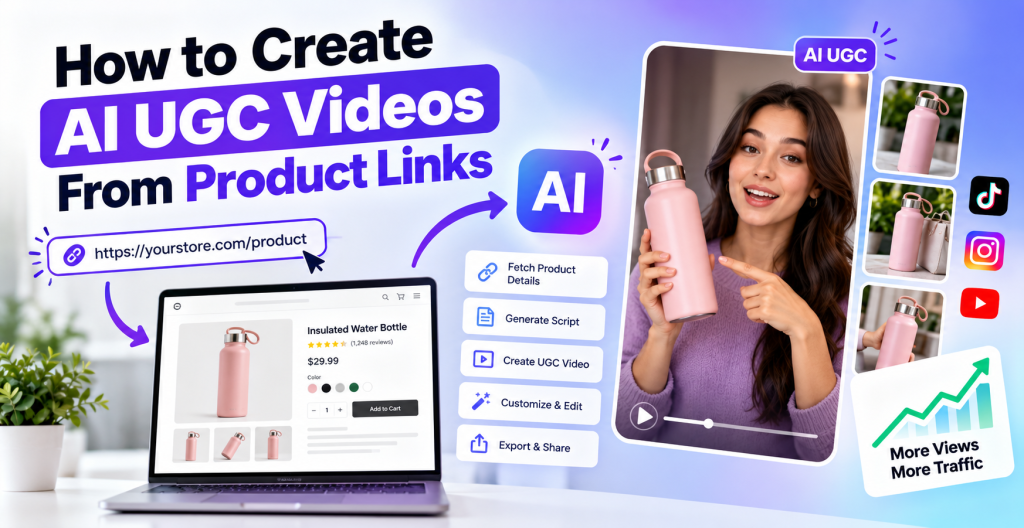
Creating engaging product videos is an important part of modern digital marketing. Businesses use videos to demonstrate products, explain features, answer customer questions, and help shoppers make informed purchasing decisions. However, traditional video production can require cameras, lighting equipment, editing software, product samples, and considerable time. For small businesses and eCommerce brands managing multiple products, producing videos at scale can become challenging.
Artificial intelligence is changing how brands approach video creation. With AI-powered tools, businesses can transform product information into video content without recording every scene manually. One increasingly useful workflow is creating AI UGC videos directly from product links.
Instead of starting with a blank editing timeline, marketers can provide a product page URL to a compatible AI video tool. Depending on the platform, the tool may extract product images, descriptions, features, and other available information to help generate a script and assemble a UGC-style video.
This approach can simplify content production for online stores, direct-to-consumer brands, dropshippers, and digital marketers. It can also help businesses create multiple product video variations for social media, product pages, and advertising campaigns.
In this guide, you will learn how to create AI UGC videos from product links, which steps matter most, how to choose the right AI tool, and how to improve video quality for marketing and organic discovery.
What Are AI UGC Videos From Product Links?
AI UGC videos from product links are videos created using artificial intelligence and information available on a product webpage. UGC stands for user-generated content, which traditionally refers to content created by real customers or users. UGC-style videos often feature conversational narration, product demonstrations, personal-style explanations, and relatable visual storytelling.
AI-generated UGC-style videos reproduce aspects of this format using tools such as AI avatars, synthetic voices, automated scripts, and generated or selected visuals.
For example, imagine an online store selling a reusable water bottle. Instead of manually preparing a video from scratch, a marketer can provide the product page URL to an AI video platform that supports URL-to-video creation. The platform may retrieve the product name, images, capacity, materials, and listed features.
The marketer can then use this information to create a short video demonstrating the bottle’s design, explaining its practical features, and presenting relevant use cases.
The final video can be adapted for platforms such as Instagram Reels, TikTok, YouTube Shorts, or a product detail page.
It is important to understand that not every AI video generator supports direct product URL imports. Some require manual image uploads or pasted product descriptions. The available workflow depends on the tool, website compatibility, and product page structure.
Why Are Brands Creating AI UGC Videos From Product Links?

The main advantage of product-link-based video creation is efficiency. Businesses can reuse existing product information instead of gathering every detail and building every scene manually.
1. Faster Product Video Production
Traditional product video production may involve preparing a script, arranging a shoot, recording footage, editing scenes, adding captions, and exporting multiple formats.
An AI-powered workflow can automate or simplify several of these tasks. Once the product information is available, marketers can generate a first draft and spend more time refining the message.
This is especially useful for stores with large catalogs, seasonal product collections, or frequently updated product lines.
2. Reduced Production Complexity
Not every business has an in-house video team or access to professional recording equipment. AI tools can help businesses produce video content with fewer production requirements.
Some platforms offer virtual presenters, generated voiceovers, templates, and automated scene selection. These features can make it easier for small teams to create product explainers and UGC-style content.
However, costs vary by platform, subscription plan, usage limits, and the amount of editing required.
3. More Creative Variations
A single product can be presented in different ways depending on the target audience.
For example, a fitness bottle could be marketed around gym workouts, travel convenience, daily hydration, or outdoor activities. Each video can use a different hook, script, and visual sequence while communicating accurate product information.
This allows marketers to test which messaging resonates with their audiences without repeating the entire production process.
4. More Opportunities for Content Distribution
Product videos can support multiple marketing activities. A business might publish one version on a product page, create a shorter version for social media, and develop an educational version for YouTube.
The same source information can support different formats, provided each video is adapted to its intended audience and platform.
Repurposing content does not guarantee additional traffic or sales, but it can make product information accessible in more places.
How to Create AI UGC Videos From Product Links: Step-by-Step Guide
Creating an effective video involves more than pasting a URL into an AI tool. The best results come from combining accurate product information with a clear marketing objective and thoughtful editing.
Step 1: Choose the Right Product Page
Start by selecting the product you want to promote. Ideally, the product page should contain complete and accurate information, including the product name, description, features, specifications, and high-quality images.
For example, a skincare product page might include its key ingredients, intended use, package size, and instructions. A technology product page might provide its dimensions, compatibility, battery capacity, and supported features.
Before generating a video, verify that the page accurately represents the product. Missing information or outdated images can lead to an incomplete or misleading result.
If you are working with an online store, make sure the URL is publicly accessible to the tool or use a supported import method when the page requires authentication.
Step 2: Select an AI UGC Video Maker
Choose a platform that supports the type of video you want to create. Some AI tools can import product URLs, while others generate videos from text prompts, images, or uploaded assets.
Look for features such as:
- Product URL import or product-to-video generation
- AI avatars and voiceovers
- Script generation and editing
- Product image integration
- Scene customization and captions
- Vertical and horizontal video exports
- Commercial usage permissions
For example, Tagshop AI offers AI-powered workflows for creating UGC-style videos and turning product information into video content. Other platforms provide different combinations of AI presenters, editing tools, and automated video generation.
Before choosing a tool, check whether its current plan supports direct URL imports and whether the feature works with your specific store platform.
Step 3: Paste the Product Link
Copy the product page URL and enter it into the supported product-to-video or URL-to-video workflow.
If the platform supports the webpage, it may retrieve information such as the product title, description, images, pricing, and listed features.
Review the imported details carefully. Automated extraction is not always perfect. Some websites restrict access, use dynamically loaded content, or display important product information in formats that the AI tool cannot interpret correctly.
If the import fails or misses information, upload product images and manually provide the relevant specifications.
Important: Never assume that the AI tool has captured every detail accurately. Verify the imported information against the original product page before generating the final video.
Step 4: Define the Video’s Main Objective
Before generating the video, decide what you want it to communicate.
A product video could introduce a product, demonstrate its features, explain how to use it, compare available options, or answer a common customer question.
For example, a video for a portable blender could focus on convenience for busy mornings. Another version could demonstrate how to prepare a smoothie, provided the product genuinely supports that use.
Choose one main objective for each video. Trying to communicate every feature in a short clip can make the message confusing.
A focused objective also makes it easier to evaluate the video’s performance later.
Step 5: Generate and Review the Script
Many AI video platforms can create a script using the imported product information. The script should explain the product clearly and maintain a natural, conversational tone.
A simple structure includes:
- Hook: Introduce a relevant problem, question, or use case.
- Product introduction: Explain what the product is.
- Key benefits: Describe two or three verified features and their practical value.
- Demonstration or example: Show how the product can be used.
- Call to action: Invite viewers to explore the product page or learn more.
For example, a video about a reusable bottle might open with a question about staying hydrated during a busy workday. It could then explain the bottle’s verified capacity, demonstrate its lid, and show how it fits into a daily routine.
Avoid unsupported claims such as guaranteed results, medical benefits, or invented customer experiences. If the video uses an AI avatar, do not present the avatar’s statements as a genuine personal testimonial.
Step 6: Choose an AI Avatar, Voice, and Visual Style
Once the script is ready, select the presenter and video style.
Depending on the tool, you might choose a virtual presenter, a voiceover with product shots, a hands-on demonstration using real footage, or a combination of these formats.
The style should match the product and intended audience. A technology product may benefit from a clean, instructional presentation, while a lifestyle product may suit a casual and relatable visual style.
Consider the following factors:
- Presenter appearance and tone
- Voice clarity and pronunciation
- Product visibility
- Background and lighting
- Caption readability
- Consistency with brand guidelines
AI avatars can be useful for explaining features, but they should not be portrayed as actual customers who personally used the product unless the content accurately reflects a real, authorized experience.
Step 7: Customize the Video
After generating the initial version, edit the video to improve its clarity and accuracy.
Check that product images match the actual item, the narration is correct, and the visuals support the spoken information. Remove repetitive scenes, unnecessary transitions, and any generated imagery that could misrepresent product features.
Add brand elements such as your logo, approved colors, and consistent typography where appropriate. Keep captions readable on mobile devices and ensure the opening communicates the video’s purpose quickly.
If the tool allows scene-level editing, make sure the visual sequence follows the script logically. For example, when the narrator discusses a product’s lid, show the correct lid rather than an unrelated product image.
Step 8: Export the Video for the Intended Platform
Different platforms have different presentation requirements. Choose the export format based on where the video will appear.
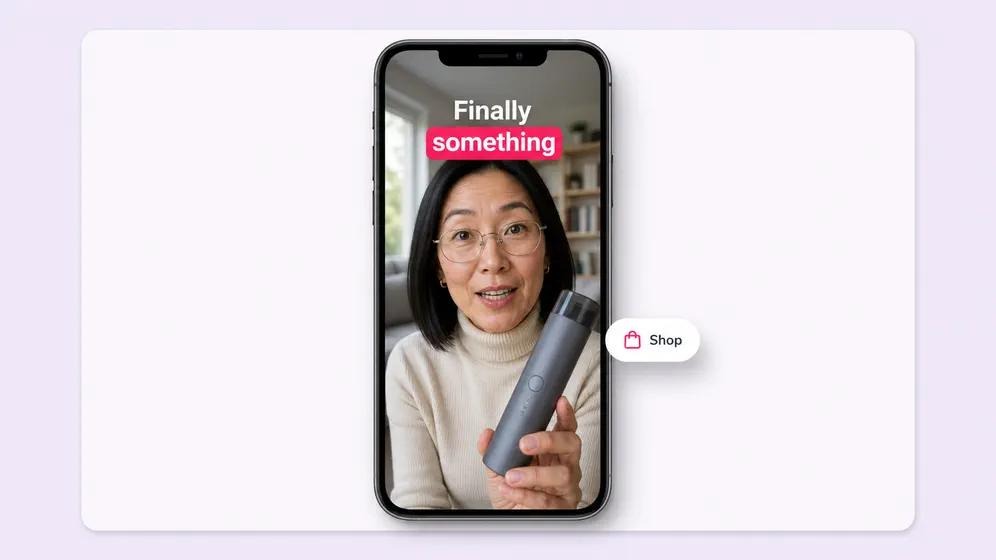
Instagram Reels and TikTok
Use a vertical 9:16 layout for full-screen viewing. Keep captions and important product details away from interface overlays.
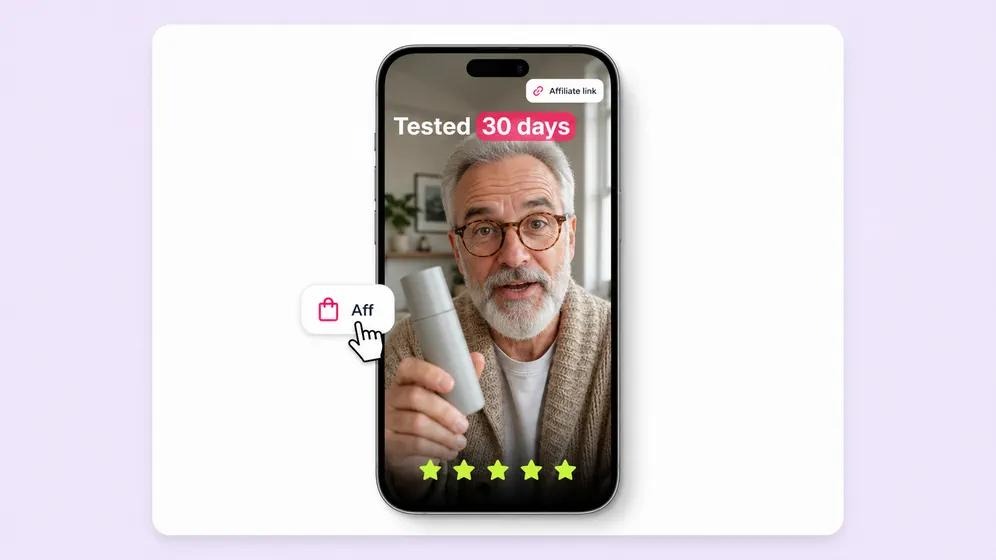
YouTube Shorts
Use a vertical format with a descriptive title and a clear explanation of the product or topic.
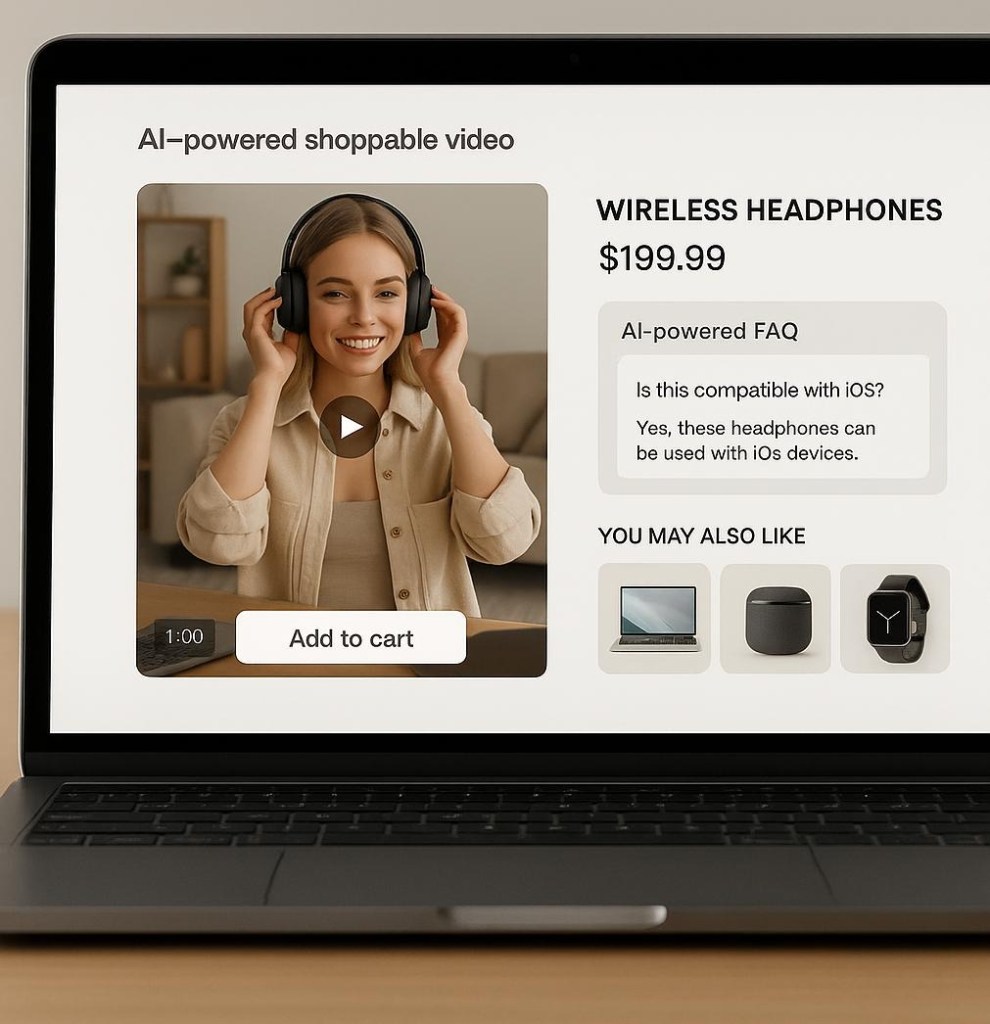
Product Pages and Websites
Choose a format that fits the page layout, loads efficiently, and helps shoppers understand the product.
Before publishing, preview the exported file on a mobile screen and desktop. Confirm that the audio, captions, product imagery, and final call to action display correctly.
Tips for Creating High-Quality AI UGC Product Videos
Generating a video quickly is useful, but quality determines whether the content communicates the product effectively.
Focus on Benefits Instead of Listing Features
A product description may contain many specifications, but viewers need to understand why those details matter.
Instead of simply stating that a backpack has several compartments, explain how the compartments help organize a laptop, charger, and everyday essentials. Make sure the demonstration reflects the actual product.
Keep the Message Focused
Short product videos work best when they communicate one clear idea. Select the most relevant product benefits instead of trying to cover every specification in a single clip.
Longer educational videos can explore more details when the topic genuinely requires them.
Use Accurate Product Visuals
Generated scenes can sometimes alter product shapes, colors, labels, or other details. These errors can undermine trust and create confusion.
Use real product images or authorized footage wherever accuracy matters. Review every scene before publication.
Create Variations for Different Audiences
Develop different scripts for distinct customer needs. A travel-focused product video may emphasize portability, while a home-use version may focus on convenience.
Each variation should provide a meaningful difference rather than simply changing a few words.
Make the Call to Action Relevant
Invite viewers to take a logical next step, such as viewing product specifications, reading a detailed guide, or exploring available sizes and colors.
Avoid exaggerated urgency or unsupported promises.
How to Use AI UGC Videos for SEO and Organic Traffic
AI-generated product videos can support a broader SEO strategy when they provide useful information and are distributed appropriately.
Embed Videos on Relevant Product Pages
A video can help explain a product’s appearance, features, or usage. Add it when it provides information that complements the written description and helps visitors make decisions.
Ensure the page still contains useful text and that the video is accessible to users who cannot or prefer not to watch it.
Publish Educational Videos on YouTube
Create videos that answer questions people ask before purchasing a product. Examples include how to use a product, how to choose between different options, and what to consider before buying.
Use descriptive titles, relevant descriptions, and clear thumbnails. Link to an appropriate resource when permitted and useful.
Optimize the Surrounding Website Content
If a video is embedded in an article or product page, provide relevant headings and explanatory text. Where appropriate, include a transcript or summary that helps readers understand the content.
For eligible video pages, consider Google’s video SEO recommendations and structured data requirements. Implementation should reflect the actual page content and video availability.
Measure Results
Use Google Search Console to monitor search impressions and clicks for eligible website pages. Use Google Analytics 4 to understand organic sessions, engagement, and conversions.
For YouTube videos, review discovery sources, watch time, and viewer engagement.
Video publication does not automatically improve rankings. Focus on whether the content answers relevant questions, supports the user journey, and attracts the right audience.
Common Mistakes to Avoid
Several mistakes can reduce the effectiveness of AI-generated product videos.
Using incorrect product information: Always verify details extracted from product pages, especially prices, dimensions, ingredients, compatibility, and performance claims.
Publishing without editing: AI-generated scripts and visuals may contain errors or awkward transitions. Review the complete video before publishing.
Making fake testimonials: Do not invent customer reviews or portray an AI avatar as a real purchaser. Use clearly presented product demonstrations and factual explanations instead.
Ignoring platform requirements: A video designed for a website may need a different crop, pace, or caption placement for short-form social media.
Producing repetitive content: Multiple videos should address distinct use cases, questions, or audience needs.
Ignoring performance data: Review which videos generate relevant visits, engagement, and conversions, and use those insights to improve future content.
Frequently Asked Questions (FAQs)
1. Can I create AI UGC videos directly from a product link?
Yes, if your chosen AI video platform supports URL-to-video or product-to-video functionality. It may extract product information and images to help generate a script and video. Some tools require manual uploads instead.
2. Do I need video editing skills to create AI UGC videos?
Not necessarily. Many AI tools provide templates, automated voiceovers, avatars, and editing features that simplify production. However, reviewing the script, checking product accuracy, and refining the final video are still important.
3. Can I use AI UGC videos for my Shopify store?
You can use AI-generated product videos for a Shopify store if the chosen tool, Shopify setup, and applicable content permissions support your workflow. You may need to generate the video separately and upload or embed it on your product page.
4. Are AI UGC videos suitable for social media marketing?
Yes. They can be used for product explainers, feature demonstrations, tutorials, and other short-form content. Make sure the video follows the platform’s current rules, accurately represents the product, and does not mislead viewers about AI-generated presenters or customer experiences.
5. How long should an AI UGC product video be?
The ideal length depends on the platform and the complexity of the message. A short social video may focus on one benefit, while a detailed product tutorial may need more time. Prioritize clarity and relevance instead of aiming for one universal duration.
6. Can AI UGC videos help increase product sales?
They can help explain product features and make information easier to understand, which may support purchasing decisions. Actual results depend on the product, audience, video quality, pricing, landing page, and other factors. Measure performance rather than assuming video creation guarantees sales.
7. Which AI tool should I use to create product videos from URLs?
Choose a tool that supports your product page format and provides the required customization, export options, and usage rights. Platforms such as Tagshop AI offer AI-powered UGC video creation workflows; verify current URL-import capabilities and plan limitations before selecting a tool.
Conclusion
Creating AI UGC videos from product links offers businesses a practical way to transform existing product information into engaging visual content. By using compatible AI video tools, marketers can simplify script creation, generate virtual presenters or voiceovers, customize product demonstrations, and adapt videos for different platforms.
The most effective workflow begins with an accurate product page, continues with a focused script and careful editing, and ends with publishing and performance measurement. Product videos should explain genuine features, address customer questions, and provide a clear next step without relying on fabricated testimonials or unsupported claims.
For eCommerce brands and digital marketers, the goal is not simply to produce more videos. It is to make product information easier to understand and distribute it in formats that suit the audience.
Start with one product, create a useful video, review it carefully, and measure how people respond. As you learn which topics and formats work best, you can develop a repeatable AI video workflow that supports your broader content and marketing strategy.


Leave a Reply