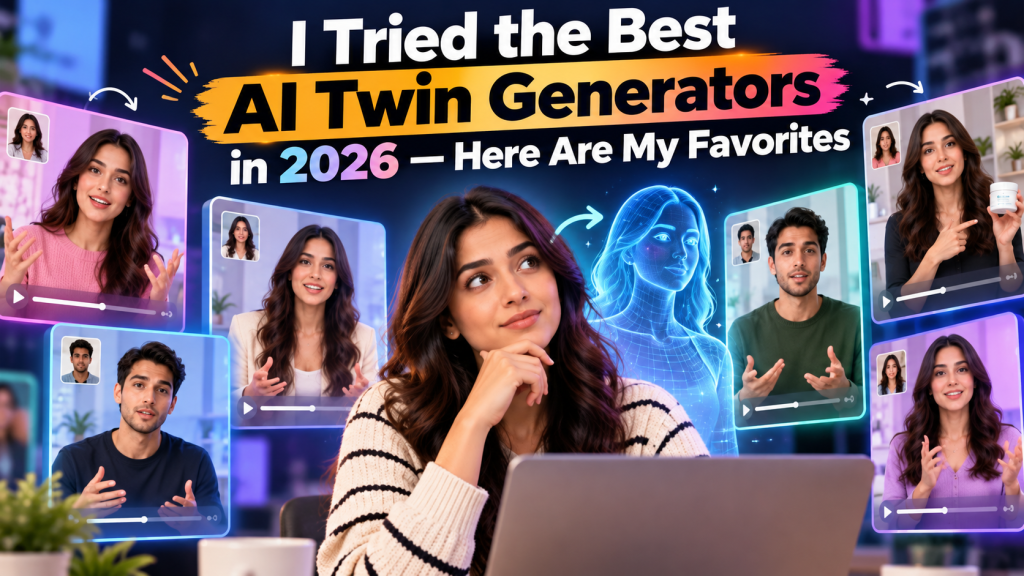
An AI twin generator is a tool that creates a digital representation of a real person using artificial intelligence. Depending on the platform, this digital twin may reproduce a person’s appearance, voice, facial expressions, and speaking style to generate videos from written scripts.
For example, a marketing professional can create a digital twin using a photo or video recording and, where supported, a voice sample. After the initial setup, the tool can generate new videos featuring that digital version without requiring a fresh recording for every script.
AI twins are becoming useful in several areas:
- Content creation: Produce educational videos, tutorials, and social media content.
- Marketing: Create promotional videos, product explainers, and AI-generated UGC ads.
- Business communication: Develop training materials, presentations, and internal announcements.
- eLearning: Create lessons and instructional videos featuring a consistent digital presenter.
- Personal branding: Maintain a consistent on-camera presence while reducing recording time.
However, not every AI avatar is a true personal digital twin. Some tools generate presenters from stock avatar libraries, while others create a personalized replica of an individual.
Best AI Twin Generators in 2026: Quick Comparison
Here are six platforms worth considering for different digital twin and AI video creation workflows.
| AI twin generator | Best for | Main strength |
| Tagshop AI | Marketing and UGC videos | AI twins and product-focused ad creation |
| HeyGen | Personalized digital twins | Avatar creation and multilingual video |
| Synthesia | Corporate training | Professional presenter-led videos |
| D-ID | Talking-photo videos | Animating faces with generated speech |
| Captions | Social media creators | AI-assisted video production |
| Tavus | Personalized video experiences | Video personalization and digital replicas |
These tools are not identical, and their capabilities overlap. The best option depends on whether you want to create a digital version of yourself, produce marketing advertisements, or generate professional videos at scale.
1. Tagshop AI — Best AI Twin Generator for Marketing and UGC Videos
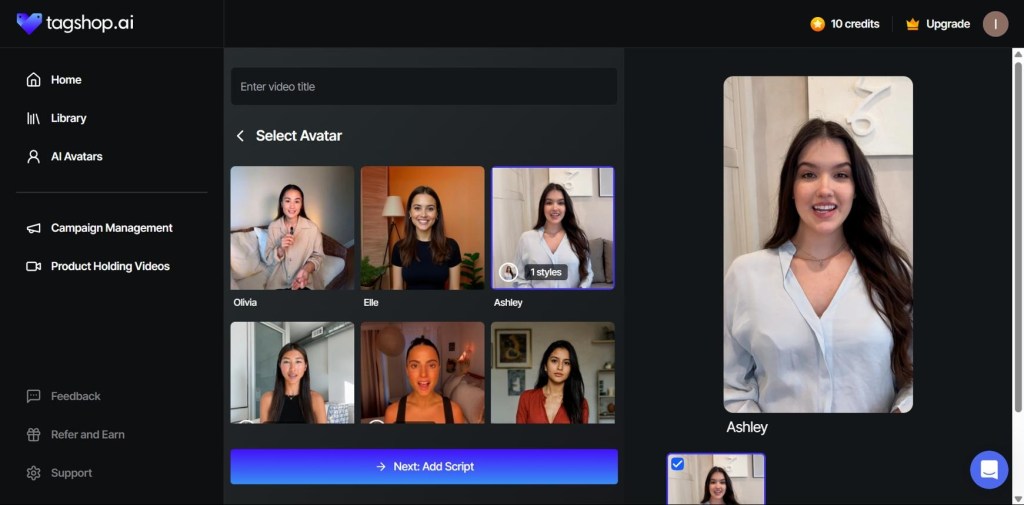
Tagshop AI is an AI-powered video creation platform designed for marketers, eCommerce brands, and content creators who want to produce promotional videos more efficiently.
What makes it particularly relevant to marketing workflows is its combination of AI presenter-style videos and advertising-focused creation capabilities. Rather than treating digital twins as an isolated feature, marketers can use AI-generated presenters as part of a broader process for producing product videos and social media advertisements.
Key features
- AI twin and avatar-based video creation capabilities.
- AI-powered video creation for promotional content.
- URL-to-video workflows for turning product pages into video concepts.
- Ad Clone for recreating the structure of an existing advertisement and adapting the concept.
- Video creation workflows suited to social media and eCommerce marketing.
Why consider Tagshop AI?
Imagine running an online store and needing multiple video advertisements for a new product. Instead of recording yourself explaining the product repeatedly, you can explore AI-based presenter workflows to produce variations for different messages and audiences.
The platform is especially relevant when your goal is to create AI UGC videos, product explainers, or advertising creatives rather than simply generate a talking head.
For example, a skincare brand could develop a product-focused video featuring an AI presenter, highlight key product benefits, and create alternative versions for different social media campaigns. Any testimonial or personal-experience claims must still be based on genuine, substantiated experiences.
Pros
- Useful for marketing-focused video creation.
- Supports product-oriented advertising workflows.
- Can help reduce repetitive video production work.
- Relevant to eCommerce brands and performance marketers.
Cons
- Marketers should verify which AI twin capabilities are included in their selected plan.
- Realism and creative flexibility depend on the available avatar and generation options.
- Generated content still needs human review for product accuracy and authenticity.
Best for: Marketers, eCommerce brands, and creators who want to combine AI twin-style videos with promotional content.
Explore the platform at Tagshop AI.
2. HeyGen — Best for Personalized Digital Twins
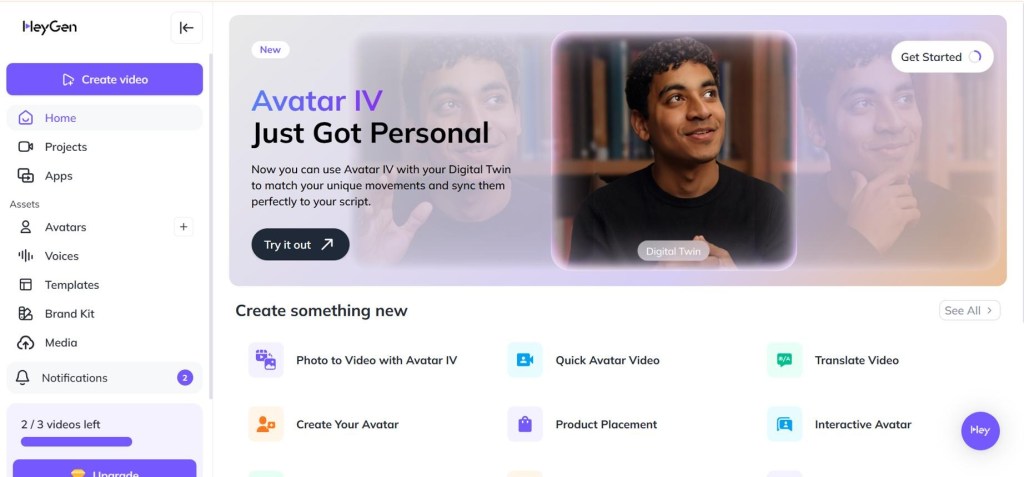
HeyGen is a well-known AI video generation platform that helps users create videos featuring digital presenters. Its personalized avatar capabilities make it a strong option for people who want to create a digital representation of themselves.
Instead of recording a new video for every message, users can create an avatar and generate videos from scripts, depending on the available creation workflow and plan.
Key features
- Personalized avatar creation.
- Script-to-video generation.
- AI voice and multilingual video capabilities.
- Presenter-led content for marketing, education, and business communication.
- Workflows for creating video content at scale.
Why consider HeyGen?
HeyGen is useful when you want a consistent digital presenter across multiple videos. A consultant, for instance, could use a personal avatar to develop educational videos, explain industry concepts, or communicate updates to an audience.
Its multilingual capabilities can also help businesses adapt video content for international markets, although translated scripts and pronunciation should be reviewed before publishing.
Pros
- Suitable for personalized AI presenter videos.
- Useful for multilingual content production.
- Supports repeatable video creation workflows.
- Relevant to both individual creators and businesses.
Cons
- Avatar setup and feature access may vary by plan.
- Complex expressions and movements may not always look completely natural.
- High-quality results still depend on source recordings, scripts, and editing.
Best for: Entrepreneurs, educators, and professionals who want a reusable digital version of themselves.
Website: HeyGen official website.
3. Synthesia — Best for Professional Business Videos
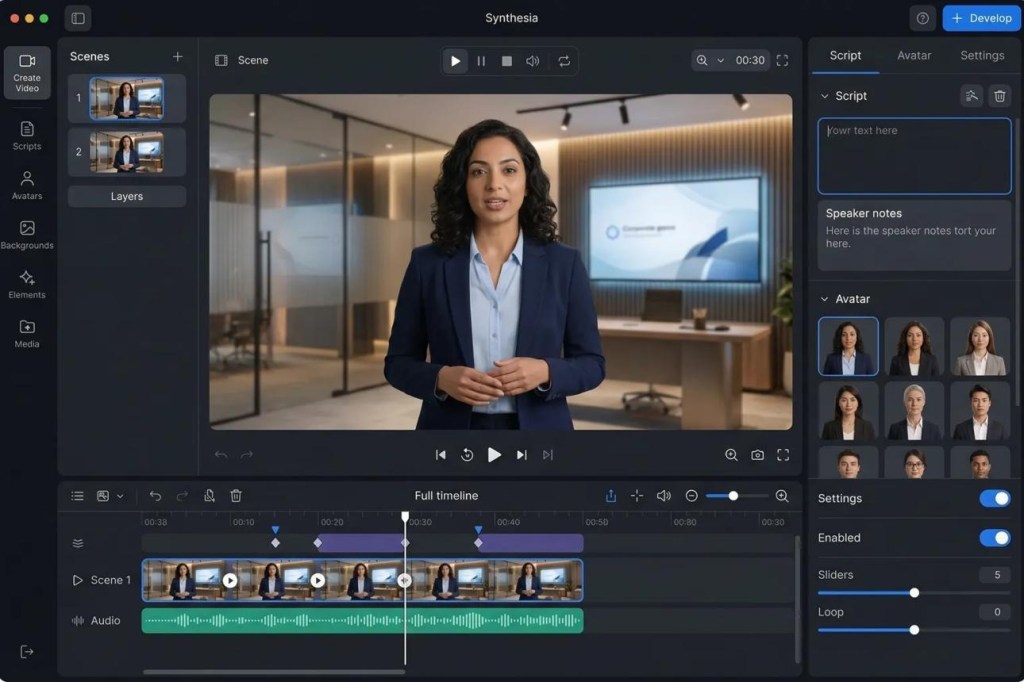
Synthesia focuses on AI-generated videos for professional communication, training, learning, and corporate content. It is particularly useful for organizations that need consistent presenter-led videos without organizing traditional video shoots for every update.
While its workflow is not exclusively about personal AI twins, its AI avatar technology makes it a relevant option for businesses exploring digital presenters.
Key features
- AI presenters and avatar-based videos.
- Script-driven video production.
- Templates for professional communication.
- Multilingual video workflows.
- Tools designed for organizational content creation.
Why consider Synthesia?
Suppose a company needs to train hundreds of employees on a new internal process. Recording and editing a separate presentation for every department or language can consume considerable time.
With an AI video platform such as Synthesia, a team can create a consistent presenter-led lesson and adapt the content for different training requirements.
The same approach can support onboarding, product tutorials, and internal announcements.
Pros
- Designed for structured business communication.
- Useful for repeatable training content.
- Supports presenter-led educational videos.
- Can help maintain visual consistency across a video library.
Cons
- May be more than an individual creator needs.
- Personal digital replica workflows may differ from its standard avatar options.
- Highly creative social advertisements may require additional editing and creative direction.
Best for: Corporate training teams, educators, and businesses producing professional instructional videos.
Website: Synthesia official website.
4. D-ID — Best for Turning Images Into Talking Videos
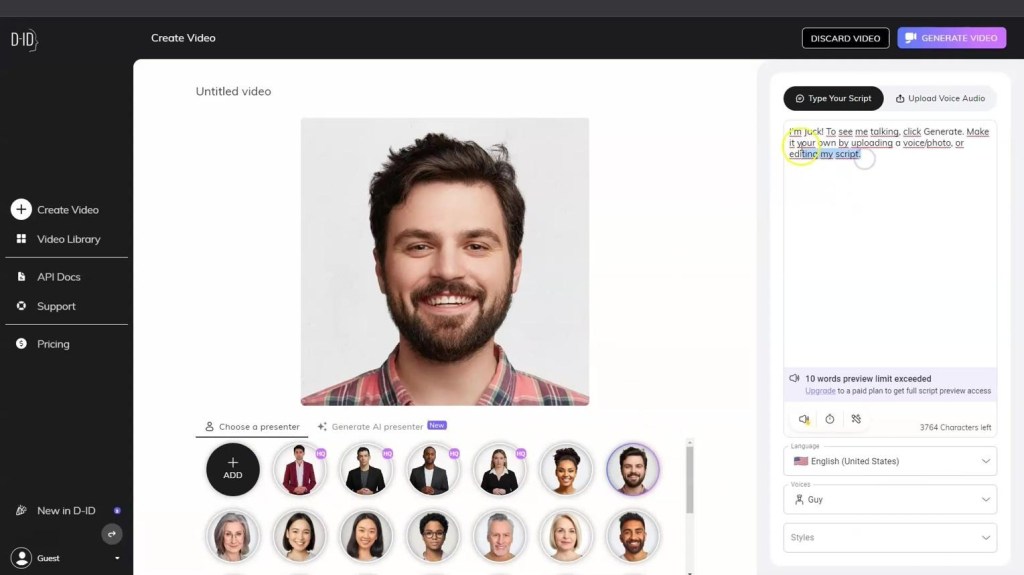
D-ID is known for technology that animates facial images and generates talking-avatar videos. It can be useful when you want to turn a suitable still image into a video featuring generated speech and facial movement.
This makes it different from platforms that focus primarily on creating a reusable personal twin from extensive video recordings.
Key features
- Talking-photo generation.
- AI-generated speech and facial animation.
- Digital presenter workflows.
- Options for creating avatar-based video experiences.
- Applications for communication and interactive content, depending on the product offering.
Why consider D-ID?
Imagine you have an educational illustration or an authorized portrait that you want to use in a short explanatory video. A talking-avatar workflow can add speech and facial animation without requiring a traditional filming setup.
However, the final result depends on the source image, facial angle, lighting, and the complexity of the intended movement.
Pros
- Useful for image-to-talking-video workflows.
- Can simplify short presenter-style content.
- Offers an alternative to conventional video recording.
- Relevant to educational and creative projects.
Cons
- Animated still images may look different from full-motion personal digital twins.
- Results depend heavily on the quality and suitability of the source image.
- Some use cases may require additional video editing.
Best for: Educators, developers, and creators interested in talking-photo and digital-human experiences.
Website: D-ID official website.
5. Captions — Best for Social Media Video Creators
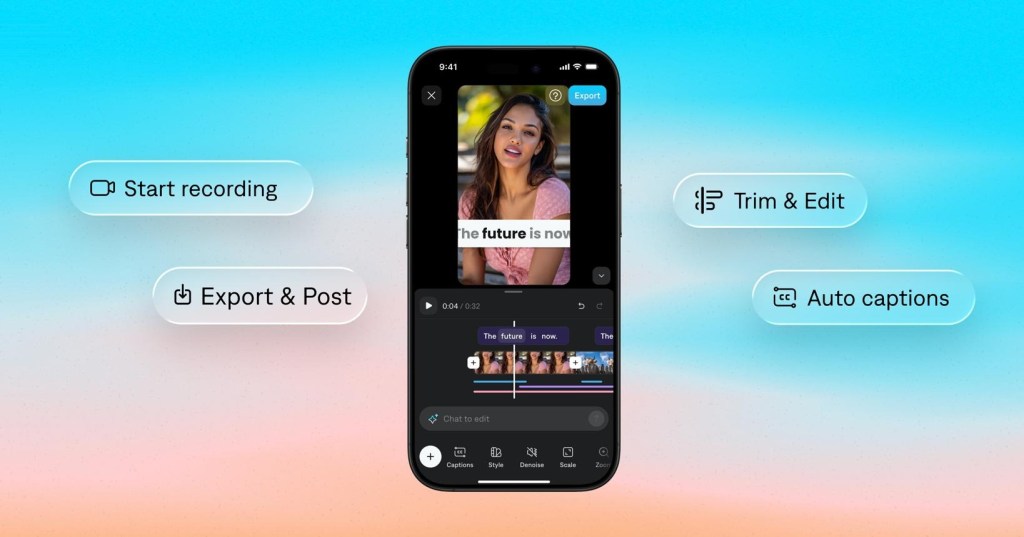
Captions is an AI-powered video creation and editing platform aimed at creators who publish talking-head videos and social media content.
It is worth considering if your main objective is not just building a digital twin but improving the overall process of creating short-form videos, including presentation, captions, and editing.
Key features
- AI-assisted video editing.
- Automatic captions and subtitle workflows.
- Tools for improving talking-head content.
- AI-based video creation features that may vary by product and plan.
- Workflows suited to social media publishing.
Why consider Captions?
Short-form content often requires more than an avatar. Creators need strong hooks, readable captions, good pacing, and clear delivery.
Captions can help streamline parts of this process, making it useful for creators who want to improve video production without spending excessive time on manual editing.
Before choosing it specifically as an AI twin generator, check whether its current features support the particular personal replica workflow you need.
Pros
- Relevant to social-first video workflows.
- Useful editing and captioning capabilities.
- Can simplify repetitive production tasks.
- Suitable for creators focused on short-form content.
Cons
- Not every AI video feature is equivalent to a personal digital twin.
- Availability may depend on device, region, and subscription.
- Final content still needs creative review.
Best for: Social media creators, influencers, and marketers who want AI-assisted editing and presenter-style video workflows.
Website: Captions official website.
6. Tavus — Best for Personalized AI Video Experiences
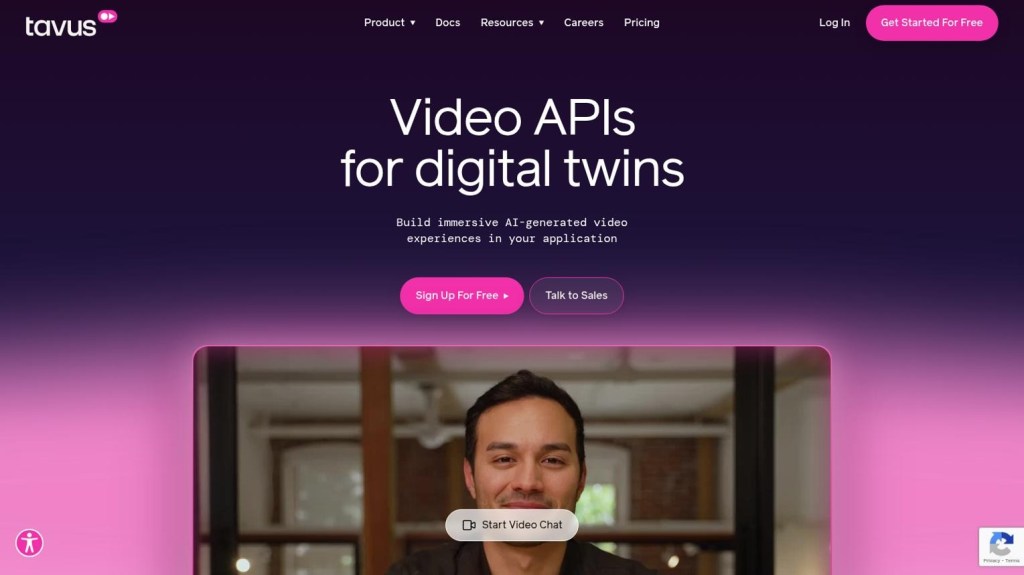
Tavus focuses on personalized AI video experiences and digital replicas. It is particularly relevant to organizations interested in generating tailored video messages rather than producing only generic presenter-led content.
Its technology can be useful in workflows where a consistent digital representative delivers customized communication at scale, subject to the platform’s current features and requirements.
Key features
- Digital replica technology.
- Personalized video generation.
- AI-powered video communication workflows.
- Applications for customer engagement and business communication.
- Integration-oriented capabilities for certain use cases.
Why consider Tavus?
Consider a sales team that wants to personalize introductory videos for different prospects. Instead of recording a separate video for every recipient, a supported personalization workflow can help create variations that address relevant details.
This can make communication more scalable, but personalization should remain transparent and respectful. Businesses should avoid using synthetic videos to mislead recipients about who is speaking or what was personally recorded.
Pros
- Relevant to personalized video communication.
- Useful for certain business and developer workflows.
- Can support repeatable digital-replica experiences.
- Offers a different focus from general-purpose avatar libraries.
Cons
- May be less suitable for simple, one-off creator videos.
- Setup and integration requirements can be more involved.
- Access and pricing depend on the current product offering.
Best for: Businesses exploring personalized video outreach and digital-replica applications.
Website: Tavus official website.
How to Choose the Best AI Twin Generator in 2026
Choosing the right AI twin generator depends on what you want your digital twin to accomplish. A tool that works well for corporate training might not be the best choice for eCommerce advertising or social media content.
Before subscribing, consider the following factors.
1. Realism and Video Quality
A convincing digital twin should have natural facial expressions, accurate lip synchronization, clear speech, and realistic movement. However, not every tool produces the same results.
Look for sample videos that resemble your intended use case. If you plan to publish advertisements, test whether the avatar looks natural in a short vertical video rather than judging it only by a polished website demonstration.
2. Voice Cloning Capabilities
Voice is an important part of personal identity. Some AI twin tools support voice cloning, while others primarily use built-in synthetic voices.
If you want your digital twin to sound like you, check the supported languages, pronunciation quality, voice-cloning requirements, and consent procedures.
3. Customization Options
Check whether the platform allows you to customize your appearance, voice, background, clothing, and video presentation. These options can help you create content that matches your brand identity.
For marketing teams, the ability to generate different creative variations is particularly useful.
4. Pricing and Usage Limits
Do not compare AI twin generators based only on their advertised starting prices. Some subscriptions limit video duration, avatar creation, monthly credits, or access to advanced features.
Estimate how many videos you need each month and calculate the effective cost per finished video. Always verify current pricing and plan restrictions before purchasing.
5. Privacy and Consent
Creating a digital replica involves sensitive identity-related material, particularly when the platform processes your face and voice.
Review how the provider handles uploaded recordings, data retention, deletion requests, and permissions. Only create replicas of yourself or people who have explicitly authorized their likeness and voice to be used.
How to Create Your Own AI Twin
Although the exact process varies by platform, most AI twin creation workflows follow a similar sequence.
Step 1: Choose your AI twin generator
Select a platform based on your goal, whether that is marketing, education, business communication, or personal branding.
Step 2: Upload your source material
Depending on the platform, provide a suitable photo, video recording, or voice sample. Follow the provider’s instructions for lighting, framing, audio quality, and consent.
Step 3: Prepare your script
Write a clear script with natural language and a strong opening. Avoid exaggerated claims or statements that suggest experiences you never had.
Step 4: Generate and review your video
Generate a short test video. Check lip synchronization, pronunciation, facial movement, visual accuracy, and overall presentation before creating more content.
Step 5: Publish and improve
Adapt the video to your chosen platform, add captions where appropriate, and evaluate performance using relevant engagement or conversion metrics.
Final Verdict: Which AI Twin Generator Is Worth Trying?
The best AI twin generator depends on your intended workflow rather than a single universal ranking.
- Tagshop AI: A strong option to explore if your priority is AI-powered marketing, UGC-style videos, and product advertisements.
- HeyGen: Worth considering for personalized digital presenters and multilingual video creation.
- Synthesia: Well suited to structured corporate training and professional communication.
- D-ID: Relevant for talking-photo and image-based digital-human videos.
- Captions: Useful for social media creators who need AI-assisted editing and presentation tools.
- Tavus: Worth exploring for personalized video communication and digital-replica workflows.
My recommendation is to shortlist two or three platforms, generate a comparable test video, and evaluate realism, editing flexibility, cost, and ease of use before committing to a subscription.
For marketers specifically, Tagshop AI is worth exploring because its AI-powered video workflows connect digital presenters with product-focused advertising. You can learn more at Tagshop AI.
Ultimately, AI twins are most valuable when they solve a real production problem. Whether you want to publish educational content, scale product advertising, or simplify business communication, the right tool should save time without sacrificing the quality and credibility of your message.
Frequently Asked Questions
1. What is the best AI twin generator in 2026?
There is no single best tool for every user. Tagshop AI is worth exploring for marketing and UGC-style advertisements, HeyGen for personalized digital presenters, and Synthesia for corporate training videos. Your choice should depend on features, budget, and intended use.
2. Can I create an AI twin of myself for free?
Some platforms offer free trials or limited free usage, but creating a personalized digital twin may require a paid subscription. Check whether personal avatar creation, voice cloning, and video exports are included in the current free plan.
3. What is the difference between an AI twin and an AI avatar?
An AI avatar is a broad term for a digital character or presenter. An AI twin generally refers to a personalized digital representation of a real individual, potentially reproducing their appearance and voice. The distinction depends on the platform’s technology and features.
4. Can AI twins create marketing videos?
Yes. AI twins can be used for product explainers, promotional videos, educational content, and other marketing materials. Tools such as Tagshop AI offer marketing-focused video creation workflows that can complement AI presenter technology.
5. Are AI twin generators safe to use?
They can be used responsibly, but users should consider privacy, consent, and identity protection. Choose providers with clear data-handling policies, protect uploaded recordings, and never create or distribute another person’s digital replica without appropriate authorization.
6. Can I use an AI twin for YouTube and social media?
Yes. Depending on the tool’s capabilities and applicable platform rules, AI twins can help create YouTube explainers, short-form videos, tutorials, and promotional content. Review the final output carefully and disclose synthetic content when required.
7. Do AI twin generators support voice cloning?
Some platforms support voice cloning, while others use built-in synthetic voices. Availability, supported languages, quality, and consent requirements vary by provider, so verify the specific feature before subscribing.


Leave a Reply