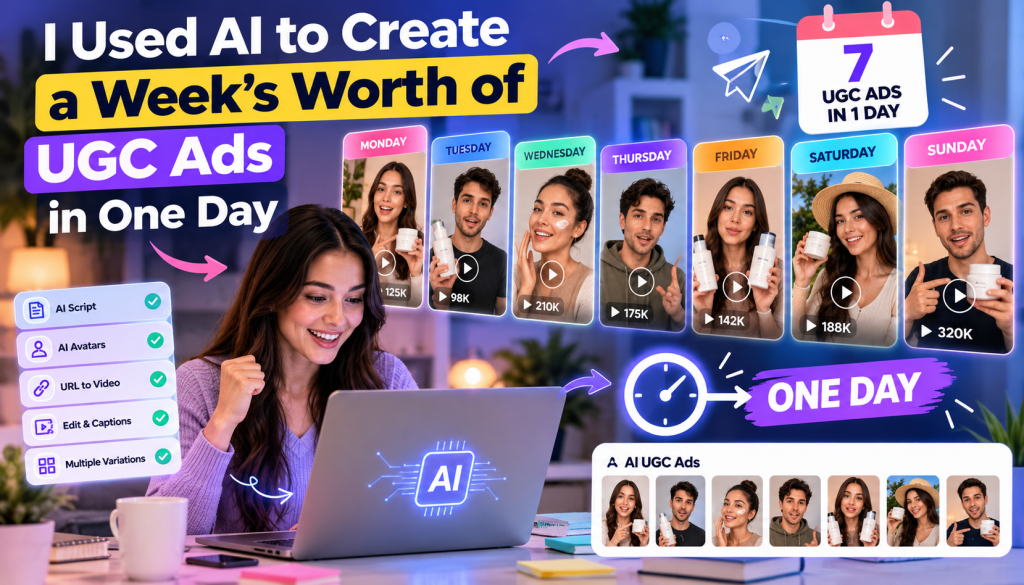
Creating user-generated content (UGC) ads has become an important part of modern digital marketing. Brands use short-form videos to showcase products, explain benefits, connect with potential customers, and promote offers across platforms like TikTok, Instagram Reels, Facebook, and YouTube Shorts. However, producing fresh video content every week can be time-consuming, especially when it involves finding creators, writing scripts, recording footage, editing videos, and testing different advertising concepts.
That made me explore a different approach: using artificial intelligence to create a week’s worth of UGC ads in a single day.
Instead of treating every video as a separate production project, the idea was to build a repeatable workflow using AI UGC video generation, digital avatars, automated scripting, and product-focused visuals. The goal was to understand how much of the production process could be streamlined without sacrificing video quality, brand consistency, or audience trust.
In this guide, I’ll walk through a practical AI-powered UGC production workflow, explain how tools such as Tagshop AI can help, and share the strategies marketers can use to create multiple advertising variations efficiently.
Note: This article describes a practical workflow and illustrative production plan, not a verified controlled experiment or independently measured production-time or conversion results.
Why I Wanted to Create a Week’s Worth of UGC Ads in One Day
Producing one UGC ad is relatively straightforward. Producing seven or more useful variations every week is a different challenge.
A typical production workflow may involve brainstorming ideas, preparing scripts, coordinating with creators, recording videos, editing footage, adding subtitles, reviewing brand guidelines, and exporting assets for different advertising platforms.
Every revision can introduce additional delays. If a creator needs to reshoot a scene or a marketing team wants to test a new hook, the entire process may need to be repeated.
This creates three common problems for marketing teams.
First, production takes time. Teams can spend hours coordinating people and managing revisions instead of analyzing campaign performance.
Second, creative testing becomes expensive. Testing different hooks, offers, and messaging angles may require multiple recordings or creator collaborations.
Third, creative fatigue can reduce performance. When audiences repeatedly see similar advertisements, marketers need fresh creative concepts to keep campaigns relevant.
AI-powered UGC video tools offer another way to approach these challenges. By automating selected production tasks, teams can create more variations from a single product brief and focus their attention on strategy, quality control, and testing.
The important distinction is that AI does not eliminate creative thinking. It changes how quickly marketers can turn ideas into video assets.
What Is an AI UGC Video Generator?
An AI UGC video generator is a tool that helps marketers create user-generated-content-style videos using artificial intelligence.
Depending on the platform, these tools can transform product URLs, images, scripts, and other inputs into short promotional videos. Some also offer AI avatars, synthetic voiceovers, automated captions, and editing features.
For example, an online skincare store could use an AI UGC video generator to create a video introducing a moisturizer, another explaining its texture, and a third highlighting how it fits into a morning skincare routine.
Instead of recording every variation separately, marketers can develop several scripts and generate different versions using the same underlying product information.
Common capabilities include:
- AI avatar and AI Twin video creation.
- Script generation and rewriting.
- Product URL-to-video workflows.
- AI voiceovers and multilingual video creation.
- Automatic captions and subtitles.
- Short-form video editing and formatting.
- Multiple creative variations for advertising tests.
Not every platform offers all these features, so marketers should evaluate available capabilities before selecting a tool.
The biggest benefit is the ability to streamline repetitive tasks while keeping the creative strategy under human control.
My One-Day AI UGC Ad Production Workflow
To make the process manageable, I would divide the day into focused production stages rather than generating videos randomly.
The following schedule is an illustrative workflow for preparing seven initial ad concepts for one product or campaign. Actual production time will depend on the tools, video complexity, and review requirements.
Step 1: Choose One Product and Define the Campaign Goal
The first step is to decide what the advertisements should achieve.
A campaign designed to increase product awareness requires different messaging from one intended to generate purchases. Without a clear goal, it becomes difficult to write effective scripts or evaluate the results.
For this workflow, imagine promoting a skincare moisturizer through short-form video advertisements.
The campaign could focus on three customer motivations:
- Finding a moisturizer suitable for everyday use.
- Understanding the product’s key features.
- Discovering how the product fits into an existing skincare routine.
I would also identify the target audience, the primary product benefit, the landing page, and the desired call to action.
Before creating any videos, I would verify product details and avoid unsupported claims about ingredients, safety, or results.
Estimated time: 30–45 minutes.
Step 2: Generate Seven Different Ad Concepts
The next step is to develop seven distinct ideas rather than creating seven versions of the same advertisement.
Each video should have a specific purpose and communicate a different message.
Here is an example of a seven-day creative plan.
| Day | UGC ad concept | Primary objective |
| Monday | Problem-focused hook | Capture attention |
| Tuesday | Product feature overview | Explain product value |
| Wednesday | How-to demonstration | Educate viewers |
| Thursday | Common customer question | Address objections |
| Friday | Product comparison | Clarify differences |
| Saturday | Lifestyle-focused concept | Show product relevance |
| Sunday | Offer or call-to-action video | Encourage action |
This structure provides variety while keeping the campaign centered on one product.
The concepts can be adapted for different products, including beauty, fashion, home accessories, consumer electronics, and software.
However, customer testimonials and personal-experience claims should only be used when they reflect genuine, supportable experiences. An AI-generated presenter should not be portrayed as a real customer who personally used a product if that is not true.
Estimated time: 45–60 minutes.
Step 3: Write Short Scripts for Every Video
A strong script is one of the most important parts of an effective UGC ad.
Even if AI can generate a video quickly, a weak script can make the final result feel generic or overly promotional.
For short-form advertising, I would use a simple structure:
- Hook: Introduce a relatable problem or question.
- Context: Explain why the problem matters.
- Product introduction: Show how the product addresses the need.
- Supporting detail: Highlight a relevant feature or demonstration.
- Call to action: Tell viewers what to do next.
For example, a moisturizer advertisement could open with:
“Looking for a simple way to make your morning skincare routine easier?”
The script could then introduce the product, describe verified features, and direct viewers to the product page.
I would keep the language conversational and avoid long sentences that sound unnatural when spoken aloud.
The same approach can be adapted for different advertising angles. One script might focus on convenience, another on product features, and another on answering a common buying question.
AI writing tools can help generate initial drafts, but each script should be reviewed for accuracy, clarity, brand voice, and unsupported claims.
Estimated time: 60–90 minutes.
Step 4: Generate Videos Using AI
Once the scripts are ready, the next step is converting them into video drafts.
An AI UGC video generator may allow marketers to select a digital presenter, add a script, choose a voice, and generate a video.
Other platforms can begin with a product URL or images and build a video around the available product information.
For a seven-video campaign, I would use a consistent visual style while changing the messaging and creative concept for each advertisement.
This helps establish brand recognition without making every video identical.
When choosing an AI presenter, I would consider whether the appearance, voice, speaking style, and overall presentation suit the product and target audience.
For a software advertisement, a presenter explaining a feature may be sufficient. For a physical product, the video may need additional real product footage to demonstrate how the item looks or works.
AI-generated scenes should never be treated as proof of product performance. Every product detail needs to remain accurate.
Estimated time: 1–2 hours, depending on generation and revisions.
Step 5: Use AI Twins and Avatars for Consistency
AI Twins and AI avatars can make it easier to maintain a consistent presenter across several videos.
An AI Twin is a digital representation of a person created using suitable reference material. AI avatars may also be selected from a platform’s existing library without creating a custom digital likeness.
These technologies can help marketers produce repeatable content without arranging a new recording session for each script.
For example, the same presenter could introduce a product on Monday, explain its features on Tuesday, and answer a common customer question on Wednesday.
However, the quality of AI-generated speech and facial expressions varies. Before publishing, I would check lip synchronization, pronunciation, facial movements, and pacing.
I would also ensure that any custom likeness or cloned voice is used with appropriate consent and that the resulting video is not presented in a misleading way.
Consistency is valuable, but authenticity and transparency remain important.
Step 6: Edit, Add Captions, and Improve the Visuals
The first generated video is not necessarily the final version.
Editing is where the creative becomes more suitable for social media advertising.
I would review each video and make adjustments such as:
- Removing unnecessary pauses.
- Improving the opening hook.
- Adding readable captions.
- Including accurate product images or footage.
- Highlighting important features on screen.
- Adjusting the pacing to maintain attention.
- Adding a clear call to action.
- Checking the video format for its intended platform.
Captions are especially useful because many viewers watch social media videos without sound.
I would also review the first few seconds carefully. A slow introduction may cause viewers to scroll away before the main message appears.
The goal is not to add effects to every scene. It is to make the information clear, the presentation engaging, and the product easy to understand.
Estimated time: 1–2 hours.
Step 7: Review and Export All Seven Ads
Before publishing, I would conduct a final quality check.
Every video should be checked for incorrect product information, spelling errors, subtitle timing, unnatural AI movements, misleading claims, and inconsistent branding.
I would also verify that the destination URL, offer details, and call to action match the intended campaign.
For paid campaigns, the final assets should comply with the relevant advertising platform’s current requirements and any applicable disclosure rules.
Once approved, the videos can be organized by concept and prepared for publishing or testing.
The result is a structured collection of advertising creatives rather than a folder of unrelated AI-generated videos.
Estimated time: 45–60 minutes.
How Tagshop AI Can Help Create a Week’s Worth of UGC Ads
When evaluating AI UGC production platforms, I would look for tools that combine video generation with practical workflows for creating advertising content.
Tagshop AI is one option marketers can explore for this purpose.
The platform focuses on AI-powered video advertising and UGC-style content, with features designed to simplify parts of the creative production process.
AI Video Agent
Tagshop AI’s AI Video Agent supports a conversational approach to video creation. This can help marketers move from a creative idea toward a video draft by describing the content they want to create.
For example, a marketer could develop an initial concept for a product introduction and refine the messaging before generating the video.
This approach can be useful when creating multiple concepts for the same campaign.
AI Twin and Avatar-Based Videos
AI Twin and avatar-based workflows can help marketers create videos featuring digital presenters.
For brands that need recurring product explainers or scripted advertising content, a consistent digital presenter can reduce the need to arrange separate recording sessions for every variation.
The quality of the finished video should still be reviewed carefully, particularly when the presenter discusses product benefits or appears alongside physical products.
URL-to-Video
Tagshop AI also offers a URL-to-video workflow that uses product-page information as an input for video creation.
This can be useful for eCommerce marketers who want to turn product pages into starting points for advertising concepts.
For example, a retailer could use a product page to develop an introductory advertisement and then create additional concepts focusing on verified features, use cases, or customer questions.
Product information should be checked against the original page before publishing.
AI Ad Clone
The AI Ad Clone feature helps marketers use an existing advertisement as a reference for developing a new creative concept.
A marketer can study an advertisement’s structure, hook, pacing, and messaging, then adapt those creative principles for a different product or brand.
This can be particularly helpful when developing new ideas for a weekly production plan.
The aim should be to learn from advertising structures rather than copy another company’s protected creative assets or imitate a creator without permission.
Is Tagshop AI Worth Considering?
Tagshop AI is worth evaluating if your goal is to streamline AI-powered UGC video production and develop multiple ad variations from a repeatable workflow.
Before choosing a plan, test the platform with a representative product, review its output quality, and confirm the current availability of relevant features, usage limits, pricing, and commercial licensing.
You can explore the platform at https://tagshop.ai/.
How to Make AI UGC Ads More Effective
Producing seven videos is only useful if those videos give your marketing team meaningful opportunities to learn.
I would focus on five principles.
Test Different Hooks
The hook determines how the advertisement begins. Test problem-focused questions, product-led openings, educational statements, and other relevant angles.
Avoid changing the hook and every other major campaign variable simultaneously if you want to understand which creative change influenced performance.
Focus on One Message per Video
Each advertisement should have one primary purpose.
A video that tries to explain every product feature, introduce the brand, answer every objection, and promote several offers may become confusing.
A focused message makes it easier for viewers to understand the value proposition.
Combine AI Presenters With Real Product Footage
AI avatars can explain a product, but authentic product footage can provide useful visual evidence.
For physical products, show accurate packaging, materials, features, or demonstrations whenever relevant.
For software, use genuine interface recordings where possible. This helps viewers understand what the product actually does.
Adapt Videos to Each Platform
TikTok, Instagram Reels, Facebook, and YouTube Shorts may have different audience expectations and creative requirements.
A single concept can be adapted into several platform-specific versions, but it should not simply be exported without reviewing the format, captions, pacing, and opening hook.
Keep Human Review in the Workflow
AI can accelerate production, but human review remains essential.
A marketer should verify factual claims, check the product presentation, review the tone, and ensure that the advertisement is appropriate for its intended audience.
This is particularly important for sensitive categories and products involving health, finances, safety, or other regulated claims.
How to Measure the Results of Your AI UGC Ads
After producing a week’s worth of ads, the next step is evaluating their performance.
Rather than deciding which video is best based on appearance alone, I would compare measurable campaign outcomes.
| Metric | What it tells you |
| Hook rate | Whether viewers continue watching beyond the opening |
| Video retention | How well the content holds attention |
| Click-through rate (CTR) | How often impressions lead to clicks |
| Conversion rate | How often visitors complete the desired action |
| Cost per acquisition (CPA) | How much it costs to acquire a customer or lead |
| Return on ad spend (ROAS) | How much attributed revenue is generated per unit of advertising spend |
These metrics should be interpreted in context. A video with a high click-through rate may still generate few purchases if the landing page, offer, or audience targeting is weak.
I would begin by testing a small group of creative concepts with comparable audiences and offers. Once a pattern emerges, I would use the findings to guide the next production cycle.
There is no guarantee that AI-generated ads will outperform human-created content. The purpose of testing is to find out which format and message work best for a particular campaign.
Common Mistakes to Avoid When Creating UGC Ads With AI
AI-powered video generation can make production easier, but it can also make it tempting to publish too quickly.
One common mistake is creating several videos with nearly identical hooks and scripts. Although the presenter may change, the underlying message remains the same. This limits the value of creative testing.
Another mistake is relying entirely on generated visuals. If the video shows inaccurate product details or unrealistic interactions, viewers may lose confidence in the advertisement.
Marketers should also avoid treating AI-generated testimonials as genuine customer experiences. A digital presenter should not be used to fabricate personal endorsements, results, or product experiences.
Finally, avoid assuming that a larger number of videos automatically means better campaign performance. Seven carefully developed concepts may provide more useful insights than dozens of repetitive videos.
The objective is to improve the quality and efficiency of the production process, not simply increase the number of exported files.
Final Thoughts: Can You Create a Week’s Worth of UGC Ads in One Day?
AI has made it possible to rethink how brands approach short-form video production. By combining AI-assisted scripting, digital presenters, product visuals, and streamlined editing, marketers can build a repeatable process for developing multiple UGC-style advertisements.
A one-day workflow can be a practical target for a relatively simple campaign involving one product, a clear creative brief, and short-form video concepts. More complex productions may require additional time for generation, revisions, approvals, and compliance checks.
Tools such as Tagshop AI can help streamline parts of this process through AI video creation, avatar-based content, product URL-to-video workflows, and advertising-focused features.
However, the most important lesson is that faster production does not automatically translate into better advertising results.
Strong hooks, accurate product information, useful messaging, and systematic performance testing still determine whether the videos contribute to campaign goals.
Start with a small batch, review every asset, and use performance data to guide the next round of creative development. With the right process, AI can help marketing teams spend less time on repetitive production tasks and more time creating advertisements that serve their audiences.
Frequently Asked Questions
1. Can AI create a week’s worth of UGC ads in one day?
Yes, it can be feasible for a relatively simple campaign when scripts, product information, and creative requirements are clearly defined. The actual time depends on video complexity, generation speed, revisions, and quality-control requirements.
2. What is the best AI UGC video generator?
The best tool depends on your needs, budget, desired level of realism, and preferred workflow. Tagshop AI is one platform worth evaluating for AI-powered UGC-style advertisements, AI presenters, and product-focused video creation.
3. How many UGC ads should a brand create each week?
There is no universal ideal number. The appropriate volume depends on advertising spend, campaign objectives, audience size, creative fatigue, and the team’s ability to test and evaluate results. Start with a manageable batch of distinct concepts and expand based on performance.
4. Can AI UGC ads work for eCommerce brands?
Yes. AI UGC ads can introduce products, explain features, address buying questions, and support social media campaigns. Accurate product visuals and clear messaging are particularly important for physical products.
5. Are AI-generated UGC ads better than human-created ads?
Not necessarily. AI-generated ads can simplify repeatable production and creative testing, while human creators can provide genuine personal experiences and natural product demonstrations. Brands should compare both formats using relevant campaign metrics.
6. How can I create AI UGC videos from a product URL?
Some AI video platforms allow users to provide a product-page URL as the starting point for video creation. The tool may use available product information to develop a draft. Always verify product descriptions, pricing, images, and claims before publishing.
7. What should I test in AI UGC advertisements?
Start by testing hooks, messaging angles, product demonstrations, and calls to action. Track metrics such as video retention, click-through rate, conversion rate, CPA, and ROAS to identify which creative concepts are most effective.


Leave a Reply