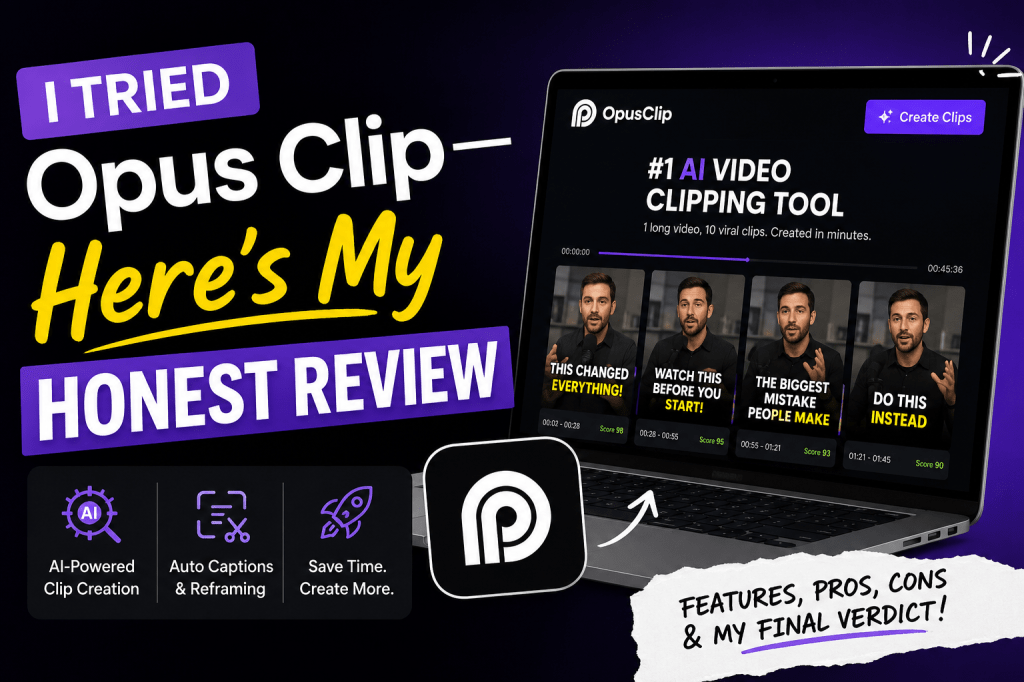
Short-form video is dominating every social platform in 2026. Whether you’re posting on TikTok, Instagram Reels, YouTube Shorts, or LinkedIn, creating engaging clips consistently is one of the biggest challenges for marketers.
That’s exactly why I decided to test Opus Clip.
The promise is simple: upload a long-form video, let AI find the best moments, automatically add captions, resize everything for social media, and publish viral-ready clips in minutes.
After using Opus Clip for several days on podcast interviews, webinars, and product demos, I found that it excels at one specific task—but it isn’t the complete AI video solution many marketers expect.
In this review, I’ll cover:
- What Opus Clip is
- My hands-on experience
- Key features
- What impressed me
- Where it struggles
- Pricing
- Pros & Cons
- Who should use it
- Best alternatives
Let’s dive in.
What Is Opus Clip?
Opus Clip is an AI-powered video repurposing platform designed to transform long-form content into short, shareable clips.
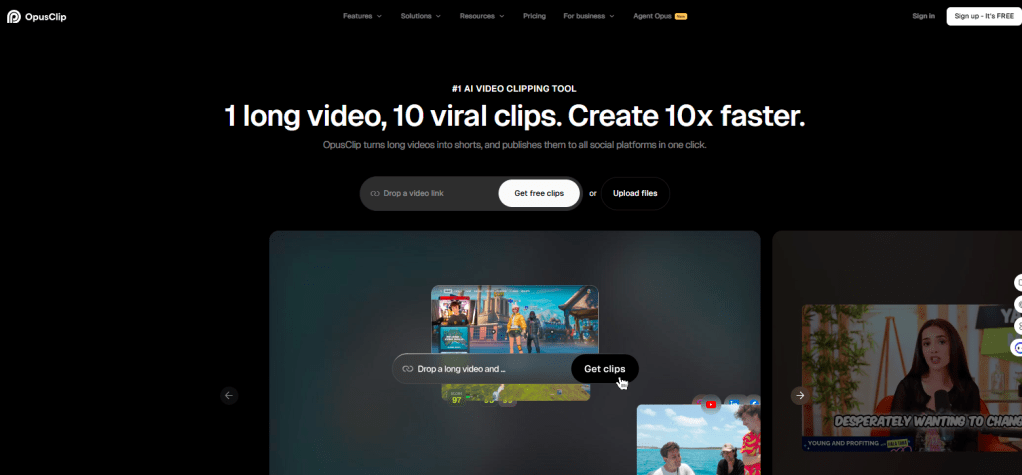
Instead of manually editing a one-hour podcast into multiple TikTok videos, Opus Clip automatically:
- Detects highlight moments
- Cuts clips
- Adds captions
- Creates dynamic layouts
- Optimizes aspect ratios
- Generates titles
- Scores clips based on virality potential
Its primary audience includes:
- Content creators
- Podcasters
- YouTubers
- Marketing teams
- Coaches
- Agencies
Rather than creating videos from scratch, Opus Clip focuses on helping you get more value from videos you’ve already recorded.
My Testing Process
To understand how well Opus Clip performs in real-world scenarios, I tested it using three different types of content:
- A 45-minute podcast interview
- A 30-minute webinar
- A 12-minute product tutorial
I evaluated it based on:
- Upload speed
- Clip quality
- AI accuracy
- Caption generation
- Editing flexibility
- Export quality
- Overall workflow
I also compared the output with manually edited clips.
First Impressions
The interface is clean and beginner-friendly.
Within minutes of creating an account, I uploaded my first video.
The AI immediately began analyzing the content and estimated how many clips it could generate.
The processing speed was faster than expected.
Instead of waiting an hour, most videos finished processing in around 10–15 minutes.
For marketers handling multiple campaigns, that time savings is significant.
Features I Tested
1. AI Clip Detection
This is where Opus Clip shines.
Instead of randomly cutting sections, it identifies:
- Hooks
- Emotional moments
- Educational segments
- Funny clips
- Strong endings
Most suggested clips actually made sense.
I’d estimate roughly 80–85% were usable with only minor edits.
2. AI Virality Score
Each generated clip receives a score predicting its social media performance.
While no AI can accurately predict what will go viral, the scoring system helped prioritize stronger clips.
I found the higher-rated clips generally had:
- Better hooks
- Faster pacing
- Stronger audience retention
It’s a useful guide rather than a guarantee.
3. Automatic Captions
Captions are surprisingly accurate.
The AI correctly recognized:
- Speaker changes
- Punctuation
- Timing
Only a few technical terms required manual corrections.
The animated caption styles also looked modern without needing additional editing.
4. Auto Reframing
One of my favorite features.
When converting landscape videos into vertical format, Opus Clip automatically tracks the speaker and keeps them centered.
Even during movement, framing remained stable.
This eliminates a lot of manual editing.
5. Social Media Formatting
The platform exports clips optimized for:
- TikTok
- Instagram Reels
- YouTube Shorts
- Facebook Reels
No additional resizing was needed.
6. AI B-Roll Suggestions
Some videos included AI-generated B-roll recommendations.
They’re helpful but still limited.
I often preferred replacing them with custom visuals.
What I Liked Most
1. Huge Time Savings
Editing podcasts manually can take hours.
With Opus Clip, I generated multiple publish-ready clips in less than 20 minutes.
2. Great Caption Quality
Captions are one of the strongest parts of the platform.
They’re clean, readable, and social-media ready.
3. Excellent Auto Cropping
The AI camera tracking works impressively well.
Most clips required zero reframing.
4. Easy for Beginners
No editing experience is necessary.
If you know how to upload a video, you can use Opus Clip.
5. Fast Processing
Compared to several competing tools, rendering speeds felt faster.
Where Opus Clip Falls Short
Although it’s an excellent clipping tool, several limitations became apparent.
1. Not an AI Video Generator
This is probably the biggest misconception.
Opus Clip cannot create entirely new videos.
You still need original footage.
If you’re looking to generate AI UGC ads, avatar videos, or product videos from text or a product URL, you’ll need a different tool.
2. Limited Creative Control
While you can edit generated clips, it doesn’t provide the flexibility of professional editors.
Advanced creators may find it restrictive.
3. AI Occasionally Misses Great Moments
Some of my favorite podcast sections weren’t selected.
AI is good—but not perfect.
You’ll still want to review all suggestions.
4. Premium Features Add Up
Many advanced capabilities are available only on paid plans.
Heavy users can consume credits quickly.
5. Best for Talking-Head Content
Opus Clip performs best with:
- Podcasts
- Interviews
- Tutorials
It isn’t ideal for cinematic videos, advertisements, or heavily visual storytelling.
Performance Results
Here’s how the platform performed during testing.
| Category | Rating |
| Ease of Use | ⭐⭐⭐⭐⭐ |
| AI Clip Selection | ⭐⭐⭐⭐☆ |
| Caption Quality | ⭐⭐⭐⭐⭐ |
| Auto Reframing | ⭐⭐⭐⭐⭐ |
| Export Quality | ⭐⭐⭐⭐⭐ |
| Editing Flexibility | ⭐⭐⭐☆☆ |
| Speed | ⭐⭐⭐⭐⭐ |
| Overall | ⭐⭐⭐⭐☆ |
Pros
- Extremely easy to use
- Excellent automatic captions
- Smart AI clipping
- Fast rendering
- Great auto-reframing
- Multiple export formats
- Beginner-friendly
- Saves hours of editing
Cons
- Cannot generate videos from scratch
- Limited editing compared to professional software
- AI occasionally misses key highlights
- Credit-based limitations
- Best suited for talking-head content
Pricing
Opus Clip offers multiple subscription tiers based on AI processing limits and export capabilities.
Higher plans unlock:
- More processing time
- Additional exports
- Premium AI features
- Team collaboration
- Faster rendering
For occasional creators, entry-level plans are generally sufficient. Agencies and brands publishing high volumes of short-form content may benefit from the higher tiers.
Who Should Use Opus Clip?
I would recommend Opus Clip if you are:
- Podcasters
- YouTubers
- Content creators
- Marketing agencies
- Webinar hosts
- Course creators
- Social media managers
If your primary goal is repurposing long-form content into dozens of short videos, Opus Clip is one of the strongest options available.
Who Should Skip It?
Opus Clip may not be the best fit if you need to:
- Create AI UGC ads
- Generate videos from text prompts
- Produce AI avatar videos
- Turn product URLs into video ads
- Clone high-performing advertisements
- Create multilingual AI spokesperson videos
In those cases, a dedicated AI video generation platform may be a better choice.
Best Alternatives to Opus Clip
1. Tagshop AI (Best for AI UGC Video Ads)
If your goal is creating new marketing videos rather than repurposing existing ones, Tagshop AI is a compelling alternative. It can generate AI UGC-style ads from product URLs, scripts, or prompts, offers realistic AI avatars, voice cloning, multilingual support, and an Ad Clone workflow for creating multiple ad variations quickly.
Best for: E-commerce brands, DTC companies, marketers, and agencies creating paid social ads.
2. HeyGen
Ideal for businesses producing AI avatar videos for training, presentations, and marketing.
Best for: Corporate videos and multilingual communication.
3. Synthesia
A popular platform for professional AI presenter videos with a large avatar library.
Best for: Learning, onboarding, and enterprise content.
4. Captions AI
Combines AI editing, captions, eye-contact correction, and social media optimization.
Best for: Creators and influencers.
5. Descript
An excellent all-in-one editor with transcript-based editing, podcast production, and screen recording.
Best for: Podcasts and collaborative editing.
My Final Verdict
After several days of testing, I can confidently say Opus Clip delivers on its core promise: helping creators turn long-form videos into engaging short-form clips with minimal effort.
Its AI clipping, automatic captions, and smart reframing dramatically reduce editing time, making it an excellent choice for podcasters, educators, coaches, and content marketers who already produce long-form videos.
However, it’s important to understand what Opus Clip is not. It isn’t a complete AI video creation platform. If you need AI-generated UGC ads, avatar videos, product demonstrations, or videos built directly from a script or product URL, you’ll need a more comprehensive solution such as Tagshop AI.
For content repurposing, Opus Clip remains one of the strongest AI-powered clipping tools available in 2026. But if your workflow starts with creating new marketing videos instead of editing existing footage, consider pairing it with a dedicated AI video generator.
Frequently Asked Questions
Is Opus Clip worth it?
Yes. If you regularly repurpose podcasts, webinars, or YouTube videos into short-form content, Opus Clip can save hours of manual editing.
Is Opus Clip free?
It offers a free plan with limited processing and exports, along with paid plans that unlock additional AI features and higher usage limits.
Can Opus Clip create AI videos from text?
No. It repurposes existing videos and does not generate entirely new videos from text prompts.
What is the best Opus Clip alternative?
If you need AI-generated marketing videos, UGC ads, AI avatars, or product URL-to-video workflows, Tagshop AI is one of the best alternatives. For transcript-based editing, Descript is another excellent choice.
Is Opus Clip good for marketers?
Yes. It is particularly useful for marketers who want to maximize the reach of webinars, podcasts, interviews, and long-form video content by quickly producing social-ready clips.


Leave a Reply