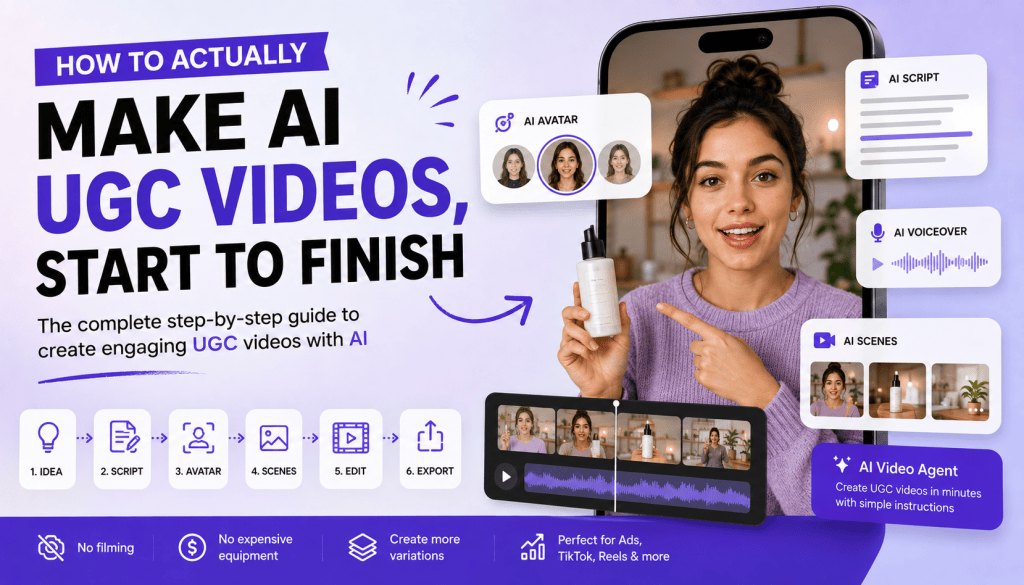
AI UGC videos have changed the way brands create content for social media and paid advertising. Instead of depending entirely on traditional creators, expensive shoots, and long production timelines, marketers can now use AI to create creator-style videos in much less time.
But creating a good AI UGC video is more than simply choosing an AI avatar and pressing generate.
You still need to think about the product, audience, hook, script, visuals, creator style, and call to action. If you handle each part manually, the process can involve several steps and multiple tools.
The good news? You don’t always have to do everything manually.
You can either follow a traditional AI UGC workflow step by step, or use an AI UGC Video tool with an AI Video Agent to simplify the process and get from idea to video much faster.
In this guide, we’ll show you both approaches and explain how to actually make AI UGC videos from start to finish.
What Is an AI UGC Video?
An AI UGC video is a creator-style video produced with the help of artificial intelligence.
Traditional UGC usually involves a real person talking about a product, reviewing it, demonstrating it, or sharing their experience. AI UGC recreates elements of this format using technologies such as AI avatars, AI voices, generated scenes, product visuals, automated scripts, and AI-powered editing.
For example, instead of hiring a creator to record a 30-second product recommendation, a brand can use an AI UGC Video tool to generate a similar creator-style video.
The format is particularly useful for:
- TikTok videos
- Instagram Reels
- YouTube Shorts
- Facebook ads
- Product advertisements
- Social media content
- eCommerce creatives
- Performance marketing campaigns
The goal isn’t to make every video look like a highly produced commercial. Effective UGC-style content should generally feel natural, conversational, and relevant to the platform.
Why Use an AI UGC Video Tool?
Traditional UGC production can take time.
You may need to find a creator, negotiate pricing, send the product, provide a brief, wait for the content, request revisions, and then edit the final video.
That workflow can become difficult when you need dozens of creatives for advertising.
An AI UGC Video tool can simplify many parts of the process.
Depending on the platform, you can use AI to help with:
- Script creation
- Hooks
- AI avatars
- Voiceovers
- Product visuals
- Scenes
- Captions
- Video editing
- Creative variations
The biggest advantage isn’t simply creating one video faster.
It’s the ability to create and test more creative ideas.
For example, instead of producing one ad with one creator, you could create multiple versions with different hooks, scripts, avatars, and CTAs.
That gives marketers more opportunities to discover which creative resonates with their audience.
How to Make AI UGC Videos: The Traditional Workflow
If you want complete control over the creative process, you can create an AI UGC video using a traditional workflow.
It can be broken down into a few major stages.
Step 1: Start With Your Product and Audience
Before generating anything, understand what you’re selling and who you’re selling it to.
Ask yourself:
- What problem does the product solve?
- Who is most likely to buy it?
- What is the strongest benefit?
- What makes the product different?
- What objection might a customer have?
- What action do you want the viewer to take?
For example, imagine you’re promoting a skincare product.
Instead of simply saying:
“Our moisturizer provides excellent hydration.”
You could identify the actual customer problem:
“My skin gets dry again a few hours after I moisturize.”
Now you have a problem around which you can build the entire UGC concept.
Your audience might be people with dry skin who want a lightweight everyday moisturizer.
Your main benefit could be long-lasting hydration without a greasy feeling.
Your CTA could be:
“Check it out and see if it works for you.”
This basic information gives your AI UGC Video tool useful creative direction.
Step 2: Create the Hook and Script
The next step is creating the message.
This is arguably one of the most important parts of an AI UGC video because even a visually impressive video won’t perform well if nobody wants to watch it.
Start with the hook.
Instead of:
“Hi everyone, today I’m going to talk about this product.”
Try something more relevant to the viewer:
“Why does my skin still feel dry a few hours after moisturizing?”
Or:
“I finally found a moisturizer that doesn’t leave my skin feeling greasy.”
Or:
“I wish I had discovered this before wasting money on five different moisturizers.”
These hooks create curiosity or immediately address a problem.
Once you have the hook, build the rest of the script around it.
A simple structure is:
Hook → Problem → Product → Benefits → Experience → CTA
For example:
“I finally found a moisturiser that doesn’t leave my skin feeling greasy. My skin gets extremely dry during the day, but most moisturisers I’ve tried felt heavy. I’ve been using this one for the last few weeks, and it keeps my skin hydrated without that heavy feeling. If you struggle with dry skin too, it’s worth checking out.”
Keep the language conversational.
The script shouldn’t sound like a product brochure.
Step 3: Choose the Creator, Visuals, and UGC Style
Once you know what the video should say, decide how it should look.
If you’re using an AI avatar, choose one that makes sense for your target audience.
For example:
- Fitness products → energetic creator
- Beauty products → relatable lifestyle creator
- SaaS products → professional but approachable creator
- Fashion products → lifestyle or fashion-focused creator
- Home products → casual home/lifestyle creator
But the avatar is only one part of the video.
You also need supporting visuals.
Consider adding:
- Product close-ups
- Product demonstrations
- Lifestyle scenes
- Screen recordings
- Packaging shots
- Before-and-after visuals
- Text overlays
- Product benefits
This keeps the video from becoming a static talking-head presentation.
Most importantly, don’t make the content unnecessarily polished.
UGC-style content usually works because it feels personal and native to the platform.
The language, pacing, framing, and visuals should feel like something a person could naturally post.
Step 4: Generate and Edit the Video
Now you can bring everything together using an AI UGC Video tool.
Depending on the platform you’re using, this may include selecting an avatar, generating a voice, adding scenes, uploading product visuals, creating captions, and editing the final timeline.
Pay attention to the first few seconds.
The hook should appear immediately.
The product should be introduced naturally.
The visuals should change when necessary to maintain attention.
Captions should be easy to read.
And the CTA should be clear.
For short-form content, avoid unnecessary introductions and long explanations.
The viewer should understand the purpose of the video quickly.
Step 5: Create Multiple Versions
Don’t assume the first AI UGC video you generate will be your best-performing creative.
One of the biggest benefits of an AI UGC Video tool is the ability to create variations.
You can keep the same product but change the creative angle.
For example:
Version 1: Problem Hook
“Why does your skin still feel dry after moisturizing?”
Version 2: Personal Experience
“I’ve been using this for three weeks, and here’s what changed.”
Version 3: Curiosity
“I finally figured out why my old moisturizer wasn’t working.”
Version 4: Direct Recommendation
“If you have dry skin, you should try this.”
You can also change:
- AI avatars
- Voice styles
- Video length
- Product angles
- Backgrounds
- CTAs
- Visual sequences
This gives you a collection of creatives to test instead of relying on a single video.
Step 6: Optimize and Test
Once your videos are ready, publish or run them as ads and measure their performance.
Important metrics can include:
- Watch time
- Engagement
- Click-through rate
- Conversion rate
- Cost per acquisition
- Return on ad spend
If viewers leave during the first few seconds, your hook may need improvement.
If people watch the entire video but don’t click, the CTA or offer may need work.
If people click but don’t convert, the issue may be your landing page, pricing, offer, or product positioning.
The goal isn’t just to create AI UGC videos.
The goal is to learn which creative ideas actually work.
But Do You Really Need All Those Steps?
Here’s the interesting part.
If you’re creating AI UGC videos manually, the workflow above makes sense.
You need to research the product, define the audience, write the hook, create the script, choose the creator, plan the visuals, generate the video, edit it, and test different versions.
But what if you could give an AI agent the creative direction and let it handle much of this process for you?
That’s where an AI Video Agent can change the workflow.
Instead of manually moving through every stage, you can describe the video you want to create and let the AI help turn that idea into a finished video.
Create an AI UGC Video Faster With Tagshop AI’s AI Video Agent
Tagshop AI takes a different approach to AI video creation with its AI Video Agent.
Instead of treating video creation as a collection of separate production tasks, the AI Video Agent allows you to interact with AI conversationally and describe the video you want.
For example, instead of manually planning every element, you could provide an instruction like:
“Create a 30-second UGC-style ad for my skincare product. Target women aged 18–30 with dry skin. Make it conversational and relatable. Start with a strong problem-based hook, explain the main benefit, show the product naturally, and finish with a clear CTA.”
That’s it.
Rather than spending time separately thinking about the script, creator style, scenes, pacing, and structure, you can give the AI Video Agent the overall objective and creative direction.
The agent can then help turn that direction into the video creation workflow.
This is particularly useful for marketers who need to create content quickly but don’t want to spend hours working through a traditional video editor.
The Difference: Manual Workflow vs AI Video Agent
The two approaches can be thought of like this:
| Traditional AI UGC Workflow | AI Video Agent Workflow |
| Research the product | Give the product context |
| Define the audience | Describe your target audience |
| Find a creative angle | Tell the agent what you want |
| Write the hook | AI helps structure the concept |
| Write the script | AI helps generate the script |
| Choose creator style | AI-powered workflow |
| Plan visuals | AI-assisted video creation |
| Generate video | Generate the video |
| Edit manually | AI-assisted editing |
| Create variations | Ask for additional versions |
| Test creatives | Test and optimize |
The traditional workflow gives you more manual control.
The AI Video Agent approach focuses on speed and simplicity.
Neither approach is necessarily better for every situation.
If you want to control every individual detail, the manual workflow may be preferable.
If your priority is getting from idea → video quickly, an AI Video Agent can make the process much easier.
How to Prompt Tagshop AI’s AI Video Agent for UGC
You don’t need to write a complicated prompt.
Give the agent enough information to understand the creative goal.
A useful prompt can include:
Product + Audience + Platform + Style + Main Benefit + CTA
For example:
“Create a 25-second Instagram Reel-style UGC video for a productivity app. The target audience is startup founders and small business owners. Use a relatable professional creator. Start with the problem of spending too much time on repetitive tasks. Show how the app saves time, highlight its main benefit, and finish with a CTA to start a free trial. Keep the dialogue natural and conversational.”
You can also tell the AI Video Agent to create a specific creative angle.
For example:
“Create a problem-solution UGC ad.”
Or:
“Create a testimonial-style UGC video.”
Or:
“Create a TikTok-style product recommendation.”
This makes it easier to experiment with different creative directions.
Why the One-Step Approach Matters for Marketers
The biggest benefit of an AI Video Agent isn’t simply that it saves a few clicks.
It changes how marketers can approach video production.
Traditionally, you might start by asking:
“How do I make this video?”
With an AI Video Agent, you can start with:
“What video do I want to create?”
That’s a much more strategic question.
You can focus on:
- The audience
- The product
- The campaign goal
- The creative angle
- The message
Instead of worrying about every technical production step.
This can be especially valuable for small marketing teams and eCommerce businesses that need lots of content but don’t have dedicated video production resources.
AI UGC Isn’t Just About Making One Video
The real power of an AI UGC Video tool becomes clear when you need multiple creatives.
Imagine you’re launching a new product.
Instead of producing one UGC ad, you could create:
5 hooks × 3 creator styles × 2 CTAs = 30 creative combinations
You don’t necessarily need to manually produce every version from scratch.
An AI-powered workflow can make this type of creative iteration much more practical.
You can test different messages and learn which ones resonate with your audience.
That’s why AI UGC is becoming increasingly useful for performance marketing.
How to Make AI UGC Videos Feel Authentic
AI can make the production process easier, but authenticity still depends on the creative direction.
Here are a few principles to follow.
Keep the Language Conversational
Avoid corporate phrases and complicated descriptions.
Write the way people actually speak.
Start With the Audience’s Problem
Don’t spend the first five seconds talking about your company.
Talk about something the viewer cares about.
Don’t Overproduce Everything
UGC doesn’t need to look like a television commercial.
Natural-looking content often fits social platforms better.
Show the Product
Don’t let the avatar dominate the entire video.
Use product visuals to demonstrate what you’re selling.
Keep the Video Focused
One video should ideally communicate one strong idea.
Trying to explain every product feature can make the video confusing.
Common Mistakes to Avoid With AI UGC
Using Generic Prompts
“Create an ad for my product” doesn’t give the AI enough information.
Provide your audience, product benefit, platform, style, and CTA.
Making the Script Too Promotional
UGC should feel conversational.
Choosing an Avatar Just Because It Looks Good
The creator should fit the audience.
Creating Only One Video
Generate variations and test them.
Ignoring the Hook
The first few seconds determine whether people continue watching.
Forgetting the CTA
Tell viewers what they should do next.
Treating AI Generation as the Final Step
Generation is only part of the process.
Performance data should influence your next creative.
Which Approach Should You Use?
There are essentially two ways to create AI UGC videos.
Option 1: Follow the Full Workflow
Use the manual process if you want detailed control over every part of your creative.
You can research the product, develop the concept, write the script, choose the avatar, plan the visuals, generate the video, edit it, and create variations yourself.
This is useful when you have a very specific creative vision.
Option 2: Use an AI Video Agent
If you want to move faster, an AI Video Agent can simplify the workflow.
With Tagshop AI’s AI Video Agent, you can describe the product, audience, creative direction, and desired outcome, then use the AI-powered workflow to create your UGC-style video.
Instead of spending your time managing every individual production step, you can focus on the idea and let the AI handle much of the execution.
Final Thoughts
Learning how to actually make AI UGC videos doesn’t have to mean spending hours moving through a long list of production steps.
Yes, you can follow the traditional workflow:
Research → Concept → Hook → Script → Creator → Visuals → Generate → Edit → Test.
That approach gives you detailed control over the final creative.
But if your priority is speed, you don’t necessarily need to handle every step manually.
With an AI UGC Video tool that includes an AI Video Agent, you can describe what you want and move from an idea to a UGC-style video much faster.
Tagshop AI’s AI Video Agent is designed around this conversational approach. Instead of treating video creation as a complicated sequence of separate tasks, you can tell the agent what kind of video you want, who it is for, what product you’re promoting, and what message you want to communicate.
The bigger opportunity isn’t simply creating AI UGC videos faster.
It’s creating more creative variations, testing more ideas, and learning what actually works.
So if you have the time and want maximum control, follow the full workflow.
If you want to get from “I have an idea” to “I have a UGC video” with fewer manual steps, let an AI Video Agent handle more of the production process.
That’s what makes AI UGC powerful: you can spend less time making videos and more time figuring out which videos are worth making.


Leave a comment