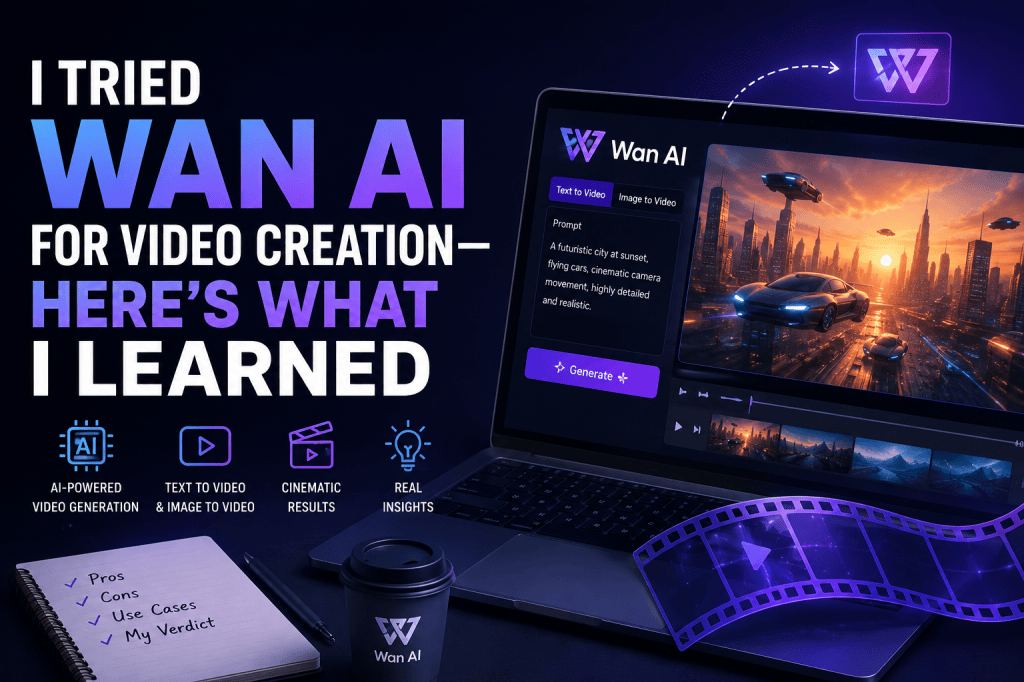
AI video generation has moved far beyond simple text-to-video experiments. Today, creators can generate product videos, cinematic scenes, social media clips, animations, and even character-driven content with a few prompts.
One of the names that caught my attention is Wan AI, Alibaba’s open video generation model family. After exploring how Wan works and what it can actually do, I found that it is much more than a basic AI video generator.
Wan stands out because it supports multiple video-generation workflows, including text-to-video and image-to-video. Newer Wan models also add capabilities such as multi-shot storytelling, audio-driven generation, and higher-resolution output. Alibaba’s current documentation says its Wan video models can generate clips from 2 to 15 seconds at up to 1080P, with some newer models supporting multi-shot narratives and synchronized audio.
So, is Wan AI worth trying for video creation?
Here’s what I learned.
What Is Wan AI?
Wan AI is a family of generative AI models developed by Alibaba’s Wan team for creating and manipulating video.
The project became particularly notable with Wan2.1, which Alibaba released as an open suite of video foundation models. Wan2.1 included both 1.3B and 14B parameter models and supported tasks such as text-to-video and image-to-video. The project was designed to make advanced video generation more accessible to researchers, developers, and creators.
Wan continued to evolve with Wan2.2, which introduced a Mixture-of-Experts architecture and expanded the model family with text-to-video, image-to-video, text-image-to-video, speech-to-video, and animation capabilities.
Today, Wan is available through different experiences, including online platforms and developer-focused implementations.
That distinction is important because “Wan AI” isn’t necessarily one single interface. Depending on where you use it, the available model, controls, resolution, pricing, and features can be different.
My First Impression of Wan AI
The first thing I noticed about Wan is that it is designed more like a video generation model ecosystem than a traditional drag-and-drop video editor.
If you’re expecting something similar to Canva or a conventional video editor, Wan can feel technical.
But if your goal is to generate an actual video from a prompt or animate an existing image, the workflow makes much more sense.
The basic idea is simple:
Prompt → AI generation → Video output → Editing/refinement
For creators, the biggest attraction is that you don’t necessarily have to start with a camera recording.
You can describe a scene such as:
“A luxury skincare bottle standing on a marble table while soft morning sunlight moves across the scene, cinematic product commercial, shallow depth of field.”
The model then attempts to translate the description into moving visuals.
That’s where Wan becomes interesting for AI video creation, product marketing, storytelling, and social media content.
Wan AI Text-to-Video: Does It Work?
Yes, text-to-video is one of Wan’s core capabilities.
The concept is straightforward: describe the scene, movement, camera direction, subject, environment, and visual style, and the model generates a video.
The official Wan2.2 repository includes a text-to-video model supporting 480P and 720P generation. It also provides a 5B text-image-to-video model supporting 720P at 24 FPS.
The biggest lesson I learned is that prompt quality matters a lot.
A weak prompt might say:
“A woman walking in a city.”
That’s technically understandable, but it doesn’t give the model much creative direction.
A better prompt would describe:
- Subject
- Action
- Environment
- Camera movement
- Lighting
- Visual style
- Composition
- Mood
For example:
“A young woman walking through a busy Tokyo street at night, neon signs reflecting on wet pavement, medium tracking shot, natural walking motion, cinematic lighting, shallow depth of field, realistic photography.”
The second prompt gives the model significantly more information to work with.
Wan AI Image-to-Video Was More Interesting
For many marketers and creators, image-to-video can actually be more useful than pure text-to-video.
Why?
Because you already have control over the starting visual.
Suppose you have a product image for a skincare brand. Instead of asking an AI model to create the entire product from scratch, you can provide the image and ask Wan to animate it.
For example:
“Slow camera push toward the skincare bottle, soft sunlight moving across the packaging, subtle floating particles, premium beauty commercial.”
This approach gives you a reference point for the product’s appearance.
Wan2.2 officially supports image-to-video through its I2V-A14B model, while newer Wan video services support first-frame workflows and can generate videos up to 15 seconds at 1080P.
This makes Wan particularly interesting for:
- Product videos
- E-commerce content
- Social media ads
- Product showcases
- Concept videos
- Animated images
- Creative campaigns
What About AI Video Ads?
This is where things get especially interesting for marketers.
You can use AI video generation to turn static creative assets into short video concepts.
For example, an e-commerce brand might already have:
Product image + product description + campaign idea
Instead of shooting a complete commercial, a creator can use AI video generation to experiment with different visual concepts.
One version could focus on a product close-up.
Another could show the product in a lifestyle environment.
Another could use cinematic camera movement.
Another could be designed specifically for short-form social content.
However, Wan shouldn’t be treated as a complete advertising platform by itself. You will usually still need editing, captions, branding, voiceover, music, CTA placement, and platform-specific formatting.
That’s an important distinction.
Wan can generate the visual foundation. It doesn’t automatically replace the entire advertising workflow.
Wan AI for UGC-Style Videos
Another potential use case is AI UGC Video creation.
UGC-style advertising usually depends on a more natural, creator-like visual style rather than polished traditional commercials.
Wan can be useful for generating supporting scenes, product visuals, lifestyle shots, and creative B-roll that can be incorporated into an AI UGC Video workflow.
For example, imagine a skincare campaign where the main UGC script says:
“I’ve been using this every morning and noticed my skin feels much smoother.”
You could combine the talking-head or avatar section with AI-generated product shots, close-ups, lifestyle footage, and transitions.
This can make the final advertisement feel more visually dynamic.
However, I wouldn’t rely on AI-generated footage alone if the goal is authentic UGC. The strongest UGC campaigns usually combine a believable human presentation with supporting visuals.
Wan AI’s Multi-Shot Generation
One of the more interesting developments in newer Wan models is multi-shot storytelling.
According to Alibaba’s documentation, Wan2.6 supports multi-shot narratives designed to maintain subject consistency across transitions.
This is important because one of the biggest challenges with AI video generation is consistency.
A single generated clip might look excellent.
But when you try to create:
Scene 1 → Scene 2 → Scene 3 → Scene 4
the character, clothing, environment, or visual identity can sometimes change.
Multi-shot generation attempts to solve part of that problem by maintaining the main subject across different shots.
For storytelling, advertising, and short-form content, this can be much more useful than generating completely unrelated clips.
Wan AI and Audio
Wan’s capabilities have also expanded beyond visuals.
Wan2.2 introduced a speech-to-video model that can generate video based on an image, audio, and optional text prompt. The project also supports pose-driven generation and audio synchronization workflows.
Alibaba’s newer Wan video documentation also describes audio capabilities such as automatic dubbing and custom audio input for synchronized audio and video in supported models.
This opens up interesting possibilities for:
- Talking characters
- Music-driven videos
- Product presentations
- Character animation
- Short-form storytelling
- Voice-driven content
For creators, combining visual generation with audio can reduce the amount of post-production required.
The Biggest Problem I Found: Control
Wan is powerful, but AI video generation isn’t magic.
The more specific your creative requirements become, the more you may need to experiment.
For example, getting an AI model to produce:
- Exactly the same character
- Exactly the same product packaging
- Specific hand movements
- Precise camera movement
- Perfect text on products
- Consistent objects
- Complex interactions
can still be challenging.
This is a common limitation across AI video generators, not something unique to Wan.
The best workflow is often to generate multiple variations instead of expecting the first output to be perfect.
Wan AI’s Hardware Requirements Matter
There’s another important point: using open Wan models locally can require serious hardware.
For example, the official Wan2.2 repository says its single-GPU text-to-video A14B setup can require a GPU with at least 80GB of VRAM for the documented configuration. The project also provides optimization and offloading options to reduce memory requirements in some circumstances.
That means local installation isn’t necessarily the easiest option for a beginner.
If you’re a developer or technical creator with suitable hardware, open models give you significantly more control.
But if you’re a marketer who simply wants to create videos quickly, an online interface or platform offering Wan models may be much easier.
Wan AI vs Traditional Video Creation
Traditional video production often involves:
Script → Casting → Camera → Location → Lighting → Shooting → Editing → Voiceover → Revisions
AI video generation can reduce the amount of physical production required.
Instead, you might use:
Idea → Prompt → Generate → Refine → Edit → Publish
That’s a huge difference.
It doesn’t mean AI completely replaces traditional production. For high-budget campaigns, real footage can still provide better authenticity, control, and brand-specific details.
But for concept testing, social media content, product experiments, and rapid creative production, AI can dramatically reduce the time between an idea and a visual prototype.
What I Like About Wan AI
After looking at the overall Wan ecosystem, several things stand out.
1. Strong open-model approach
Wan’s open releases make it especially interesting for developers and AI researchers. Wan2.1 was released with source code and model weights, and Wan2.2 continued that open approach.
2. Multiple generation workflows
Wan isn’t limited to one simple text-to-video workflow. Depending on the model, creators can work with text, images, audio, animation, and other inputs.
3. Good potential for creative experimentation
If you’re creating social content, advertisements, product visuals, or cinematic concepts, Wan gives you plenty of room to experiment.
4. Rapidly evolving capabilities
The progression from Wan2.1 to Wan2.2 and newer hosted Wan models shows how quickly the ecosystem is developing.
What I Don’t Like About Wan AI
There are also some drawbacks.
It’s not always beginner-friendly. Open-source implementations can require technical setup.
Generation isn’t always predictable. You may need multiple attempts to get the movement and composition you want.
AI-generated text can still be unreliable. For product packaging, logos, UI elements, or typography-heavy scenes, you may need to add the final text during editing.
It’s not a complete video marketing workflow. You’ll likely still need an editor and other tools for captions, branding, audio, CTAs, and publishing.
Who Should Use Wan AI?
I would consider Wan AI if you’re:
- An AI video creator
- A developer experimenting with open models
- A marketer testing creative concepts
- An e-commerce brand creating product visuals
- A filmmaker exploring AI workflows
- A social media creator
- A researcher working with generative video
- A designer creating animated concepts
For beginners who simply want to type an idea and receive a finished marketing video, a complete AI video creation platform may be easier.
Final Verdict: Is Wan AI Worth Trying?
Yes—especially if you want more than a basic AI video generator.
What makes Wan interesting is the combination of open models, text-to-video, image-to-video, animation, speech-driven generation, and increasingly sophisticated storytelling capabilities.
The biggest takeaway for me is that Wan works best when you treat AI video generation as a creative workflow rather than a one-click solution.
Give it a vague prompt and you may get an average result.
Give it a detailed visual direction, reference image, camera instruction, movement, lighting, and style, and the possibilities become much more interesting.
For marketers, Wan can also become part of a larger workflow for creating product videos, social ads, B-roll, and AI UGC Video campaigns.
So, would I use Wan for every video?
No.
But would I keep Wan in my AI video creation toolkit?
Definitely.
The technology is moving quickly, and Wan’s development from Wan2.1 to Wan2.2 and newer hosted models shows that open and accessible video generation is becoming a serious alternative to traditional video-production workflows.
Frequently Asked Questions
Is Wan AI free?
Wan’s open-source models can be downloaded and run by users, but running them locally requires compatible hardware and technical setup. Hosted implementations may have their own pricing or usage limits.
Is Wan AI good for video generation?
Yes. Wan supports several video-generation workflows, including text-to-video and image-to-video. Newer models also support higher resolutions, audio capabilities, and multi-shot generation.
Can Wan AI generate videos from images?
Yes. Wan supports image-to-video generation, allowing an image to serve as a starting point for creating motion.
Can Wan AI create AI UGC videos?
Wan can contribute to an AI UGC Video workflow by generating supporting visuals, product scenes, B-roll, and lifestyle footage. For a complete UGC advertisement, you’ll typically combine these visuals with a script, human creator or AI avatar, voiceover, captions, and editing.
What resolution does Wan support?
Depending on the model and implementation, Wan supports resolutions including 480P, 720P, and newer hosted Wan models up to 1080P. Alibaba’s current documentation describes supported video lengths from 2 to 15 seconds for its Wan text-to-video and image-to-video services.
Is Wan better than other AI video generators?
There isn’t one universal winner. Wan is particularly compelling for users who value open models, experimentation, image-to-video workflows, and developer control. Commercial tools may be easier for beginners and marketers who want an all-in-one creation experience.


Leave a comment