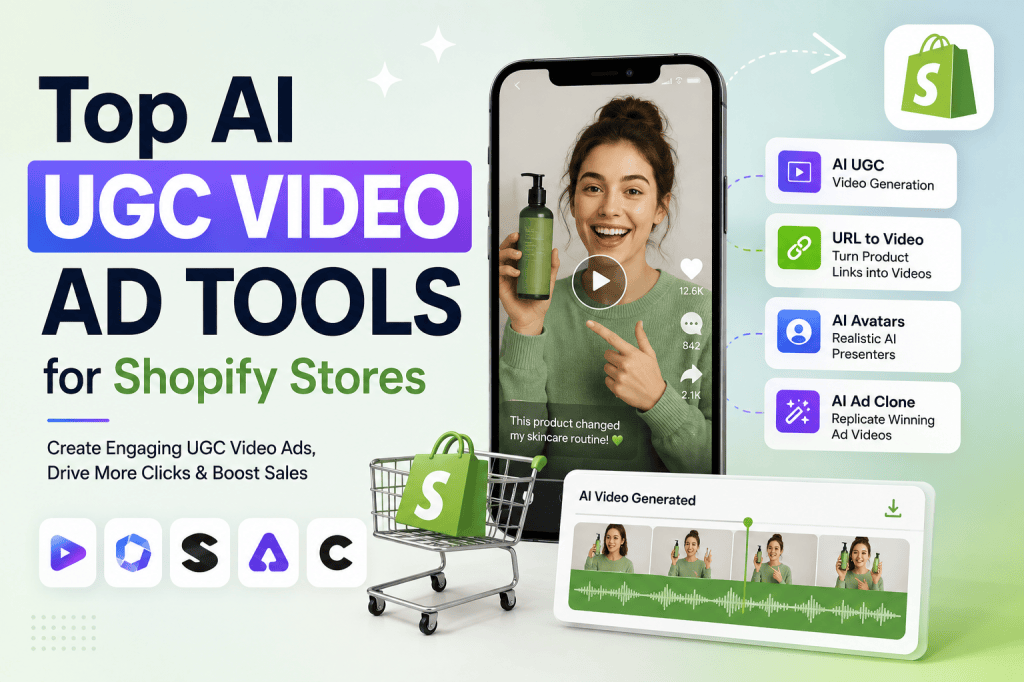
Running a Shopify store is easier than ever, but getting people to stop scrolling, understand your product, and actually buy is still challenging. Product images and written descriptions are useful, but short-form video ads often make it easier to demonstrate how a product looks, works, or fits into everyday life.
The problem is that traditional UGC (user-generated content) usually requires finding creators, sending them products, preparing briefs, waiting for recordings, and editing the final videos. For smaller Shopify brands, that process can become expensive and slow.
AI UGC video ad tools offer another approach. They can help Shopify merchants turn product information, scripts, images, or URLs into videos designed to resemble creator-style advertising. Depending on the platform, merchants can generate AI avatars, voiceovers, product demonstrations, hooks, captions, and multiple ad variations without recording everything themselves.
In this guide, we’ll look at the top AI UGC video ad tools for Shopify stores, what they can do, how they fit into an ecommerce workflow, and what to consider before choosing one.
What Is an AI UGC Video Ad?
An AI UGC video ad is a marketing video generated or assisted by artificial intelligence that uses the visual style and storytelling patterns commonly associated with creator-generated content.
Instead of hiring a creator to record a product review, a Shopify merchant can use AI to create a video featuring an AI-generated presenter, avatar, voice, or UGC-style script.
A typical AI UGC workflow may look like this:
Product page → AI understands product → Script → AI presenter/UGC style → Voiceover → Captions → Video ad
For Shopify stores, this can significantly reduce the amount of manual production required.
For example, imagine you sell a skincare product. Instead of arranging a creator shoot, you could provide your product page and generate variations such as:
- “I didn’t expect this to work this quickly…”
- “3 reasons I started using this every morning”
- “Here’s what I noticed after using it for a week”
- “If your skin feels dry, watch this”
- Product demonstration with a testimonial-style presentation
The important distinction is that AI UGC should not be presented as a genuine customer testimonial when no real customer made the claim. Shopify brands should make sure generated content is truthful and doesn’t create misleading impressions.
Why Shopify Stores Are Using AI UGC Videos
Shopify merchants constantly need fresh creative assets for paid and organic marketing.
A single product may require dozens of creative variations to determine which:
- Hook gets attention
- Product benefit resonates
- Visual style performs best
- CTA generates clicks
- Audience segment responds
- Video length works best
Traditional production makes this expensive.
AI can make creative experimentation faster.
1. Faster video production
Instead of organizing a shoot, merchants can generate a first draft from existing product information.
2. More creative variations
One product description can become multiple scripts, hooks, formats, and video concepts.
3. No camera setup
Many AI UGC platforms allow merchants to create videos without personally appearing on camera.
4. Easy localization
Some tools support multiple languages, accents, and AI voices, making it easier to create localized advertising campaigns.
5. Better testing opportunities
Instead of spending an entire budget behind one video, marketers can test multiple creative concepts.
Top AI UGC Video Ad Tools for Shopify Stores
The best tool depends on your product category, advertising channel, desired video style, and how much control you need over the final creative.
Here are several platforms worth evaluating.
1. Tagshop AI
Tagshop AI is an AI-focused video creation platform designed to help brands create marketing and UGC-style videos with less traditional production work.
For Shopify merchants, the platform is particularly interesting when the goal is to turn product information into advertising content quickly.
Key Features
- AI UGC video creation
- AI video agent
- AI ad clone
- URL-to-video
- AI twin
- AI avatars
- Product-focused video generation
- Multiple creative variations
One useful workflow is URL-to-video, where product-page information can become the starting point for video creation.
For ecommerce teams managing several products, this can reduce the repetitive work involved in creating video concepts manually.
Pros
- Designed around AI video creation
- Useful for ecommerce marketing
- Supports different AI-powered video workflows
- Can help create multiple ad concepts
- Reduces dependence on traditional filming
Cons
- AI-generated content still needs human review
- Output quality can vary depending on the input
- Some advanced features may require paid plans
Best For
Shopify brands looking for an AI-first workflow for producing UGC-style product advertisements.
2. HeyGen
HeyGen is an AI video platform focused heavily on AI avatars, presenters, and multilingual video creation.
For Shopify businesses, it can be useful when a brand wants a recognizable presenter without filming a new person for every campaign.
Key Features
- AI avatars
- AI voices
- Text-to-video workflows
- Multilingual video creation
- Custom avatars
- Talking presenters
- Video translation
A Shopify brand could create a product explanation video where an AI presenter introduces the product, explains key benefits, and ends with a CTA.
This is particularly useful for products that need explanation rather than purely visual demonstrations.
Pros
- Strong avatar capabilities
- Professional presentation quality
- Multilingual capabilities
- Useful for product explainers
Cons
- Can look more presenter-driven than authentic UGC
- Some campaigns may require a more casual creator style
- Advanced functionality may require higher-tier plans
Best For
Brands that want AI presenters, product explainers, and multilingual ecommerce videos.
3. Synthesia
Synthesia is another established AI video platform centered around AI presenters and business video production.
Although it isn’t exclusively designed for Shopify advertising, its avatar-based workflow can be useful for e-commerce brands that need structured video content.
Key Features
- AI avatars
- AI voiceovers
- Script-based video creation
- Multiple languages
- Professional video templates
- Presentation-style videos
For example, a Shopify merchant could create an educational product video explaining how a product works.
Pros
- Professional output
- Large selection of presenters
- Useful for educational content
- Strong multilingual workflows
Cons
- Less focused on casual UGC aesthetics
- May feel more polished than creator-style content
- Better suited to certain product categories
Best For
Shopify brands that need polished AI-presenter videos rather than highly casual UGC creatives.
4. Creatify
Creatify focuses heavily on AI-powered video ads for products.
One of its key strengths is helping marketers transform product information into advertising creatives.
Key Features
- URL-to-video
- AI-generated scripts
- AI avatars
- Voiceovers
- Product-focused ads
- Multiple creative variations
This makes the platform relevant for Shopify merchants because a product URL can contain much of the information needed to develop an advertising concept.
A merchant can use the generated creative as a starting point and then refine the hook, visuals, CTA, and product positioning.
Pros
- Ecommerce-focused workflow
- Fast creative generation
- Useful for ad testing
- Product URL workflows
Cons
- Generated content should be reviewed carefully
- Creative quality depends on product information
- Not every generated concept will fit every brand
Best For
Performance marketers who want to generate multiple product-ad variations quickly.
5. Arcads
Arcads is known for creating AI-generated UGC-style advertising videos.
The platform focuses on the type of short-form creative commonly used in performance marketing.
Key Features
- AI actors
- UGC-style videos
- AI voiceovers
- Product advertising
- Script-based generation
- Multiple creative concepts
Instead of creating a highly polished commercial, marketers can use UGC-style formats designed to feel closer to social media content.
For Shopify stores advertising on platforms such as TikTok, Instagram, and Facebook, this approach can be useful.
Pros
- Strong focus on UGC-style ads
- Useful for performance creative
- Multiple AI actors
- Suitable for short-form advertising
Cons
- AI UGC still requires creative direction
- Some outputs may feel artificial
- Brand consistency needs to be monitored
Best For
DTC and Shopify brands focused heavily on short-form paid social advertising.
6. CreatorsJet
CreatorsJet is another option for brands exploring AI-generated creator-style advertising.
Its relevance comes from the growing demand for scalable creative production without needing to coordinate traditional creator campaigns for every variation.
Key Features
- AI-powered content creation
- Creator-style video formats
- Product-focused advertising
- Social media creatives
- AI-generated presenters
The biggest potential advantage is speed. Shopify marketers can experiment with several creative directions without requiring a new production cycle for every idea.
Pros
- Useful for social-first content
- Faster creative experimentation
- Creator-style formats
Cons
- Output may require editing
- Not every product benefits from UGC presentation
- Human creative strategy is still important
Best For
Small ecommerce teams that need more social video content without scaling production teams.
AI UGC Video Tools Comparison
| Tool | UGC Style | AI Avatar | URL-to-Video | Ad Creation | Best For |
| Tagshop AI | ✅ | ✅ | ✅ | ✅ | Shopify ecommerce creatives |
| HeyGen | Partial | ✅ | Limited | ✅ | AI presenter videos |
| Synthesia | Partial | ✅ | Limited | ✅ | Professional explainers |
| Creatify | ✅ | ✅ | ✅ | ✅ | Performance marketing |
| Arcads | ✅ | ✅ | — | ✅ | UGC-style paid ads |
| CreatorsJet | ✅ | ✅ | — | ✅ | Social-first content |
Features and availability can change over time, so merchants should verify current capabilities and pricing before selecting a platform.
How to Choose the Best AI UGC Video Tool for Shopify
Choosing a tool shouldn’t be based only on how realistic its AI avatar looks.
The right platform should fit your entire ecommerce creative workflow.
1. Check URL-to-video capabilities
If your Shopify store already contains detailed product pages, URL-to-video functionality can save significant time.
The ideal workflow is:
Shopify product page → AI analysis → Script → Video → Edit → Publish
This eliminates repetitive copy-pasting.
2. Look for multiple creative variations
One video isn’t enough for serious advertising experimentation.
Look for platforms that allow you to create different:
- Hooks
- Scripts
- Presenters
- Product angles
- CTAs
- Video lengths
- Formats
For example, the same product could have:
Problem Hook:
“Still dealing with this every morning?”
Benefit Hook:
“This is why I started using this.”
Curiosity Hook:
“I wish I had discovered this sooner.”
Product Demonstration:
“Here’s exactly how it works.”
Testing these concepts can help identify which messaging resonates with your audience.
How to Create an AI UGC Ad for a Shopify Product
A simple process can help you produce better AI-generated ads.
Step 1: Start with the product page
Use your Shopify product page as the source of truth.
Collect:
- Product name
- Features
- Benefits
- Price
- Use cases
- Target customer
- Product images
- Important specifications
Step 2: Identify one customer problem
Don’t try to explain everything in a 30-second video.
Pick one problem.
For example:
“Keeping your desk organized is difficult when you don’t have enough storage.”
Then position the product as the solution.
Step 3: Create a strong hook
The first few seconds matter enormously in short-form video.
Potential hooks include:
- “I didn’t realize I needed this until…”
- “If you own a small apartment, watch this.”
- “Here’s a simple way to solve this problem.”
- “Three reasons this product surprised me.”
- “Before you buy another one, see this.”
The hook should be truthful and relevant to the product.
Step 4: Show the product quickly
Don’t spend too long introducing the presenter.
Move quickly to the product.
A simple structure is:
Hook → Problem → Product → Benefit → Proof → CTA
Step 5: Add captions
Many social users watch videos without sound.
Captions can make the main message easier to understand and reinforce important benefits.
Step 6: Create multiple versions
Don’t create just one video.
Create 5–10 variations using different:
- Hooks
- AI presenters
- Scripts
- Product angles
- CTAs
Then test the strongest candidates.
AI UGC vs Traditional UGC
| Factor | AI UGC | Traditional UGC |
| Production speed | Very fast | Slower |
| Creator coordination | Minimal | Required |
| Camera required | Usually no | Yes |
| Creative variations | Easy to scale | More expensive |
| Authenticity | Can vary | Often naturally strong |
| Cost per variation | Potentially lower | Usually higher |
| Brand control | High | Depends on creator |
| Testing | Easy to scale | More limited |
Neither approach is automatically better.
Traditional UGC can provide genuine human experiences and credibility, while AI UGC can provide speed, scalability, and creative testing.
The strongest ecommerce strategy may combine both.
Best AI UGC Ad Formats for Shopify
Different products require different creative approaches.
Product Demonstration
Show how the product works.
Best for:
- Gadgets
- Kitchen products
- Beauty products
- Accessories
- Home products
Problem-Solution Video
Start with a customer problem and introduce the product as a solution.
Testimonial-Style Creative
Use a creator-style presentation to communicate product benefits. Avoid presenting fictional experiences as genuine customer testimonials.
Product Comparison
Explain why the product may be a better option for a specific use case.
Unboxing-Style Video
An AI presenter can simulate an unboxing format, although brands should avoid implying that a real person physically received or used the product if that didn’t happen.
Educational Video
Explain:
- How the product works
- Who should use it
- How to use it
- Common mistakes
- Key benefits
Tips for Better Shopify AI Video Ads
Keep the message simple
One video should generally communicate one primary idea.
Use product visuals
The product should appear early enough that viewers understand what the ad is about.
Test hooks aggressively
Changing the first few seconds can completely change how viewers respond.
Don’t make unrealistic claims
AI makes it easy to generate persuasive scripts, but Shopify merchants still need to ensure advertising claims are accurate.
Match the platform
A TikTok-style creative shouldn’t necessarily look like a polished television commercial.
For Instagram Reels and TikTok, consider:
- Vertical 9:16 format
- Fast pacing
- Captions
- Short scenes
- Strong opening hooks
- Mobile-friendly text
Common Mistakes When Using AI UGC
Mistake 1: Making every video look identical
If every ad uses the same avatar, voice, hook, and structure, creative fatigue can happen quickly.
Mistake 2: Writing overly polished scripts
Real social content is often conversational. A script that sounds like corporate advertising may reduce the UGC effect.
Mistake 3: Focusing only on the AI avatar
The avatar isn’t the advertisement.
The product, problem, benefit, and offer are what ultimately matter.
Mistake 4: Ignoring the product page
AI-generated content is only as good as the information provided to it.
Keep your product descriptions clear and accurate.
Mistake 5: Not testing different concepts
Generating one AI video and assuming it will perform is a mistake.
Treat AI video generation as a creative testing engine.
FAQs About AI UGC Video Ads for Shopify
What is the best AI UGC video tool for Shopify?
There isn’t one universal best tool. For ecommerce-focused AI video creation, platforms such as Tagshop AI and Creatify are worth evaluating, while HeyGen and Synthesia are particularly useful for AI-presenter content and Arcads is focused more heavily on UGC-style advertising.
Can AI create UGC videos without a camera?
Yes. Many AI video platforms can generate videos using AI avatars, actors, voices, and scripts without requiring the merchant to record themselves.
Can I use AI UGC videos for Shopify ads?
Yes, AI-generated video can be used as marketing creative, but merchants should ensure that product claims, testimonials, demonstrations, and representations are truthful and comply with applicable advertising and platform policies.
Are AI UGC videos better than real UGC?
Not necessarily. Real UGC can offer genuine customer experiences and credibility. AI UGC offers scalability and faster creative production. The better choice depends on the campaign.
Can AI UGC videos increase Shopify sales?
They can potentially improve advertising performance by giving marketers more creative variations to test, but no AI video tool can guarantee increased sales. Performance also depends on the product, offer, audience, landing page, targeting, and media buying strategy.
How long should a Shopify UGC ad be?
For short-form platforms, many brands start with approximately 15–30 seconds, but the ideal length depends on the product and message. Test different durations rather than assuming one length will always perform best.
Final Thoughts
AI UGC video creation is changing how Shopify merchants approach ecommerce advertising.
Instead of relying entirely on expensive shoots and repeated creator coordination, brands can use AI to produce product-focused videos, experiment with different hooks, create multiple creative variations, and adapt content for different audiences.
The most important thing, however, isn’t simply finding the tool with the most realistic AI avatar.
The real advantage comes from building a repeatable creative workflow:
Product page → Customer problem → Hook → Script → AI UGC video → Multiple variations → Testing → Optimization
For Shopify stores, platforms such as Tagshop AI, Creatify, Arcads, HeyGen, and Synthesia provide different approaches to AI-powered video creation.
If your goal is performance marketing, prioritize tools that make it easy to create multiple product-specific ad variations rather than focusing only on visual realism.
Ultimately, AI UGC works best when AI handles the repetitive production work while marketers remain responsible for the strategy, positioning, accuracy, creativity, and final quality of every advertisement.


Leave a Reply