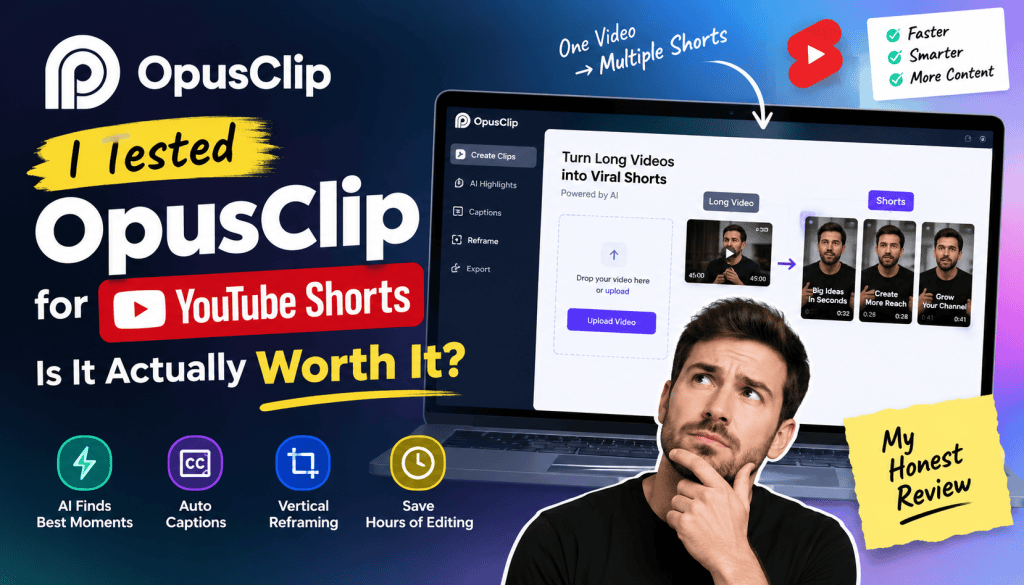
Creating YouTube Shorts from long-form videos sounds easy—until you actually have to watch hours of footage, find the best moments, crop them vertically, add captions, and make each clip engaging enough to hold attention.
That’s where OpusClip comes in.
I tested OpusClip to see whether it can genuinely turn long videos into short-form content without requiring hours of manual editing. In this review, I’ll cover how OpusClip works, its AI clipping quality, captions, reframing, editing features, pricing, pros and cons, and whether it is actually worth paying for if your main goal is creating YouTube Shorts.
Quick verdict: OpusClip is one of the more convenient AI video clipping tools for repurposing long-form content into Shorts. Its biggest advantage is speed: instead of manually searching through a 30–60 minute video, you can let AI identify potential highlights and generate multiple vertical clips. However, you still need to review the results because AI does not always understand context, humor, or the exact moment that will perform best.
What Is OpusClip?
OpusClip is an AI-powered video repurposing platform designed to transform long-form videos into short-form clips.
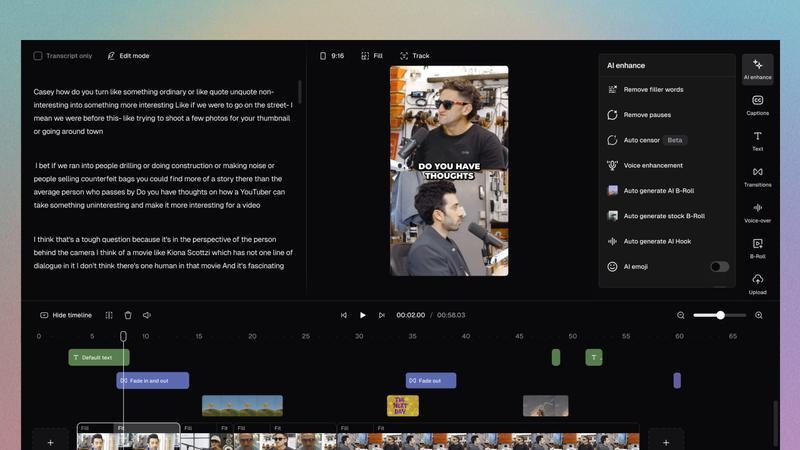
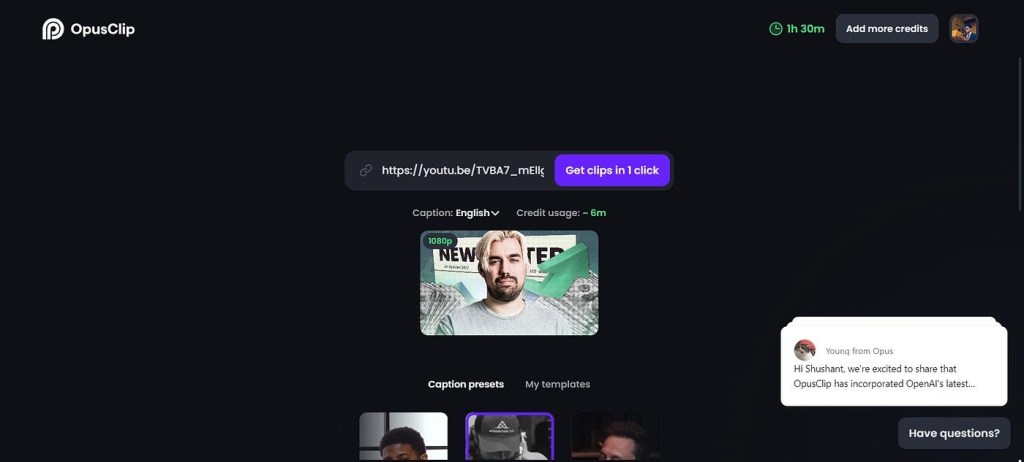
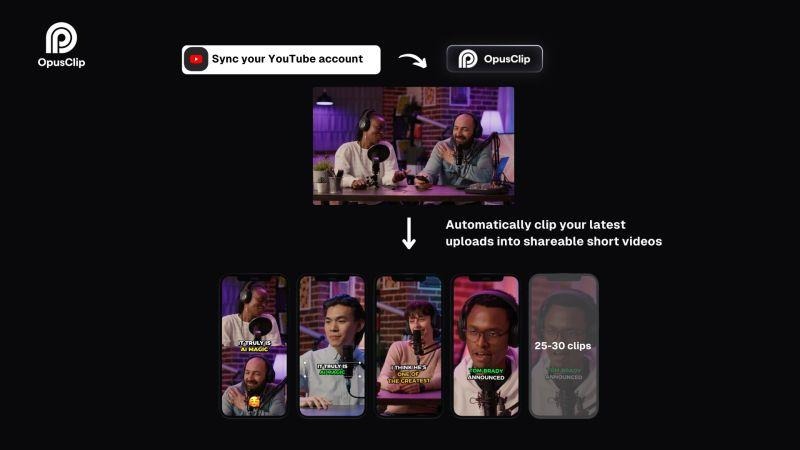
Instead of manually opening a video editor and searching for interesting sections, you upload or provide your video and let the AI analyze the content.
The platform can identify potentially engaging moments, create short clips, automatically reframe footage for vertical formats, generate captions, and provide editing tools for polishing the final result.
This makes it particularly useful for creators who already produce:
- YouTube videos
- Podcasts
- Interviews
- Webinars
- Educational videos
- Product demonstrations
- Video podcasts
- Talking-head content
- Tutorials
The basic idea is simple:
Long video → AI analyzes content → Potential highlights → Vertical clips → Captions → YouTube Shorts
The real question is whether the AI-generated clips are good enough to publish.
How I Tested OpusClip for YouTube Shorts
For this review, I focused specifically on the workflow of converting longer videos into YouTube Shorts.
I looked at five important areas:
- AI clip selection
- Vertical video reframing
- Automatic captions
- Editing and customization
- Time saved compared with manual editing
I was less interested in whether OpusClip could technically create a video and more interested in whether it could create something that actually feels like a Short.
That’s an important distinction.
Generating a 30-second video is easy.
Finding a 30-second section that makes someone stop scrolling is much harder.
1. AI Clip Selection
The first feature that stands out is AI-powered clip detection.
Instead of manually scanning through an entire video, OpusClip analyzes the content and identifies sections that could work as standalone short videos.
For example, imagine you have a 45-minute podcast discussing AI marketing.
A traditional workflow might look like:
Watch video → take notes → identify moments → cut clips → resize → caption → export
OpusClip attempts to automate much of this process.
The AI looks for sections that have characteristics associated with short-form content, such as interesting statements, discussions, explanations, or moments that can potentially stand alone.
What I liked
The biggest benefit was speed.
Instead of starting from a completely blank timeline, I had multiple potential clips to review.
That changes the editing process significantly.
You aren’t necessarily asking:
“Where should I start?”
You’re asking:
“Which of these AI-selected clips is worth publishing?”
That is a much faster decision.
Where the AI struggles
The AI isn’t perfect.
Sometimes a selected clip may technically contain an interesting statement but lack enough context to work independently.
For example, someone might say:
“That’s actually the biggest mistake.”
Without the previous sentence, viewers may not know what “that’s” refers to.
This is one of the biggest limitations of AI clipping.
AI can identify interesting sections, but it doesn’t always understand the viewer’s experience.
So I wouldn’t recommend blindly publishing every generated clip.
2. Does OpusClip Make Good YouTube Shorts?
This is probably the most important question.
The answer is: Yes, but with human review.
OpusClip is particularly effective when your source video already contains strong spoken content.
Podcasts and interviews are excellent examples.
If someone is already explaining an interesting idea for 30–60 seconds, AI can often turn that section into a usable Short with relatively little work.
It’s less impressive when the source material depends heavily on:
- Visual demonstrations
- Complex context
- Multiple speakers
- Screen recordings
- Physical movement
- Long storytelling setups
In those situations, the AI may select a section that sounds interesting but doesn’t visually communicate enough.
My biggest takeaway
Think of OpusClip as an AI editor assistant, not a completely autonomous content strategist.
It can dramatically reduce the amount of editing work.
But you should still decide:
- Which clips represent your brand?
- Which opening is strongest?
- Does the clip make sense without context?
- Is the first few seconds engaging?
- Does the ending feel complete?
- Is the caption style appropriate?
That final human judgment still matters.
3. Automatic Vertical Reframing
One of the biggest challenges when turning YouTube videos into Shorts is the aspect ratio.
Traditional YouTube videos are usually horizontal.
YouTube Shorts are designed around vertical viewing.
Simply placing a horizontal video inside a vertical canvas often produces an awkward result.
OpusClip addresses this with automatic reframing.
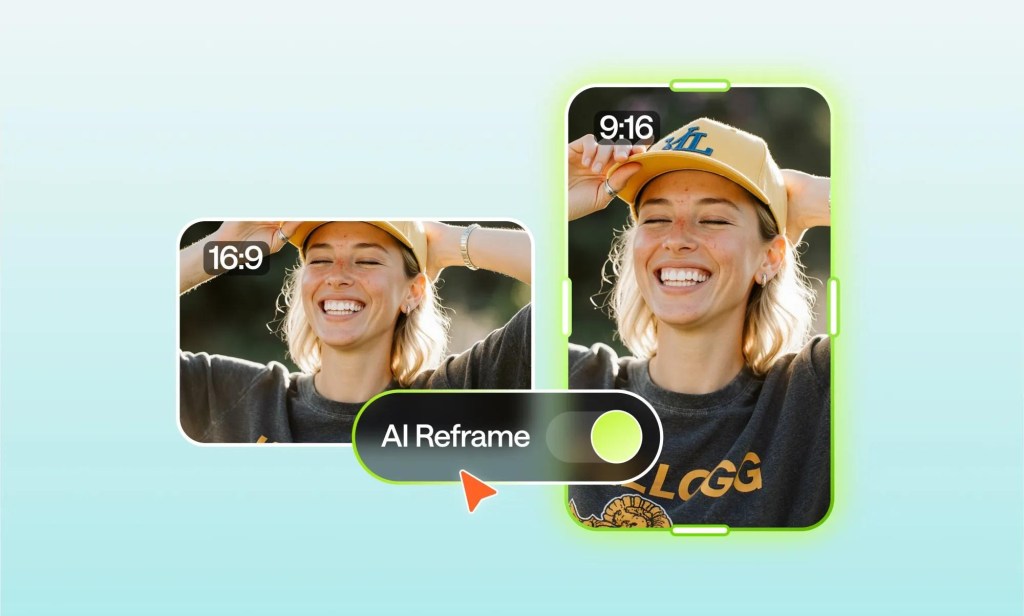
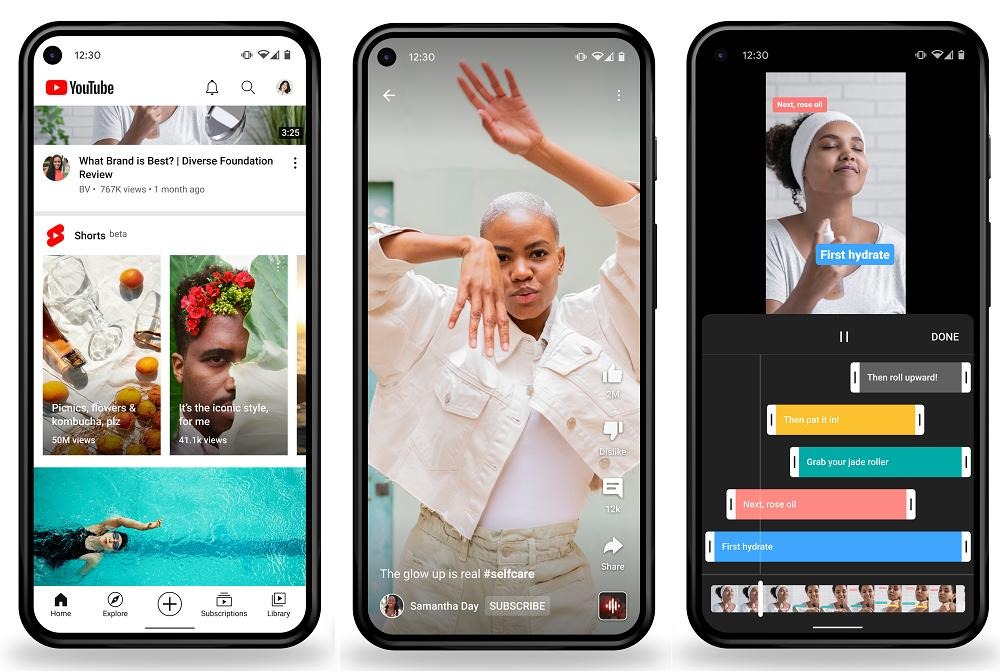
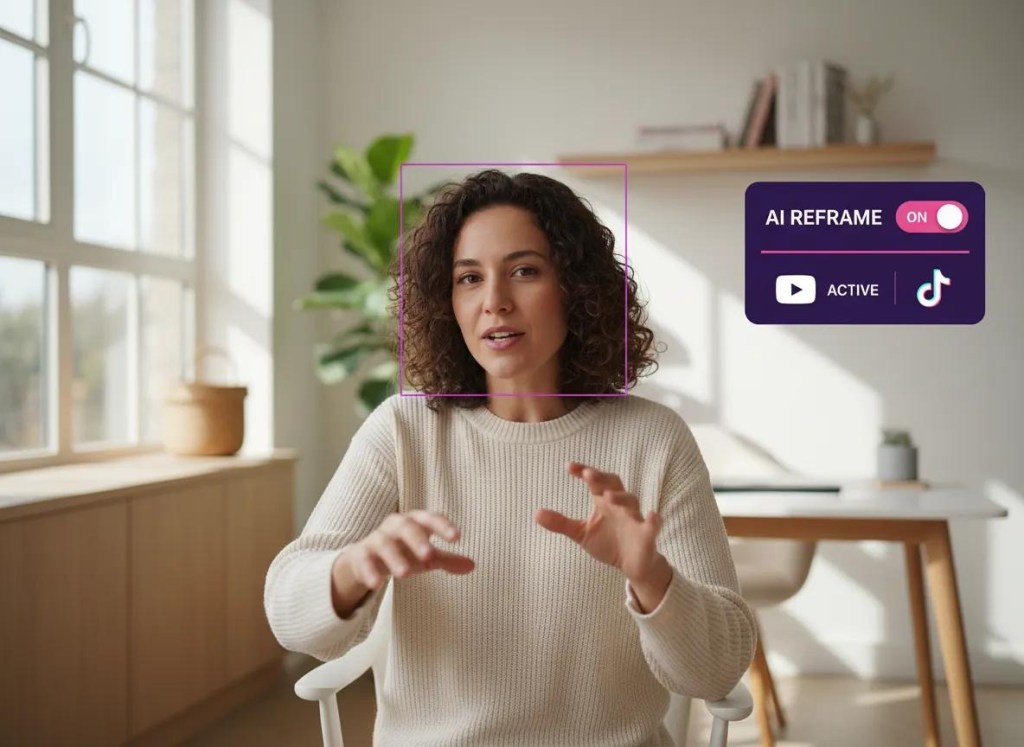
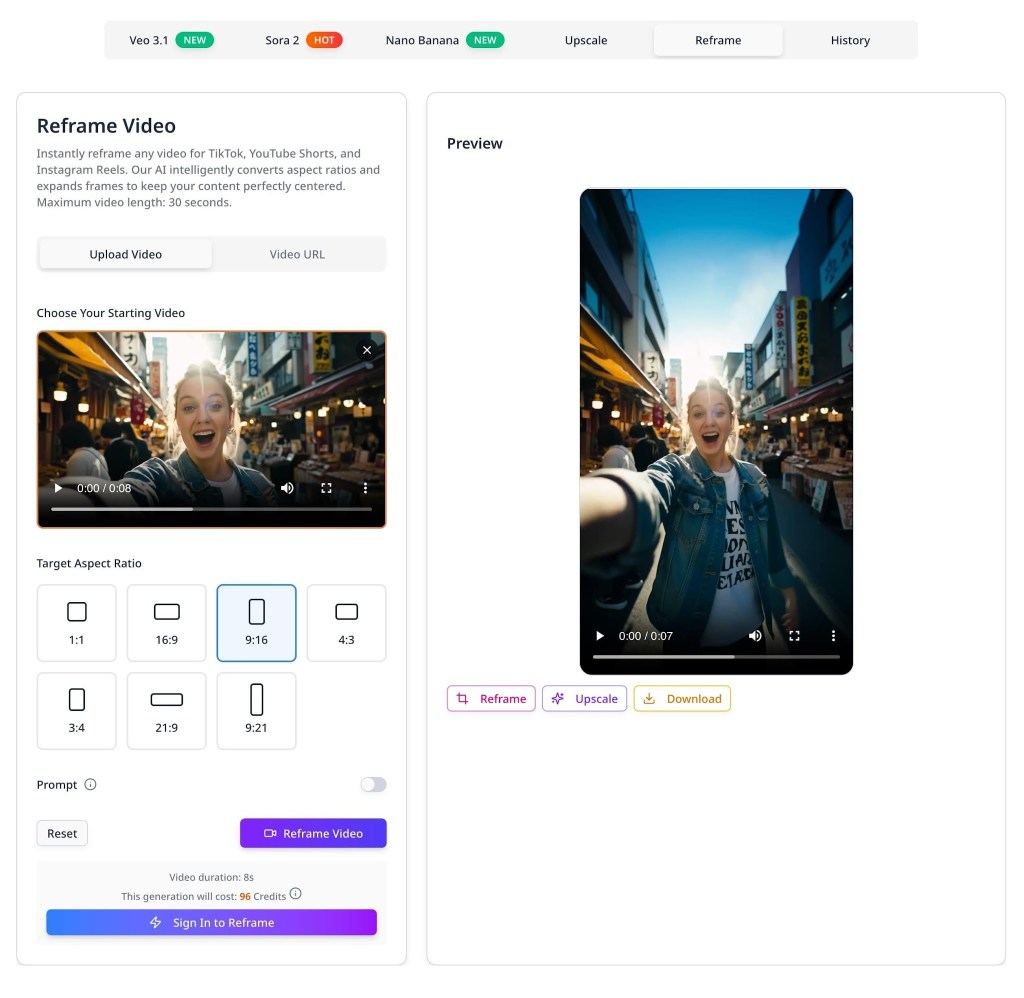
The system attempts to keep the important person or subject within the vertical frame.
This is especially useful for talking-head videos.
For example, if a speaker moves from one side of the frame to another, automatic tracking can help keep the speaker visible instead of leaving them partially outside the crop.
Why this matters
Without automatic reframing, you might need to manually adjust the crop throughout the video.
That can take considerably longer than simply cutting the clip.
For creators producing multiple Shorts every week, this time saving can add up quickly.
4. Automatic Captions
Captions are practically essential for short-form video.
Many people watch Shorts without sound, and captions also make spoken content easier to follow.
OpusClip can automatically generate captions from speech and place them directly into the video.
The process is considerably faster than manually transcribing and timing every sentence.
Caption quality
The transcription quality is generally useful, but I recommend checking the captions before publishing.
AI transcription can still make mistakes with:
- Names
- Brand terms
- Technical vocabulary
- Acronyms
- Unusual words
- Accents
A single incorrect word can make an otherwise professional Short look sloppy.
So the best workflow is:
Generate captions → review → correct errors → publish
rather than:
Generate captions → immediately publish
5. Editing Features
OpusClip isn’t only about automatically generating clips.
You can also make adjustments after the AI creates the initial version.
Depending on the workflow and plan, editing capabilities can include things such as:
- Trimming
- Caption customization
- Layout adjustments
- Reframing
- Clip editing
- Branding elements
- Social-media-oriented formatting
This is important because AI-generated content almost always needs some level of cleanup.
The interface is designed to reduce the complexity associated with traditional professional video editors.
If you’ve used advanced editors such as Premiere Pro or DaVinci Resolve, OpusClip won’t replace that level of control.
But that’s also not really its purpose.
Its advantage is fast content repurposing.
OpusClip Pricing: Plans Start at $15
One of the biggest considerations is cost.
OpusClip offers different plans depending on the amount of video processing and features you need, with paid pricing starting at around $15/month depending on the current plan and billing option.
Because AI video pricing and included credits can change, it’s worth checking the current plan details before subscribing.
For someone producing Shorts consistently, the important question isn’t just the monthly price.
It’s:
How many videos can I realistically create with the included processing allowance?
If you’re looking for a more flexible alternative, Tagshop AI is worth considering. At just $11/month, you can access OpusClip along with several other advanced AI video models in one place, making it easier to create, edit, and repurpose video content without paying separately for multiple tools. Instead of subscribing to different platforms for AI video generation, short-form clipping, and content creation, Tagshop AI brings multiple capabilities together under a single subscription. For creators, marketers, and businesses producing content regularly, this can make the overall workflow more convenient and potentially reduce the cost of maintaining multiple AI video subscriptions.
Typical pricing structure
| Plan | Starting Price | Best For |
| Free | $0 | Testing the platform |
| Starter/Basic paid tier | From $15/month | Individual creators |
| Higher paid tiers | Varies | Heavy content production |
| Business/Team | Higher pricing | Teams and businesses |
The free option can be useful for testing the workflow before paying.
However, serious creators who regularly repurpose long-form videos will likely want a paid plan because processing limits and other restrictions can become important as your volume increases.
Is $15/month expensive?
For a creator who only makes one or two Shorts occasionally, it might be unnecessary.
But consider someone manually spending several hours every week finding clips, cropping videos, and creating captions.
If OpusClip saves even a few hours per month, a $15 subscription can potentially pay for itself in time savings.
That’s where the value becomes more obvious.
OpusClip Pros
1. Extremely fast workflow
The biggest advantage is speed.
You can go from a long-form video to several potential Shorts much faster than with a traditional editing workflow.
2. Good for repurposing content
If you already publish podcasts, interviews, or YouTube videos, OpusClip can help turn one piece of content into multiple social posts.
3. Automatic captions
Captions eliminate one of the more repetitive parts of short-form editing.
4. Automatic reframing
Converting horizontal videos into vertical content becomes much easier.
5. Beginner friendly
You don’t need extensive video-editing knowledge to get started.
OpusClip Cons
1. AI selection isn’t always perfect
Some clips need to be rejected because they don’t have enough context.
2. Human editing is still necessary
You shouldn’t assume that every AI-generated clip is publication-ready.
3. Results depend heavily on your source material
A great source video generally produces better Shorts than a poorly structured one.
4. Advanced editors may want more control
Professional editors who need frame-by-frame control may find the platform less flexible than traditional editing software.
5. Costs increase with content volume
If you’re processing large amounts of footage, your subscription tier becomes increasingly important.
Who Should Use OpusClip?
OpusClip makes the most sense for creators who already have long-form video content.
YouTube creators
If you publish 10–30 minute videos, you can potentially turn each one into several Shorts.
Podcasters
Podcasts are especially suitable because conversations naturally contain short statements and opinions.
Coaches and educators
Long educational sessions can be repurposed into bite-sized lessons.
Marketing teams
Brands can use existing webinars, interviews, and product videos to create additional social content.
Agencies
Agencies managing multiple clients can use AI clipping to speed up repetitive editing workflows.
Who Shouldn’t Use OpusClip?
If your entire content strategy revolves around manually creating highly cinematic Shorts from scratch, OpusClip may not be your primary editing solution.
It’s also less useful if you don’t have existing long-form content to repurpose.
For example, if you’re creating highly visual travel videos, complex product commercials, or heavily animated content, you may need a more traditional video-production workflow.
OpusClip vs Manual YouTube Shorts Editing
Here’s where the platform becomes particularly interesting.
| Feature | Manual Editing | OpusClip |
| Finding highlights | Time-consuming | AI-assisted |
| Vertical cropping | Manual | Automated |
| Captions | Manual/automated separately | Built into workflow |
| Editing speed | Slow | Fast |
| Creative control | Very high | Moderate |
| Beginner friendly | Depends on editor | High |
| Best for | Custom productions | Content repurposing |
The key difference isn’t necessarily final quality.
It’s production efficiency.
If your goal is to create one perfect Short, manual editing gives you more control.
If your goal is to turn one hour-long video into several potential Shorts quickly, OpusClip becomes much more attractive.
Is OpusClip Worth It for YouTube Shorts?
After testing the workflow, I’d say OpusClip is worth considering if you regularly repurpose long-form content into Shorts.
The biggest value isn’t that it eliminates video editing completely.
It doesn’t.
The value is that it eliminates a large portion of the repetitive work.
Instead of starting with a 60-minute video and manually searching for clips, you start with a collection of AI-generated candidates.
That’s a meaningful difference.
At a starting price of $15/month, the platform can make financial sense for creators who regularly publish Shorts and value their editing time.
However, I wouldn’t recommend subscribing purely because you want “AI-generated viral videos.”
OpusClip cannot guarantee virality.
What it can do is make the content repurposing process significantly faster.
My Final Verdict
Rating: 8.5/10
OpusClip is a strong AI video repurposing tool for YouTube Shorts, especially if your content starts as long-form videos.
Its strongest features are:
- AI-powered clip selection
- Automatic vertical reframing
- Automatic captions
- Fast content repurposing
- Beginner-friendly workflow
Its biggest weakness is that AI-generated clips aren’t always publication-ready.
You still need to watch the output, fix captions, check context, improve hooks, and decide whether each clip is actually worth publishing.
So, is OpusClip worth it?
Yes—if you’re a creator, marketer, podcaster, or business that already produces long-form video and wants to turn it into more YouTube Shorts with less editing time.
At $15/month starting pricing, it’s particularly interesting for creators who can save several hours of editing each month.
But if you only create occasional Shorts or prefer complete manual control over every frame, you may not get enough value from it.
My recommendation: Try the free option first, process one of your real long-form videos, and judge the quality of the clips it selects. If the AI consistently finds 3–5 usable Shorts from each video, the paid plan can be a worthwhile investment.
Frequently Asked Questions
Is OpusClip free?
OpusClip offers a free option for testing its AI video clipping workflow, while paid plans provide additional processing capacity and features.
How much does OpusClip cost?
Paid pricing starts at approximately $15 per month, although exact pricing, credits, and features can vary by plan and billing period.
Can OpusClip create YouTube Shorts?
Yes. OpusClip is specifically designed to turn longer videos into short-form clips and can automatically adapt content to vertical formats suitable for Shorts.
Is OpusClip good for podcasts?
Yes. Podcasts, interviews, and talking-head videos are among the strongest use cases because the source content already contains conversational segments that can be converted into standalone clips.
Can OpusClip automatically add captions?
Yes. Its AI-powered workflow can generate captions for video clips, although you should review the transcription before publishing.
Does OpusClip guarantee viral Shorts?
No. AI can identify potentially engaging moments, but there is no guarantee that a particular Short will go viral. Hook quality, topic, audience, retention, timing, and distribution still matter.
Is OpusClip worth $15 a month?
For creators who regularly repurpose long videos into Shorts, $15/month can be good value if the tool saves significant editing time. For occasional Shorts creators, the free option may be sufficient.
What type of content works best with OpusClip?
Podcasts, interviews, educational videos, webinars, tutorials, commentary, and talking-head content generally work well because the important information is primarily delivered through speech.


Leave a Reply