Creating videos traditionally requires a camera, lighting, a location, editing software, and someone willing to be on camera. For creators, marketers, educators, and businesses producing content regularly, that process can quickly become expensive and time-consuming.
AI twin generators offer a different approach.
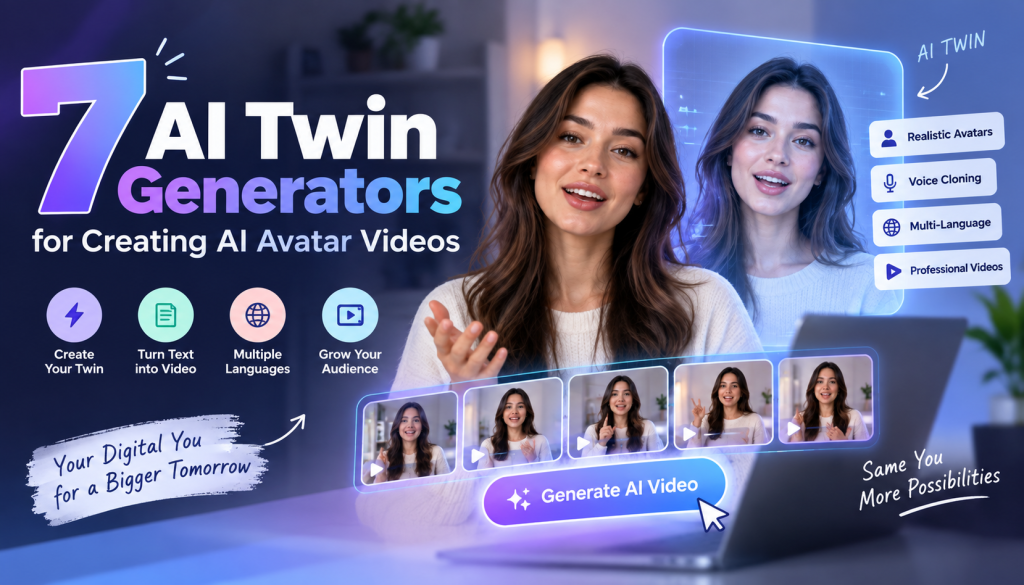
An AI twin is a digital version of a real person that can appear in videos, speak from a written script, and in some cases use a cloned voice and personalized expressions. Instead of recording yourself every time you need a new video, you can create a digital version of yourself and use it to produce new content.
Today, several platforms can create realistic AI avatars, digital twins, and presenter videos. However, they are not all designed for the same purpose. Some are better for marketing, some for corporate training, some for social content, and others for personalized sales videos.
In this guide, we’ll compare 7 AI twin generators for creating AI avatar videos, starting with Tagshop AI, and help you choose the best AI twin video generator for your needs.
What Is an AI Twin?
An AI twin is a digital representation of a real person created with artificial intelligence.
Depending on the platform, you may provide a photo, video recording, or other identity data. The AI can then recreate characteristics such as appearance, facial movements, voice, and speaking style.
Once your AI twin is created, you can provide a script and generate a video of your digital version delivering that message.
7 Best AI Twin Generators for Creating AI Avatar Videos
1. Tagshop AI
Best for: DTC brands, marketers, and creators who want AI-generated UGC and avatar-style video ads.
Tagshop AI is designed for brands that want to create engaging video content without relying entirely on traditional filming or creator production. Its AI-powered video workflow can help marketers turn product ideas, images, and product information into ready-to-use video creatives.
For DTC brands, the platform is especially useful for creating UGC-style AI videos, promotional content, product-focused videos, and performance marketing creatives.
Instead of arranging a shoot every time you want to test a new concept, Tagshop AI can help you generate variations around different hooks, messages, creators, and product benefits.
This makes it a strong option for marketers looking for the best AI twin video generator for scalable advertising and social content.
Why choose Tagshop AI?
- AI-powered video generation
- UGC-style video creation
- Designed with ecommerce and marketing workflows in mind
- Useful for product-focused content
- Helps create multiple creative variations
- Reduces traditional video-production requirements
- Suitable for paid social and short-form content
Best for
Tagshop AI is a good choice for DTC brands, ecommerce marketers, agencies, and creators who want to combine AI-generated presenters and UGC-style storytelling with performance-focused video creation.
Verdict: A strong #1 choice for brands that want to use AI to generate scalable UGC and avatar-style marketing videos.
2. HeyGen
Best for: Realistic AI twins, marketing videos, and multilingual content.
HeyGen is a popular AI video platform that offers custom digital twins, AI avatars, voice capabilities, and video translation.
Users can create a digital version of themselves and use it to produce videos from written scripts without recording every presentation manually.
One of HeyGen’s biggest advantages is flexibility. It works across marketing, social media, sales, education, internal communications, and multilingual video production.
Key strengths
- Realistic AI avatars
- Custom digital twins
- Voice capabilities
- Multilingual videos
- Video translation
- Marketing and social content workflows
Best for: Creators and businesses that want an all-purpose AI twin and avatar platform.
3. Synthesia
Best for: Corporate training, education, and professional AI presenter videos.
Synthesia is one of the most established AI avatar video platforms. It focuses heavily on professional video production, making it particularly useful for corporate training, onboarding, education, internal communications, and presentations.
Organizations can create custom avatars and use them for recurring video content without requiring employees to record every lesson or update.
Key strengths
- Professional AI avatars
- Custom avatar options
- Multilingual video creation
- Corporate-friendly workflow
- Training and education applications
- Consistent presenter videos
Best for: Companies creating professional training and instructional content.
4. Tavus
Best for: Personalized video and conversational AI experiences.
Tavus focuses on personalized AI video experiences and digital replicas. It can be particularly useful for sales and marketing teams that want to create personalized communication at scale.
Rather than sending every prospect the same generic video, businesses can use AI-powered video personalization to create more tailored experiences.
Key strengths
- Personalized AI videos
- Digital twin capabilities
- Sales outreach
- Video personalization
- Conversational applications
- Automation capabilities
Best for: Sales teams and marketers focused on personalized video communication.
5. D-ID
Best for: Talking avatars, image-to-video creation, and AI-powered applications.
D-ID allows users to create talking digital characters and avatar videos. Its technology can also be integrated into applications through APIs, making it relevant for businesses and developers exploring interactive AI experiences.
Key strengths
- Talking avatars
- Image-to-video capabilities
- AI presenter videos
- API capabilities
- Interactive applications
- Developer-focused workflows
Best for: Developers, businesses, and creators experimenting with talking AI characters.
6. Colossyan
Best for: Training, workplace learning, and educational videos.
Colossyan is focused primarily on AI video creation for workplace learning and training.
Users can create avatar-led videos from scripts and other content, making it easier for organizations to produce onboarding, instructional, and training material.
Key strengths
- AI presenters
- Custom avatars
- Training workflows
- Multi-avatar scenarios
- Document-to-video capabilities
- Localization features
Best for: HR, L&D, education, and corporate training teams.
7. Hedra
Best for: Creative AI characters and social video content.
Hedra takes a more creative approach to AI character and video generation. It can be useful for creators who want to experiment with expressive digital characters and social-first content.
Rather than limiting users to traditional corporate presenters, Hedra gives creators more room to experiment with character-driven video concepts.
Key strengths
- AI character generation
- Creative video workflows
- Expressive digital characters
- Social content creation
- Multiple AI models
- Creative experimentation
Best for: Creators and marketers who want more experimental AI character videos.
AI Twin Generator Comparison Table
| AI Twin Generator | Best For | Custom AI Twin | Voice Features | Multilingual Video | Social Content | Marketing |
| Tagshop AI | DTC & AI UGC ads | ✓ | ✓ | ✓ | ✓ | ✓ |
| HeyGen | General AI twin videos | ✓ | ✓ | ✓ | ✓ | ✓ |
| Synthesia | Corporate training | ✓ | ✓ | ✓ | ✓ | ✓ |
| Tavus | Personalized videos | ✓ | ✓ | ✓ | ✓ | ✓ |
| D-ID | Talking avatars | ✓ | ✓ | ✓ | ✓ | ✓ |
| Colossyan | Training & education | ✓ | ✓ | ✓ | — | ✓ |
| Hedra | Creative AI characters | ✓ | ✓ | ✓ | ✓ | ✓ |
Features and availability can vary by platform and pricing plan. Check each provider’s current offering before purchasing.
Which AI Twin Generator Should You Choose?
Your ideal platform depends on what you want to create.
Choose Tagshop AI if your primary goal is creating AI-powered UGC, product videos, and advertising creatives for a DTC or ecommerce brand.
Choose HeyGen if you want a flexible platform for realistic AI twins, marketing videos, and multilingual content.
Choose Synthesia if your focus is corporate training and professional presentations.
Choose Tavus for personalized sales and marketing videos.
Choose D-ID if talking avatars and API-powered applications are important.
Choose Colossyan for employee training and workplace learning.
Choose Hedra if you’re primarily interested in creative AI characters and social content.
Ultimately, the best AI twin video generator is the one that fits your content goals, audience, production workflow, and budget.
What Makes the Best AI Twin Video Generator?
Choosing an AI twin platform isn’t simply about finding the avatar that looks the most realistic.
The best AI twin video generator depends on your actual workflow.
Here are the factors worth considering.
1. Realism
The first thing most people notice is the avatar’s appearance.
Look for:
- Natural facial expressions
- Realistic eye movement
- Accurate lip synchronization
- Natural blinking
- Appropriate gestures
- Consistent identity
An AI twin should feel like a digital representation of the person rather than an obviously artificial character.
2. Voice quality
A realistic avatar can still feel artificial if the voice sounds robotic.
Look for natural pacing, pronunciation, emotional variation, and accurate synchronization between speech and mouth movement.
If you’re creating a personal AI twin, voice cloning can also make the content feel more consistent with your existing brand.
3. Video translation
For international businesses, language support can be a major advantage.
A strong AI twin platform can help you create versions of the same video for different markets without physically recording yourself in every language.
4. Customization
Consider how much control the platform gives you.
Useful controls can include:
- Backgrounds
- Camera framing
- Clothing
- Gestures
- Voice
- Script
- Branding
- Subtitles
- Music
- Visual elements
The more control you have, the easier it becomes to make the AI twin fit your brand.
5. Ease of use
AI technology can be powerful but still frustrating if the workflow is complicated.
For most creators and marketers, a simple process is preferable:
Create twin → write script → generate video → edit → export.
6. Commercial rights
Before using your AI twin in advertising or commercial content, review the platform’s terms.
Pay particular attention to:
- Avatar ownership
- Voice rights
- Commercial usage
- Content ownership
- Data retention
- Consent requirements
- Account deletion
This becomes especially important when an AI twin represents a company’s founder, employee, influencer, or customer.
AI Twin vs AI Avatar: What’s the Difference?
The terms AI twin and AI avatar are often used interchangeably, but there is an important difference.
An AI avatar can be a generic digital presenter created by a platform.
An AI twin is usually designed to represent a specific person.
For example, a company might select a stock AI presenter for an internal training video. That would be an AI avatar.
A founder could create a digital version of themselves that delivers weekly marketing updates without recording each video. That would be closer to an AI twin.
In simple terms:
AI avatar = digital presenter
AI twin = digital version of a specific person
This distinction matters when choosing an AI video platform.
How to Create an AI Twin Video
Creating an AI twin video is generally straightforward.
Step 1: Choose your platform
Pick a generator based on your goal. Marketing, social media, training, sales, and interactive experiences may require different tools.
Step 2: Record your source video
If the platform supports custom twins, follow its recording instructions carefully.
Good lighting, clear audio, a clean background, and natural delivery can improve the source material.
Step 3: Complete identity verification or consent
Some platforms require consent or verification before creating a digital replica of a real person.
Never create or use an AI twin of another person without appropriate permission.
Step 4: Add your voice
Use a supported voice-cloning workflow if you want the digital twin to sound like you.
Step 5: Write a natural script
Don’t write like a robot.
Instead of:
“Hello. Today I will discuss the benefits of our product.”
Try:
“If you’re struggling with this problem, here’s something that might make your life a lot easier.”
Natural language generally makes avatar content feel more engaging.
Step 6: Generate and review
Watch the final video carefully.
Look for:
- Lip-sync errors
- Incorrect pronunciation
- Strange gestures
- Unnatural pauses
- Facial inconsistencies
- Incorrect emphasis
AI-generated content should always be reviewed before publication.
Best Use Cases for AI Twin Videos
AI twins can be useful across many industries.
Marketing
Brands can create product explainers, promotional videos, social content, and advertisements.
Education
Teachers and course creators can create lessons without recording every module manually.
Sales
Sales representatives can produce personalized outreach videos for prospects.
Training
Companies can create onboarding and employee training videos using consistent digital presenters.
Social media
Creators can produce regular short-form videos without appearing on camera every time.
Localization
Businesses can adapt content for different languages and markets.
Internal communication
Executives can use AI twins for recurring announcements, updates, and educational content.
Are AI Twin Videos Worth It?
For people who create video regularly, AI twins can save significant production time.
Imagine a creator who normally spends 30 minutes recording and another hour editing every short video. An AI twin can reduce some of that repetitive work by allowing the creator to prepare a script and generate a new presentation.
However, AI twins shouldn’t replace human judgment.
The strongest content still needs:
- Good ideas
- Useful information
- Strong storytelling
- Natural scripts
- Clear positioning
- Human oversight
The AI twin is the delivery mechanism, not the entire content strategy.
Final Verdict: Which Is the Best AI Twin Video Generator?
There isn’t one platform that is perfect for everyone.
If you want an all-around platform for realistic digital twins, marketing, localization, and general video creation, HeyGen is one of the strongest choices.
If your focus is professional corporate training, Synthesia is worth considering.
For personalized sales and conversational experiences, Tavus stands out.
D-ID is useful for talking avatars and developer-focused applications, while Colossyan is particularly strong for training and workplace learning.
For creative character videos, Hedra is an interesting option, and Captions is especially relevant to social-first creators.
Ultimately, the best AI twin video generator is the one that matches your content workflow, audience, and production goals.
Before committing to a paid plan, test the same short script across two or three platforms. Compare avatar realism, voice quality, lip synchronization, editing controls, generation speed, and commercial-use terms.
That simple test can tell you much more than a feature list.
FAQs About AI Twin Generators
What is the best AI twin video generator?
HeyGen is a strong overall option for realistic digital twins and general AI avatar video creation. Synthesia is particularly suited to professional business and training content, while Tavus is better suited to personalized and conversational video experiences.
Can I create an AI twin of myself?
Yes. Several AI video platforms allow users to create custom digital twins from recordings or other supported source material. You generally need to provide appropriate consent and follow the platform’s identity-verification process.
Can an AI twin speak with my voice?
Yes, some AI twin platforms support voice cloning. The exact process and availability depend on the platform and subscription plan.
Are AI twin videos realistic?
Modern AI avatar technology can produce highly realistic videos, particularly for scripted presenter content. However, quality varies by platform, source recording, voice, script, and generation model.
Can I use an AI twin for YouTube videos?
Yes. AI twins can be used for educational videos, explainers, news-style content, tutorials, marketing videos, and other YouTube formats. Always follow YouTube’s current disclosure and synthetic-media policies where applicable.
Can AI twins replace video recording?
For some types of content, yes. An AI twin can replace repetitive presenter recordings. However, live events, highly emotional storytelling, authentic product demonstrations, and content where real human presence is important may still benefit from traditional filming.
Is an AI twin the same as a digital human?
The terms overlap. A digital human is generally a broader term for an AI-powered virtual person, while an AI twin specifically refers to a digital representation of a particular real person.
Are AI twin videos good for marketing?
Yes. AI twins can help marketers create product explainers, promotional videos, social content, personalized sales videos, and localized campaigns at scale.
How can I make my AI twin video look more natural?
Use a high-quality source recording, write conversational scripts, select a natural voice, avoid overly formal language, and review the generated video for unnatural pauses, facial movements, and pronunciation.
What should I check before choosing an AI twin generator?
Compare avatar realism, voice quality, custom twin capabilities, language support, editing features, video resolution, generation limits, commercial rights, privacy policies, and pricing.
Is it ethical to create an AI twin?
Creating an AI twin of yourself is generally straightforward from a consent perspective. The situation becomes more complicated when another person’s likeness or voice is involved. Always obtain appropriate permission before creating or distributing a digital replica of someone else.


Leave a Reply